Business Value
- Groups accounts in the Income Statement with one tag.
- Shows only the accounts you need, with no Excel work.
- Lets one account carry several tags.
Use Cases
- An accountant tags 10 salary accounts Salaries and sees only their balances.
- A financial controller tags marketing accounts and checks their spend each month.
- A chief accountant links one account to two tags for two different views.
How It Works
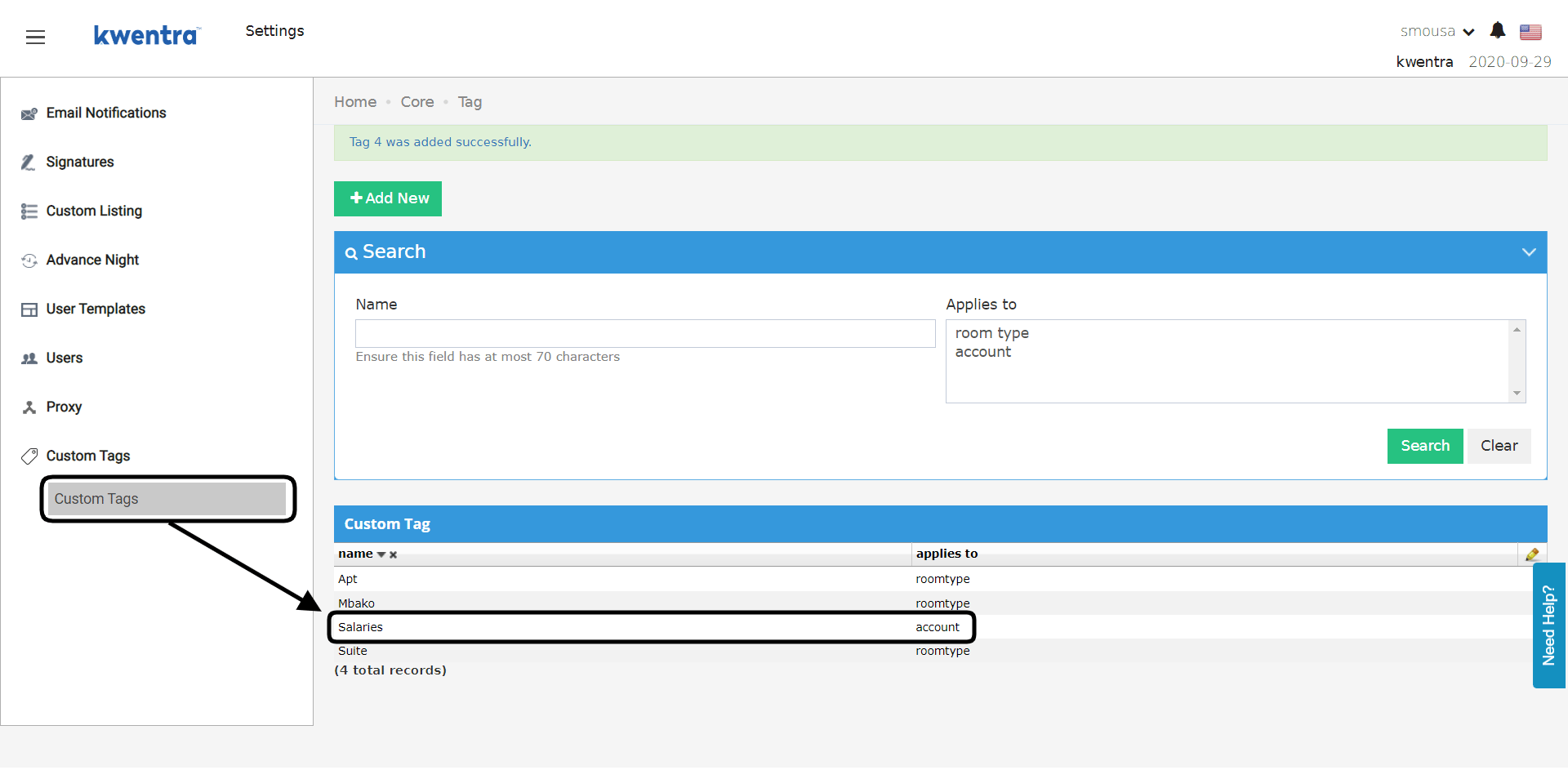
Example: you have 10 salary accounts. You want only their balances in the income statement. Run the income statement with Custom Tag: Salaries. It shows only the accounts linked to that tag.1. Add a Custom Tag
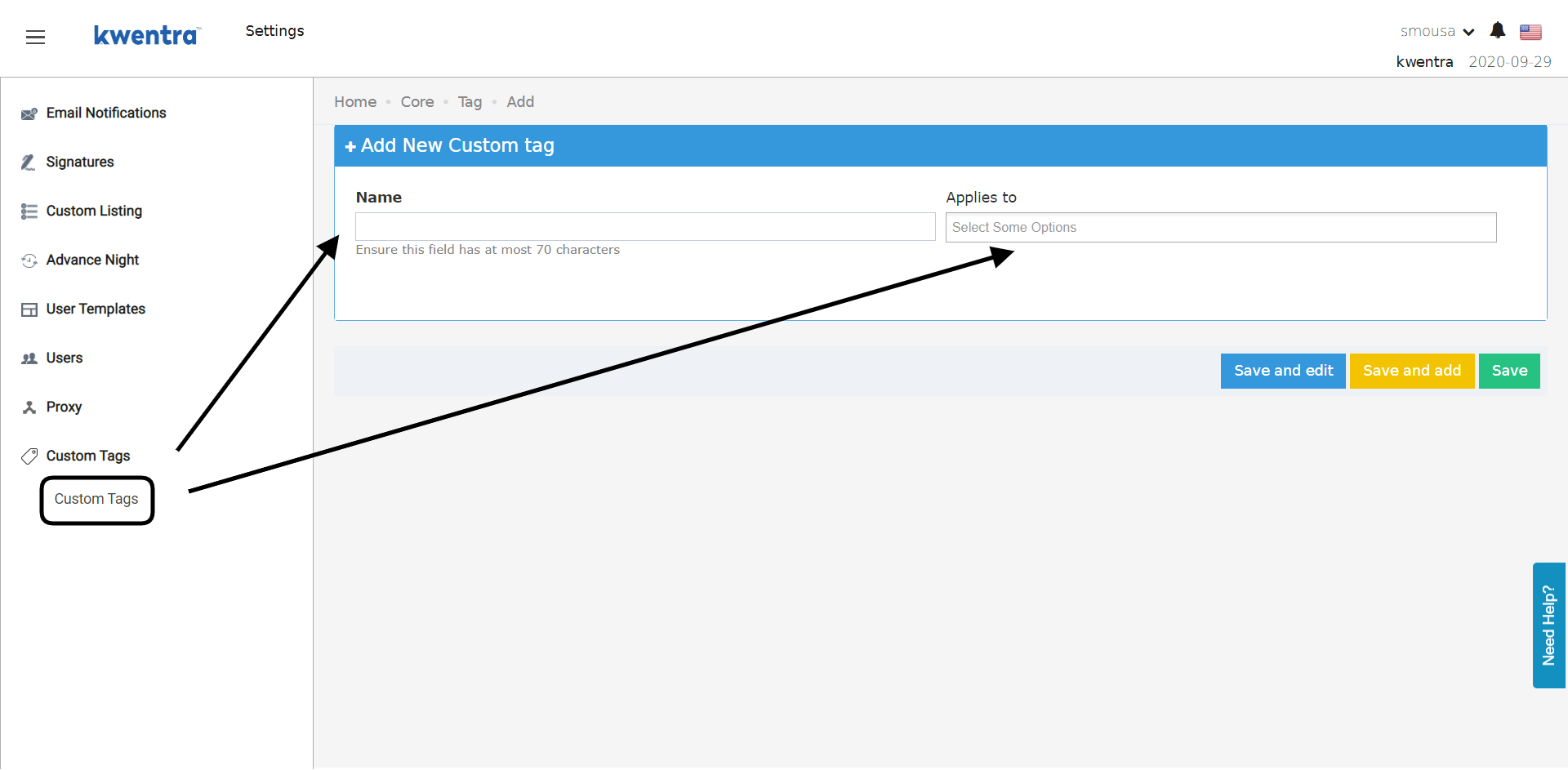
- Enter a name for the tag.
- Set Applies to to accounts.
- Click Save.
2. Link the Tag to an Account
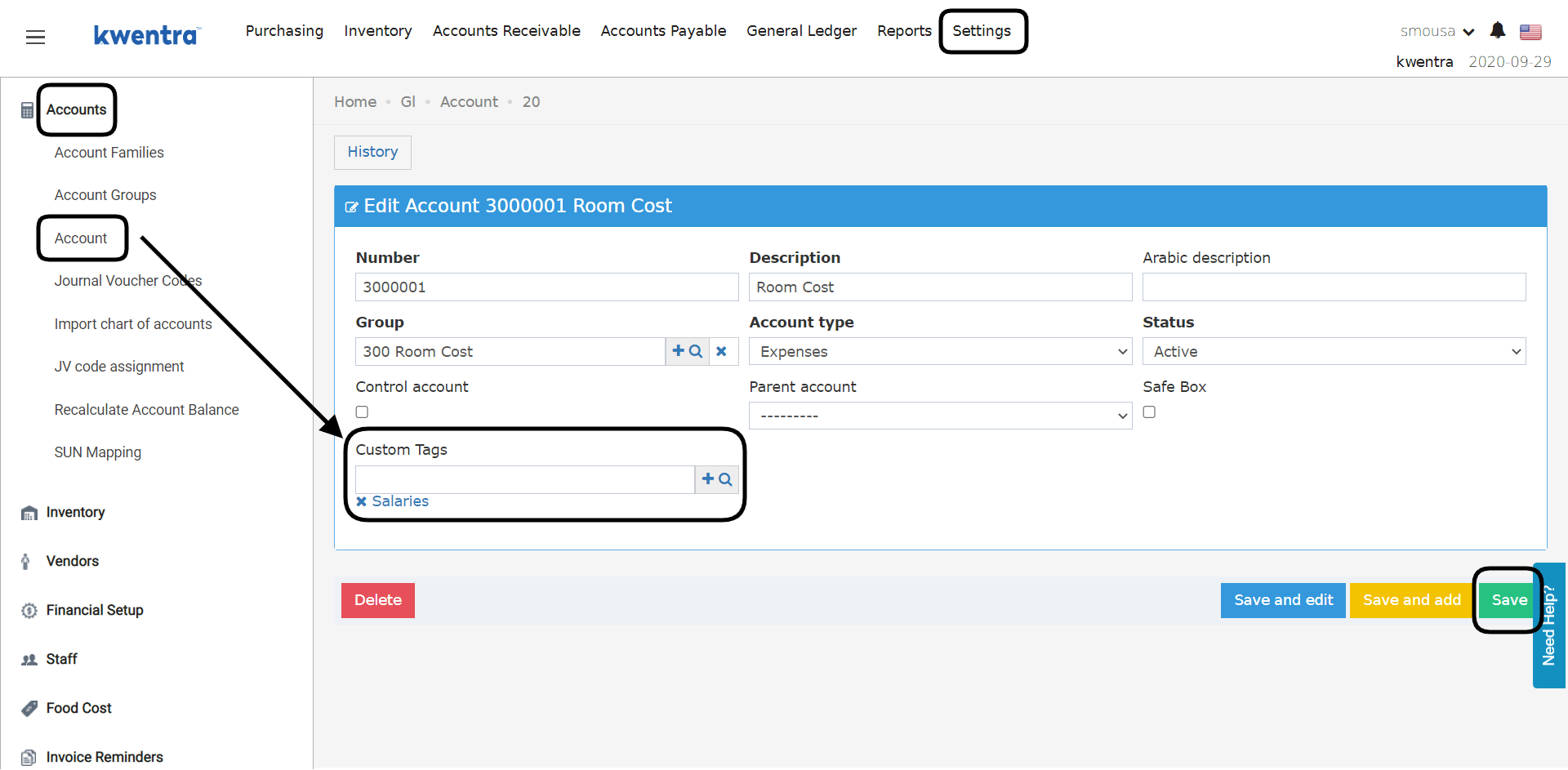
- Open the account.
- In Custom Tags, choose the tag. You can link several tags to the same account.
- Click Save.