
Documentation Index

Fetch the complete documentation index at: https://help.kwentra.com/llms.txt

Use this file to discover all available pages before exploring further.

The Vendor Payments Screen helps you search and audit on previously made payments and make sure that they are submitted and reflecting on your balance sheet. Back Office → Accounts Payabale → Accout Payable → Vendor Payments From the below screen you can search using any of the below fields:
  • Vendor Name
  • Payment type whether cash or cheque
  • Cheque Serial Number
  • Cheque value date
  • The date of the payment
  • The asset account used for the payment
  • The state of the payment whether pending or submitted.
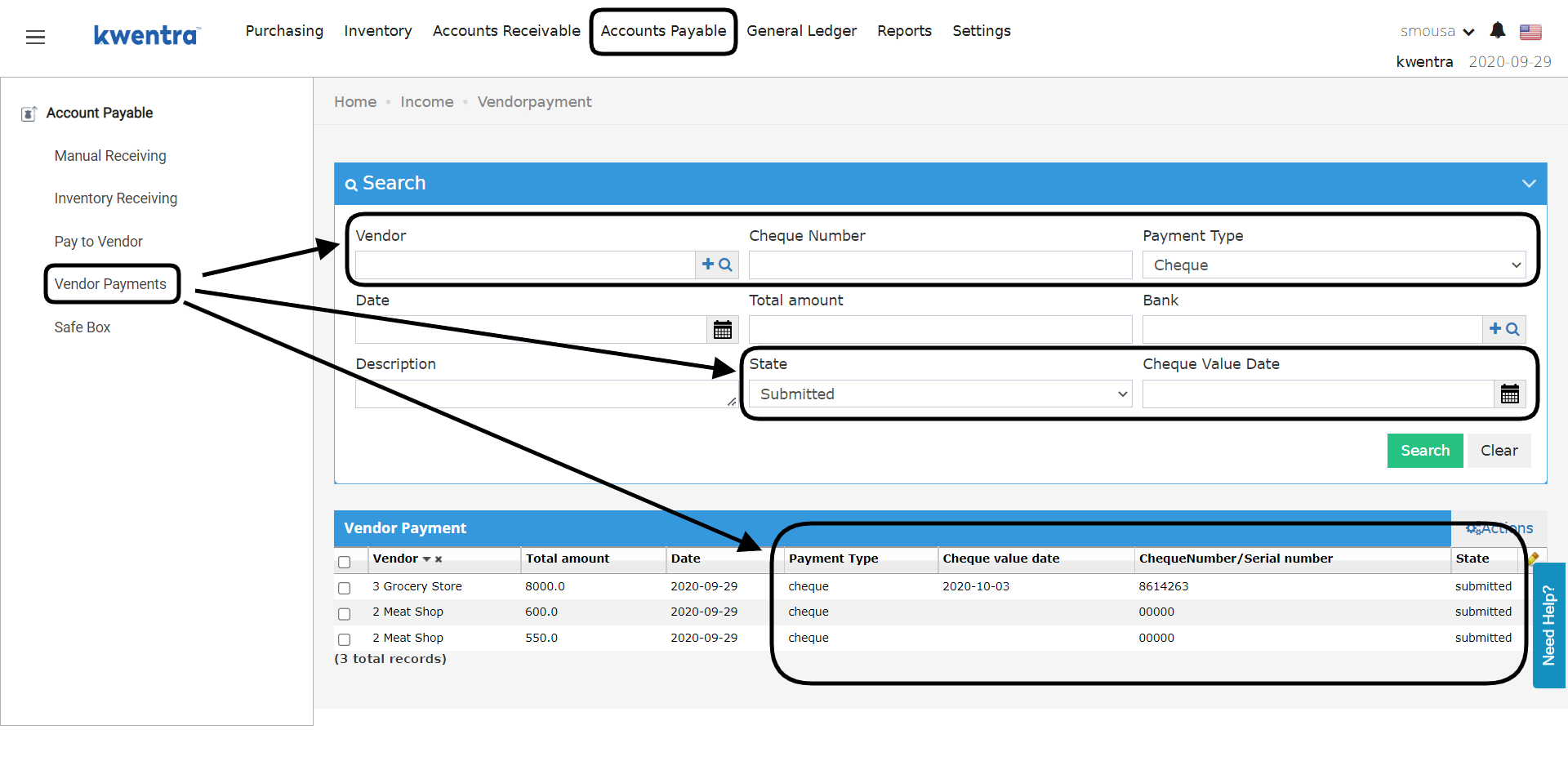
The columns of the search screen as well could help you see most of the information, most importantly it shows you the state of the payment whether it is pending or submitted.