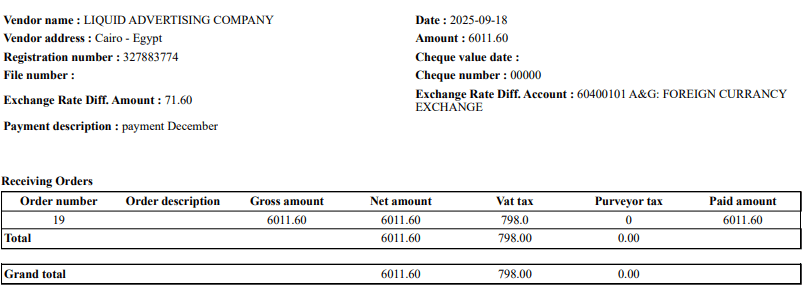
- Eliminates risky manual journal voucher editing for exchange differences.
- Automatically generates correct JV entries at payment submission.
- Distinguishes losses (positive) vs gains (negative) clearly.
- Keeps vendor AP and JVs fully consistent.
- Accountant enters positive amount for loss; system generates correct 4-line JV.
- Finance manager enters negative amount for gain without manual JV editing.
- AP supervisor ensures JVs remain locked and auditable after submission.
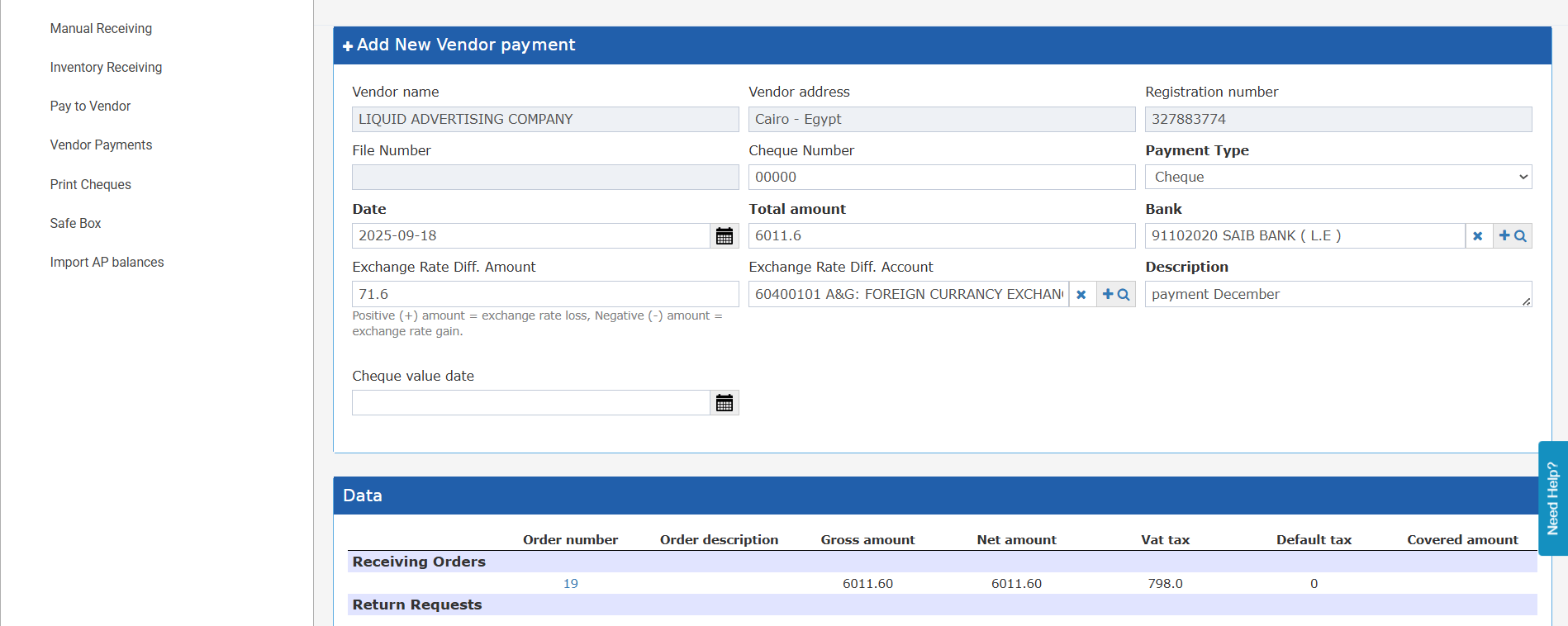
New Fields on the Vendor Payment Form
Two new fields are available in the Pending state of a vendor payment:
- Exchange Rate Diff. Amount — decimal value. Positive = exchange rate loss (extra cost). Negative = exchange rate gain (saving). Defaults to 0. Cannot cause the bank amount to go negative.
- Exchange Rate Diff. Account — autocomplete account selector. Required only when the amount field is non-zero. Must be an active, non-hidden, non-parent account.
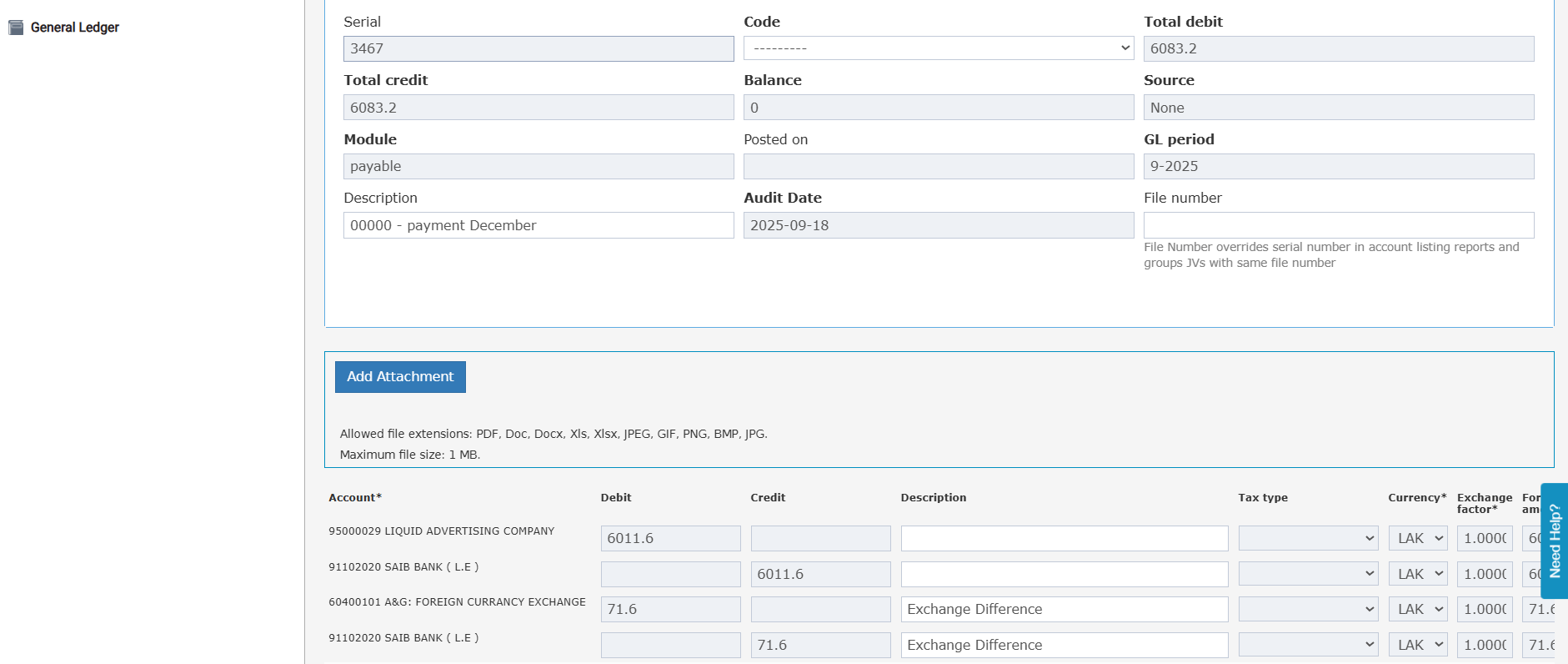
- Debit: Vendor AP Account (total_amount)
- Debit or Credit: Exchange Rate Diff. Account (exchange_rate_diff_amount — debit if loss, credit if gain)
- Credit: Bank Account (total_amount + exchange_rate_diff_amount)
- Both fields are editable only in Pending state.
- Both fields become read-only once the payment is Submitted.
- If the amount is 0 or empty, the account field is not required and is ignored at submission.