Documentation Index

Fetch the complete documentation index at: https://help.kwentra.com/llms.txt

Use this file to discover all available pages before exploring further.

Kwentra uses a new format for generating confirmation numbers in both group and individual reservations, making each number easier to track, search, and organize — especially across chains.

This update helps hotels:

  • Easily identify reservation types (Group or Individual) from the confirmation number
  • Link reservations back to the hotel using the hotel code
  • Standardize formats across all confirmation numbers for better reporting and tracking

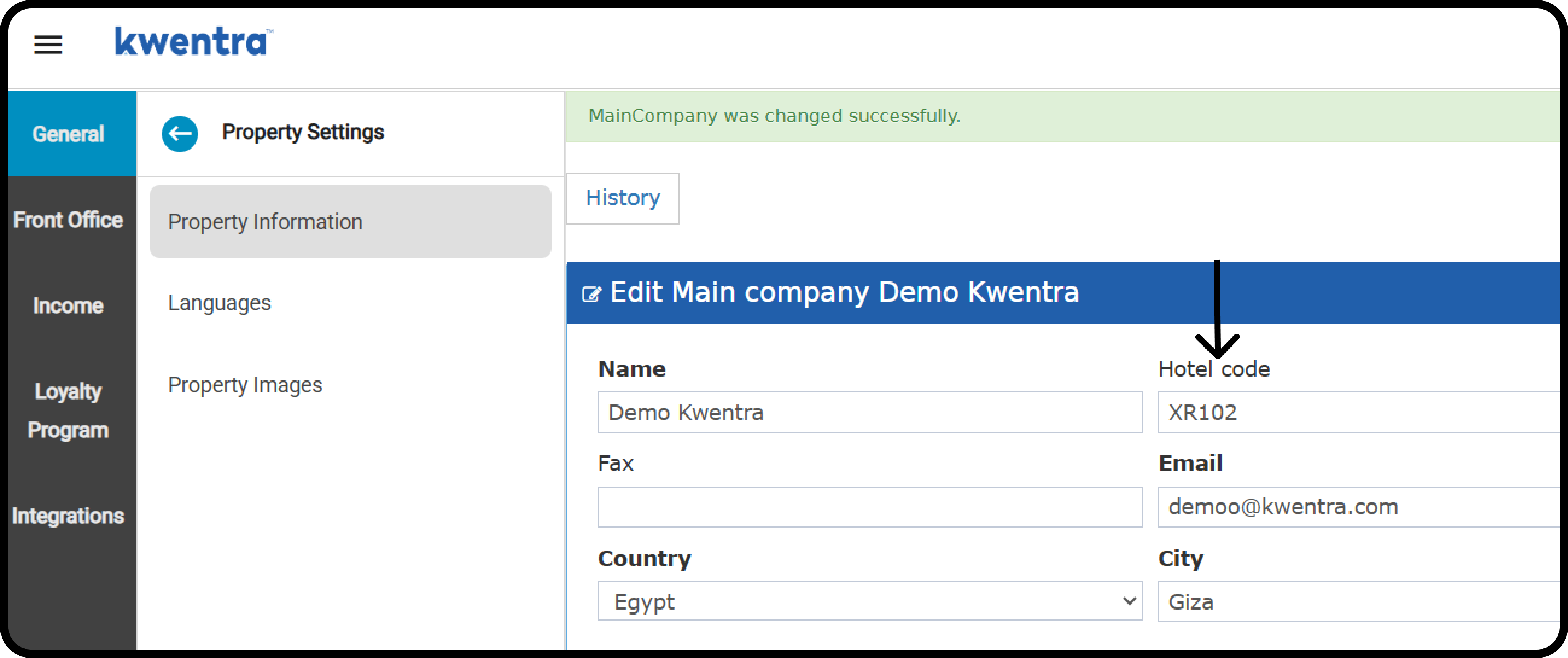
How to add your hotel code?

Front Office > Settings Gear Sign > General > Property Settings > Property Information Hotel Code Field Details:
  • Type: Alphanumeric, only numbers and letters, no characters or spaces.
  • Length: 5 characters or less.
  • Required? No.

How does this affect reservations’ confirmation numbers?

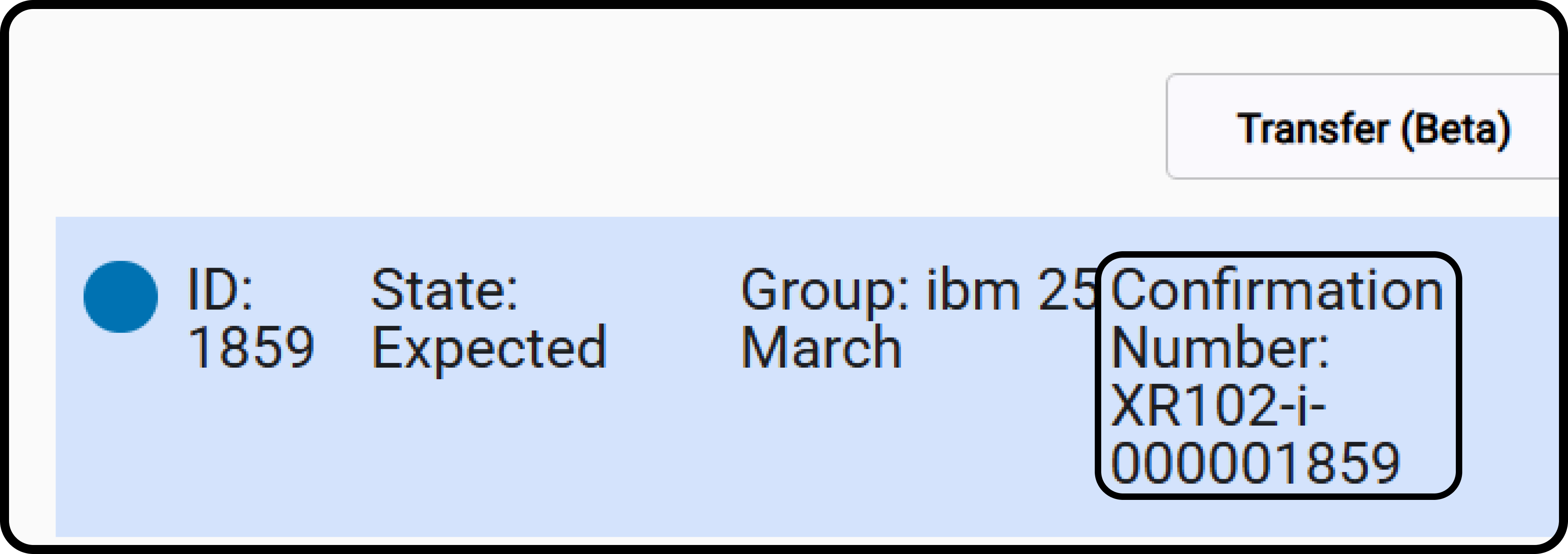
All confirmation numbers now follow this structure: [HOTEL CODE] - [TYPE] - [RESERVATION-ID] [CAIRO] - [I/G] - [000001895]
Summary of Behaviors

ActionConfirmation number formatNotes
Group ReservationHOTELCODE - G - RESIDGenerated for each reservation in the group
Add Room Types (Group)Same format, same number reusedIf one exists, it’s reused across the generated reservations
Individual ReservationHOTELCODE - I - RESIDUnique confirmation number
Add Reservation (Individual)Same format, same number reusedIf one exists, it is reused across the added reservations