
Documentation Index

Fetch the complete documentation index at: https://help.kwentra.com/llms.txt

Use this file to discover all available pages before exploring further.

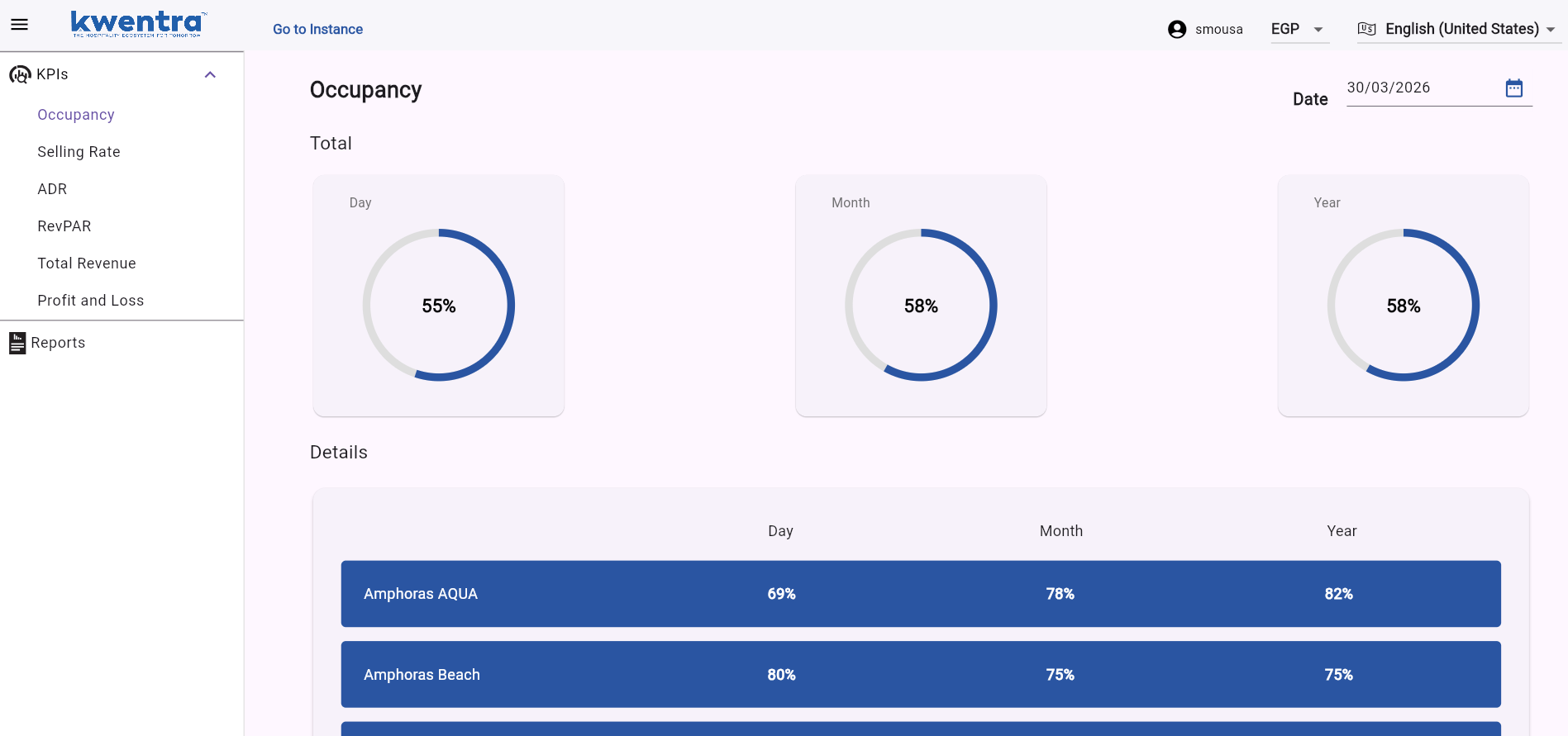
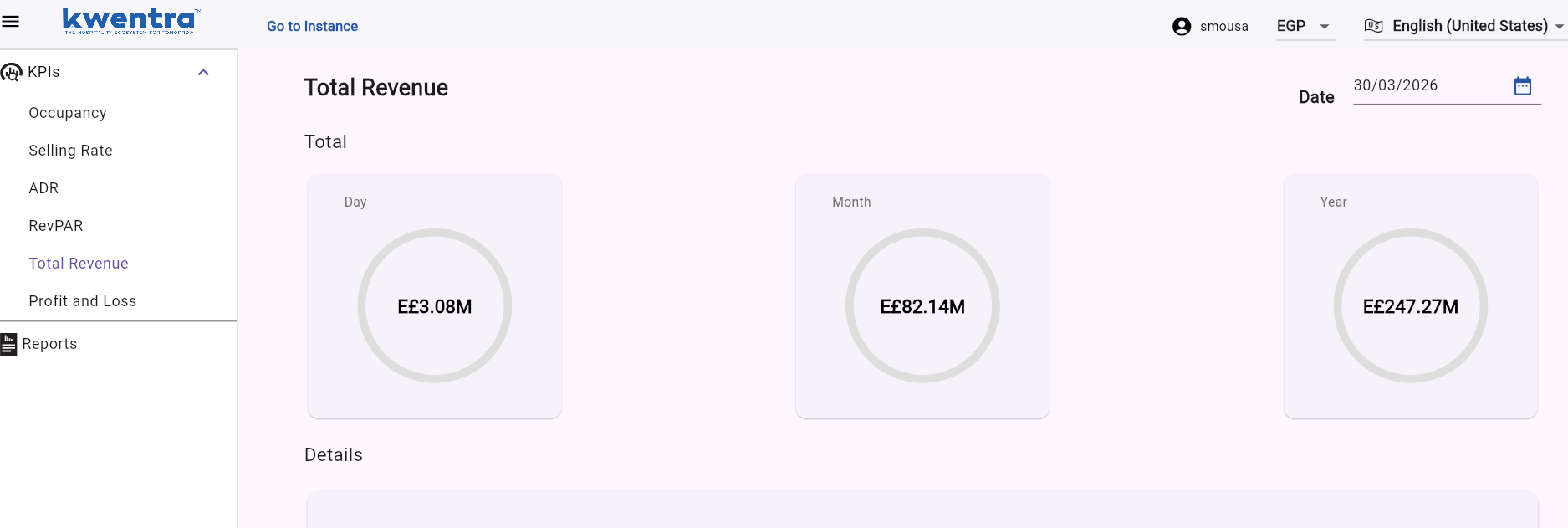
Insights now shows live current-day occupancy and revenue, refreshing automatically throughout the day. Business Value
  • Monitor today’s occupancy and revenue as it happens for intra-day decisions.
  • Closes the data gap — current-day is now visible, not just yesterday’s figures.
  • Compare current actuals against previous periods for pace and pick-up tracking.
  • Applies automatically to all Insights instances — no configuration needed.
Use Cases
  • GM sees occupancy is down 5% at 2 PM and immediately offers a same-day discount.
  • Revenue manager compares current-day revenue pace against budget and confirms F&B is ahead.
  • Front office manager monitors the occupancy page hourly to manage check-in queues.
How It Works What Changed Previously, Kwentra Insights only displayed historical data — the most recent data point was the previous completed day. With this update, the Occupancy and Revenue pages now include the current day as an active data point that refreshes continuously throughout the day.
Where to find it: Kwentra Insights App → Occupancy page / Revenue page Dashboard → Occupancy page / Revenue page
Data Refresh Current-day figures are sourced from the live PMS database and refresh automatically. The exact refresh interval is determined by the Insights data pipeline configuration for each property. No manual action is required to see updated numbers — simply revisit or refresh the page. Applicable Pages
  • Occupancy Page — shows current-day occupancy %.
  • Revenue Page — shows current-day total revenue for the group and per property
Availability This update applies to all properties using Kwentra Insights. No per-property configuration or activation is needed — current-day data is visible as soon as the update is deployed.
Note: Current-day data reflects the state of the PMS at the time of the last refresh. Figures may not match end-of-day totals until the audit has been completed.