Documentation Index

Fetch the complete documentation index at: https://help.kwentra.com/llms.txt

Use this file to discover all available pages before exploring further.

In the scenario where your staff take meals or beverages for your POS Outlet that you would like to transfer to a PayMaster to be able to close the bill and charge them for it later. Also, when the Owner/GM orders anything and you would like to load the charges on their special PayMaster; we should follow the below steps.
  • Make sure that your outlets allow PayMaster Transfer.
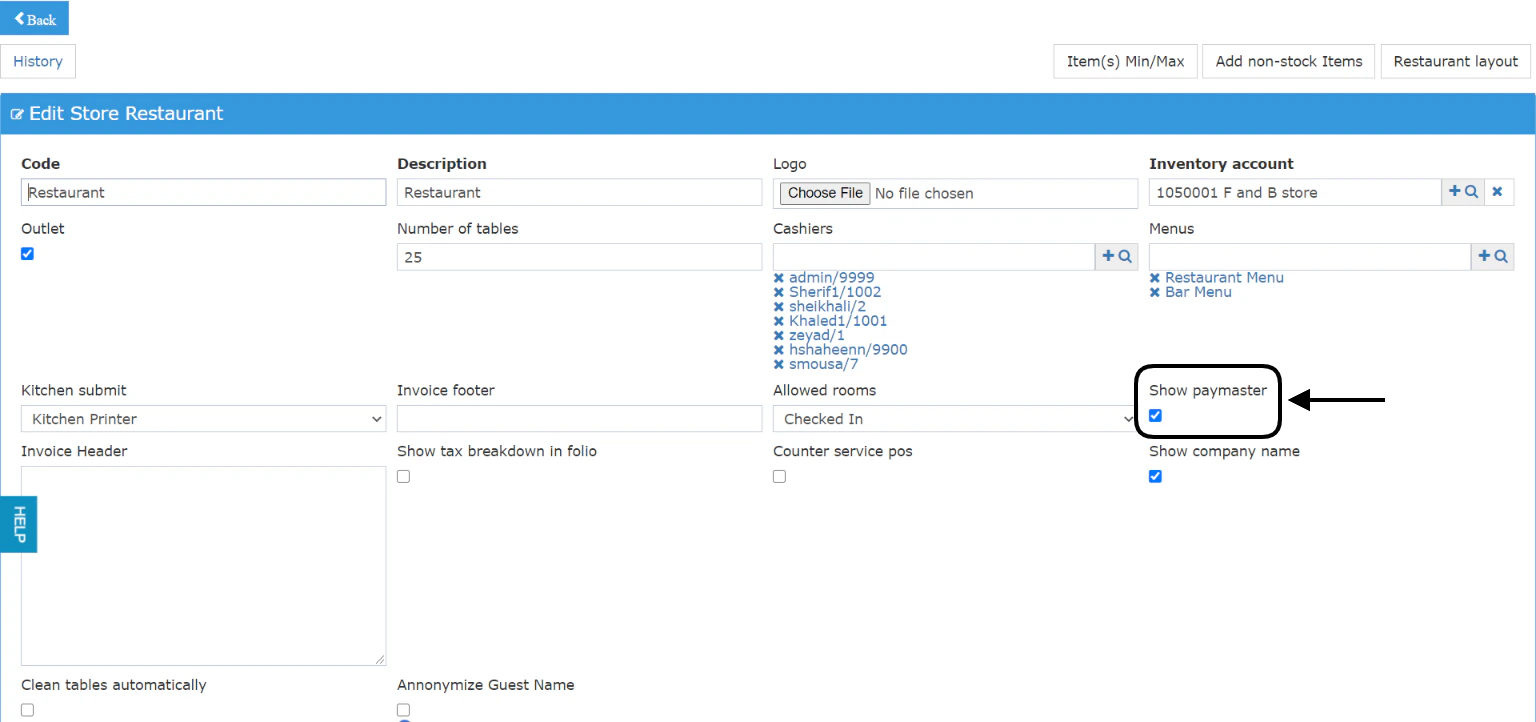
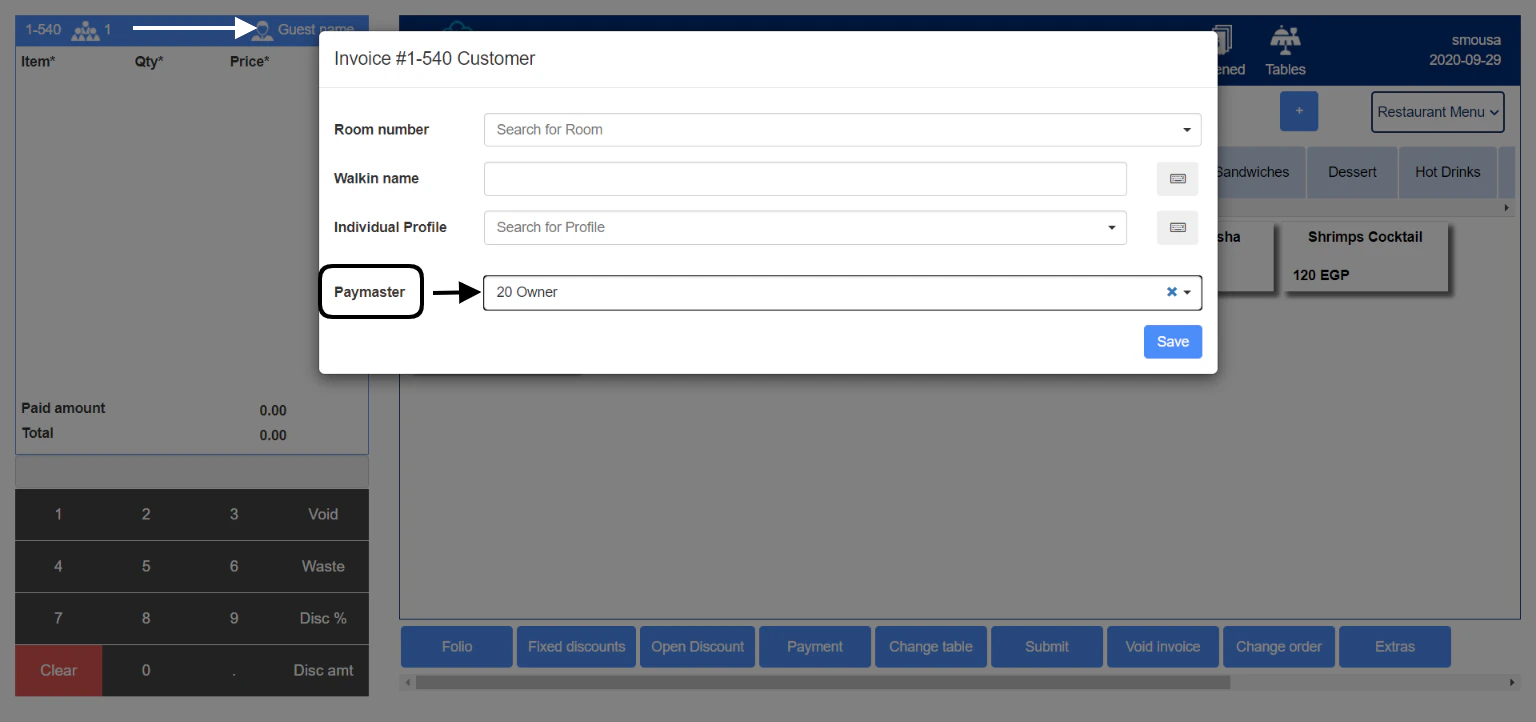
Point of Sale → Settings → Outlet → Select Outlet The checkbox for Show Paymaster should be marked in order to allow the PayMaster Transfer. Now that the above step is done, go to the cashiering screen to be able to transfer a bill to your PayMaster Point of Sale → Cashiering → Select Outlet → Select Terminal → Enter PIN → Select Table 1.Link the invoice with the PayMaster you need and click Save.
  1. Place the order from the items you need.
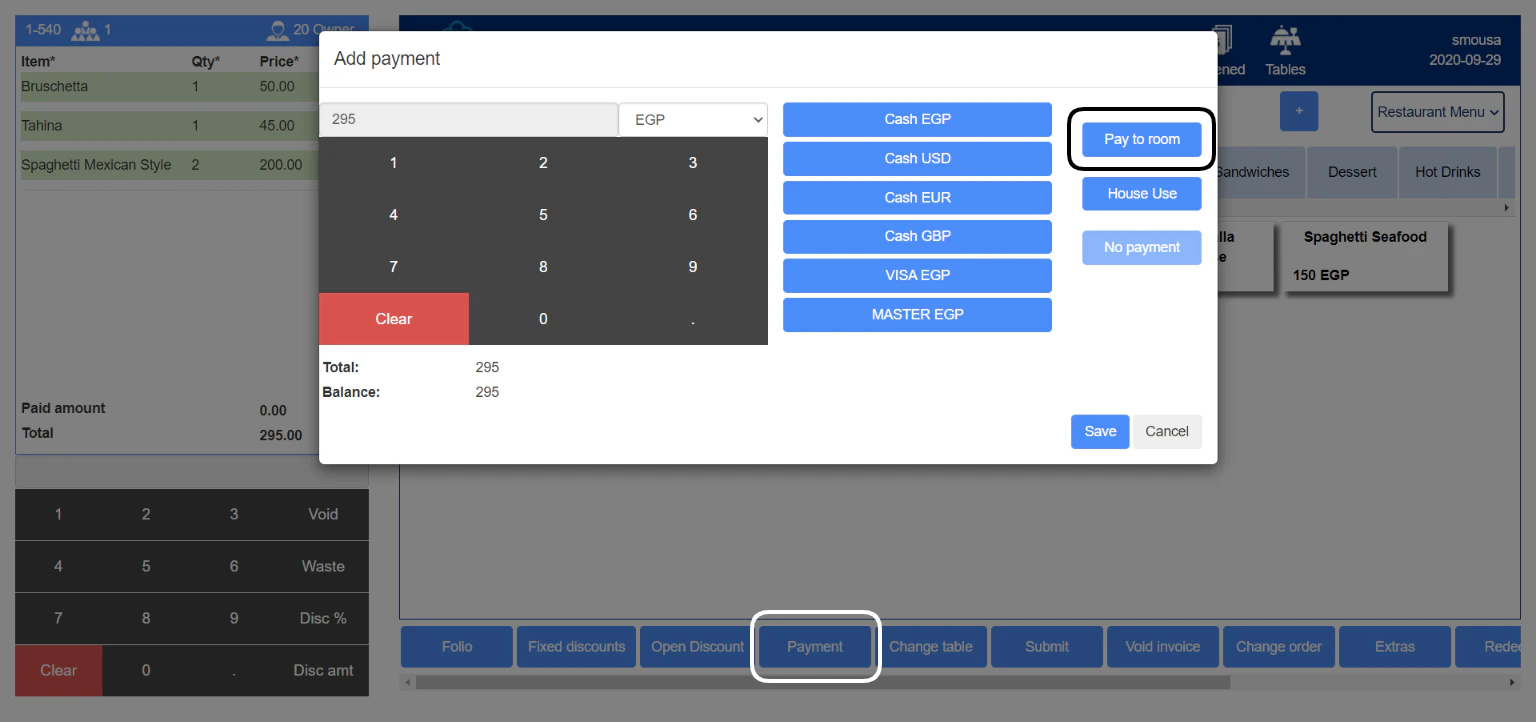
  2. Once you need to transfer the invoice total to the PayMaster, click on Payment.
  3. Use the Pay to room feature to transfer the invoice total to the PayMaster that is linked to the invoice.