

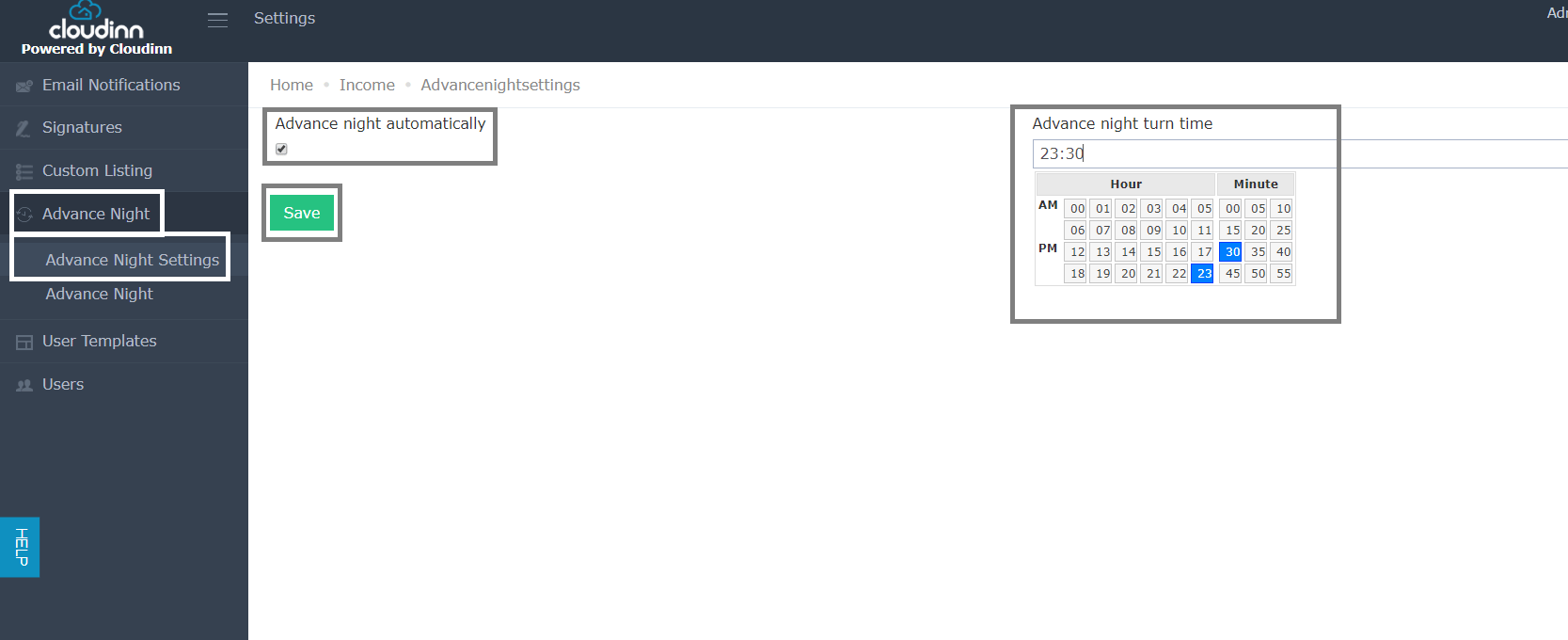
- Click on Settings from Home Page.
- Click on Advance Night from the left side.
- Select Advance Night Settings.
- Make sure to check on Advance Night Automatically.
- Choose the desired time of the day.
- Click Save.
This feature allows you to select the exact time you would like the Night Turn Process to take place. * Click on Settings from Home Page. * Click on Advance Night from the left side. * Select Advan…