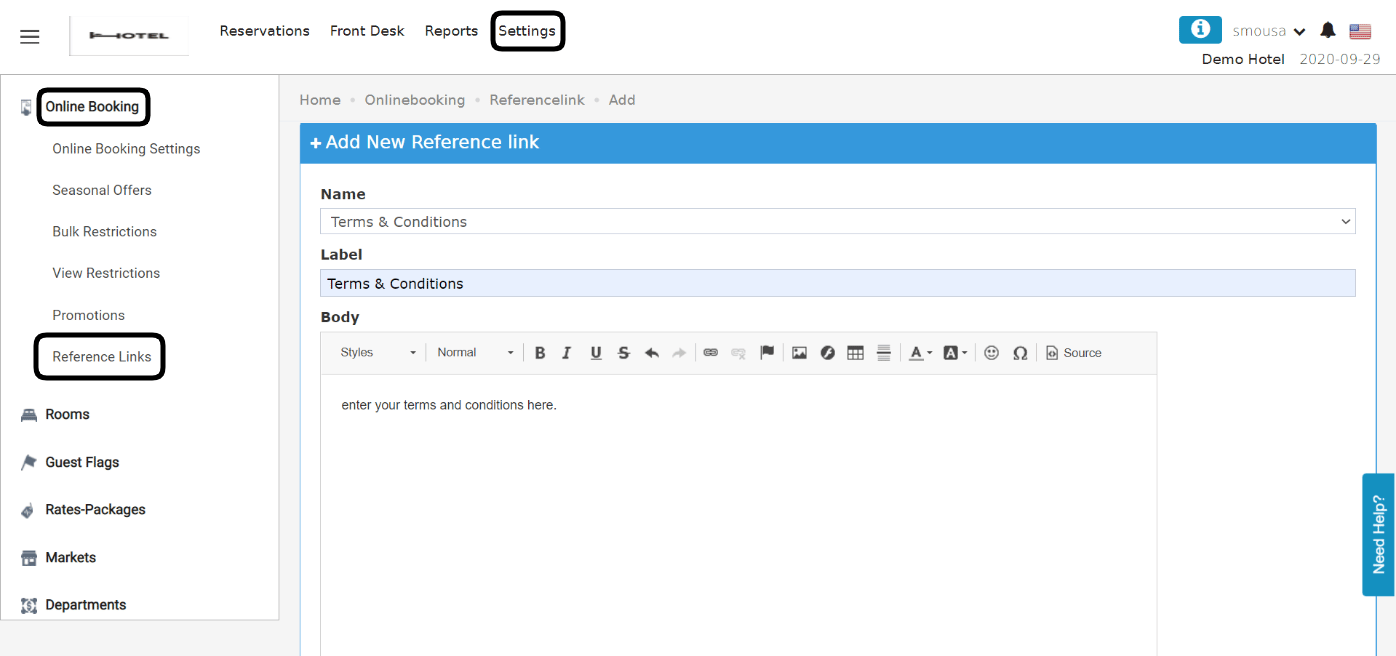
Maintain your hotel internal policy text and its reference links from the main hotel information screen.
Hotel internal policy used to get updated from the main hotel info as follows:
Click on Front Office
Click on Settings
Expand Hotel Info
Select Hotel Internal Policy
Update text only policies
This used to affect Online Booking and Front Office confirmations and Registration Cards etc.Now, you can update multiple reference links with custom labels with a more advanced interface.N.B the new input format allows and accepts hyperlinks that you can refer to.Online Booking → Settings → Online Booking → Reference LinksYour existing hotel policies that you used to have are stored there if you would like to benefit from the new update and apply custom labels etc.The Label field is free text that will be visible to the guest on your website.The body accepts multiple formats and hyperlinks to your convenience.