
Documentation Index

Fetch the complete documentation index at: https://help.kwentra.com/llms.txt

Use this file to discover all available pages before exploring further.

Setting a room to be Out of Order is important when there is a room undergoing maintenance and you would like to remove this room from your room count for a certain period of time. The In order and Out of Order States are the onlny maintenance states that affect your overall hotel occupancy and removes OOO rooms from your room count. How to reach Maintenance Screen? Front Office (beta) → Housekeeping → Out of Order Front Office → Housekeeping → Maintenance Using the Maintenance Search form you can search using the below inputs:
  • Room type(s)
  • Room number(s)
  • Current Maintenance state for the room(s) “In order, Out of Order”
  • Housekeeping Block
  • Room Condition “Vacant, Inhouse, Expected Arrival/Departure today”
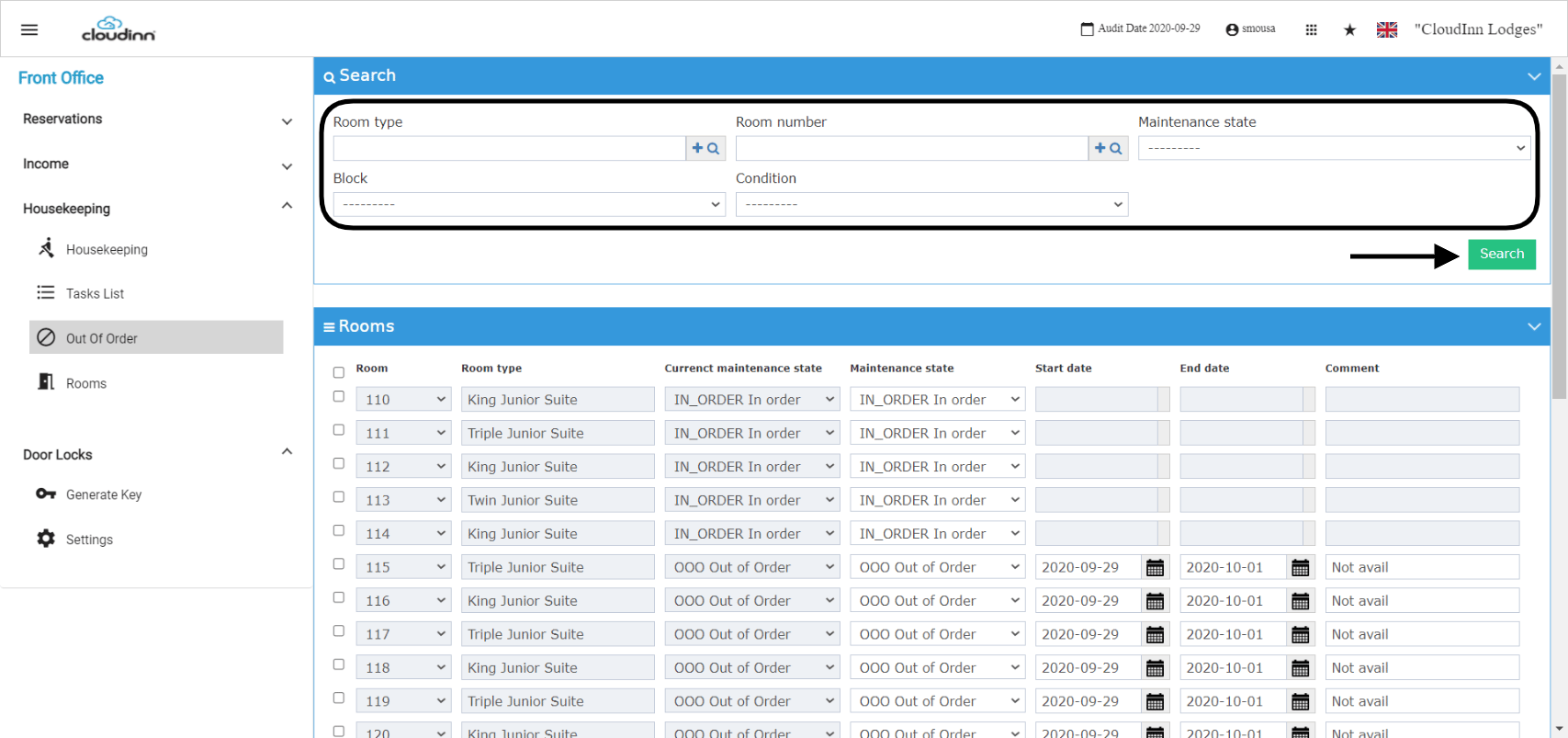
After you search for the group of rooms you desire, follow the below steps to change the Maintenance State individually. Individual Maintenance State Change: In the scenario where you have a lot of rooms to change the state for and you want to do them all at once, follow the below steps: Bulk Housekeeping State Change: It is important to remember to click update before saving for the state change to reflect on the rooms you selected.