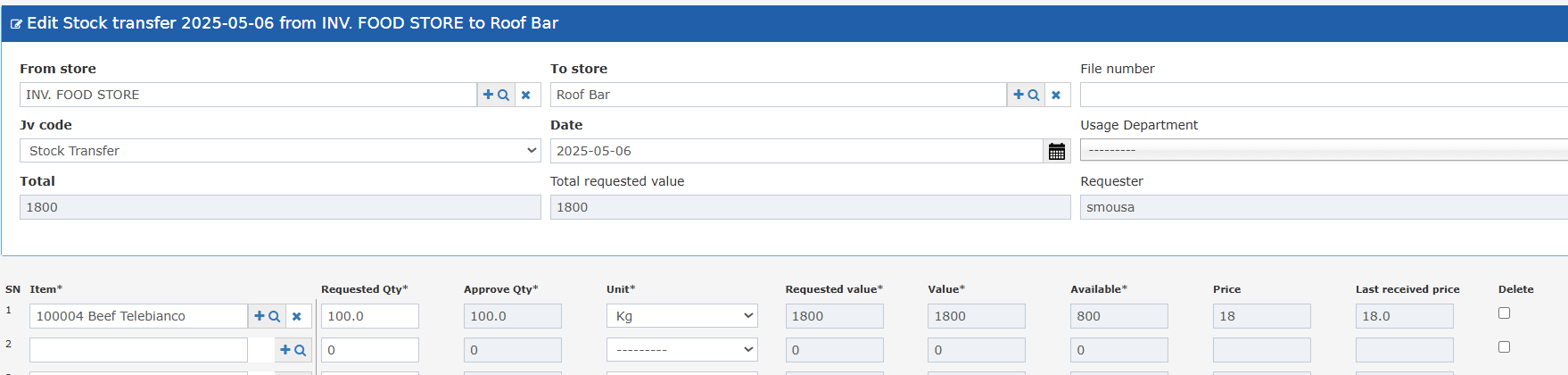
- See pricing context directly on the transfer screen — no need to navigate to a separate screen.
- Last Received Price shows the most recent purchase cost for the item.
- Store manager reviews item pricing before approving a transfer to ensure cost consistency across stores.
- Inventory team identifies items where last received price differs significantly from the average — flagging potential pricing issues before the transfer.
- Operations staff transfers items with zero stock and can still reference the pricing history for the item.
Open or create a store transfer. The column appears in the line items table automatically — no configuration needed.
New Column