Business Value
- Better Visibility: Users can easily assess the financial value of their store transfer and usage requests before approval, aiding in budgeting and decision making.
- Approval Control: Approvers can quickly see the total potential value of requests, making it easier to approve, reject, or adjust before stock movement.
- Transparency: Helps track intended versus approved values, improving accountability and cost control.
Use Cases
- Pre-Approval Review: A store manager can check if the total requested value aligns with departmental budgets before submitting for approval.
- Variance Analysis: Finance or inventory controllers can compare requested versus approved values for better stock and cost management.
- Reporting: Useful for month-end or audit reviews to see both intended and executed inventory movements by value.
What’s New?
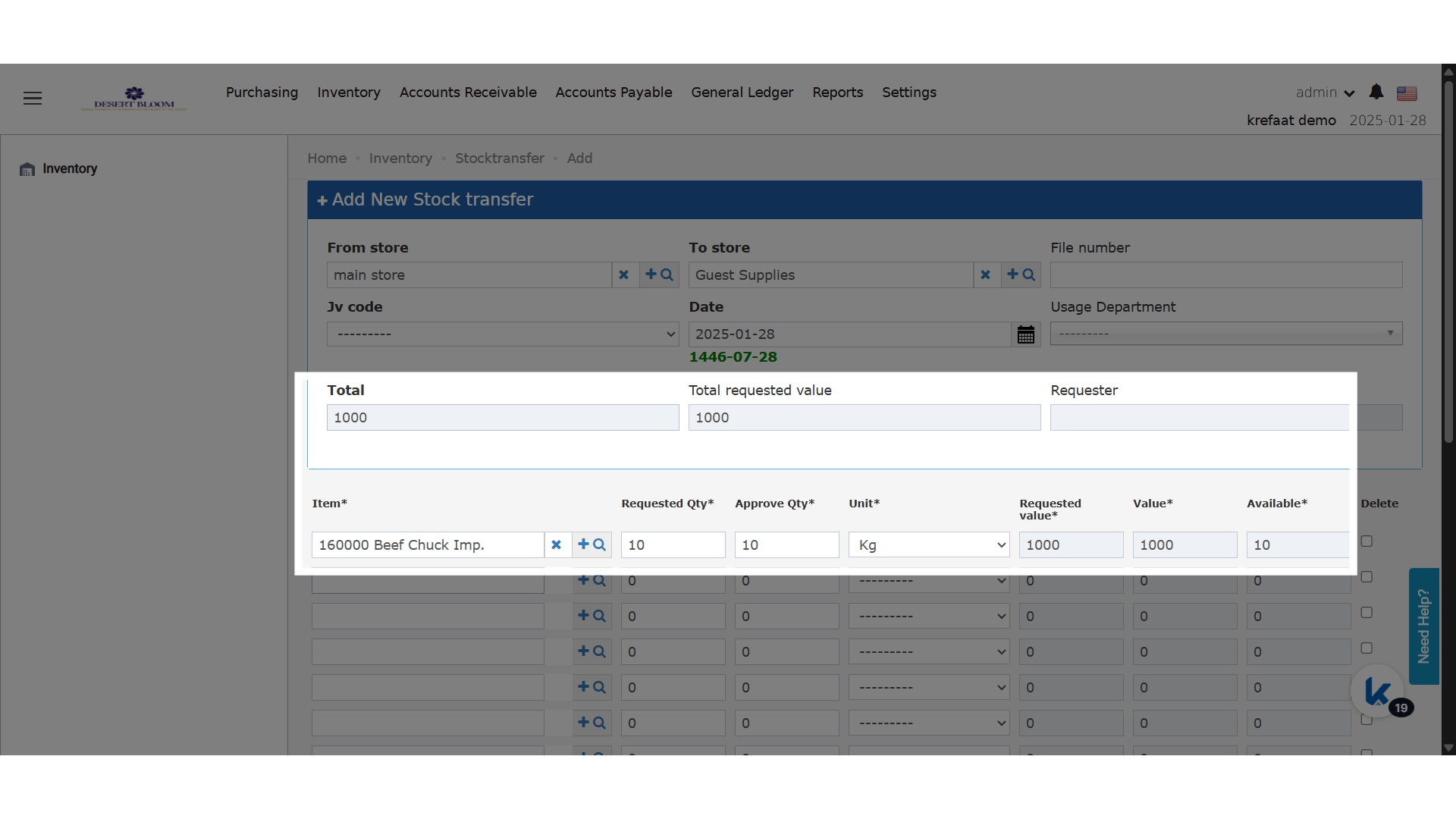
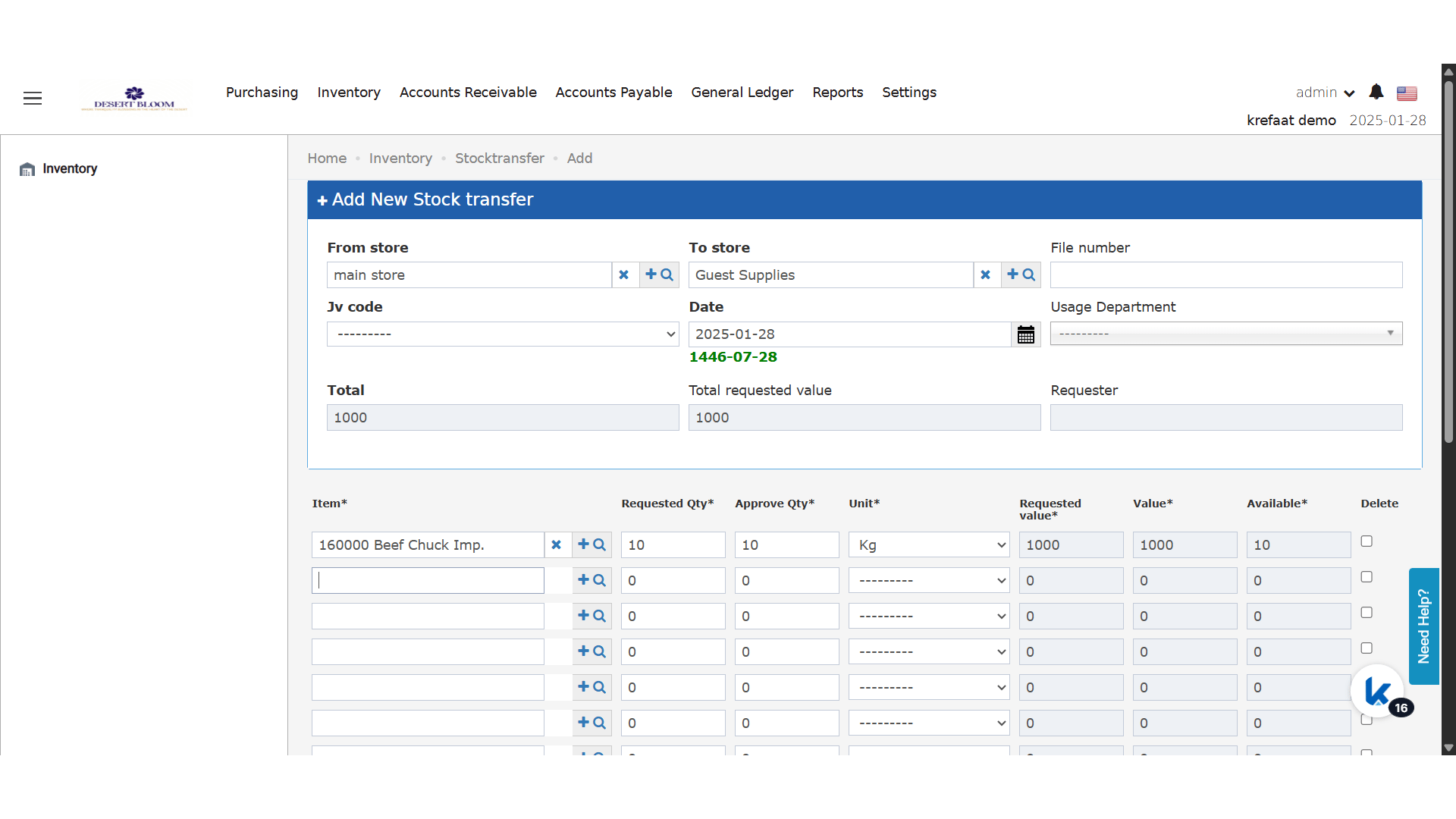
- Requested Value Column
- Appears beside the current “Value” column for each line item.
- Calculation: Item price × requested quantity (per line item).
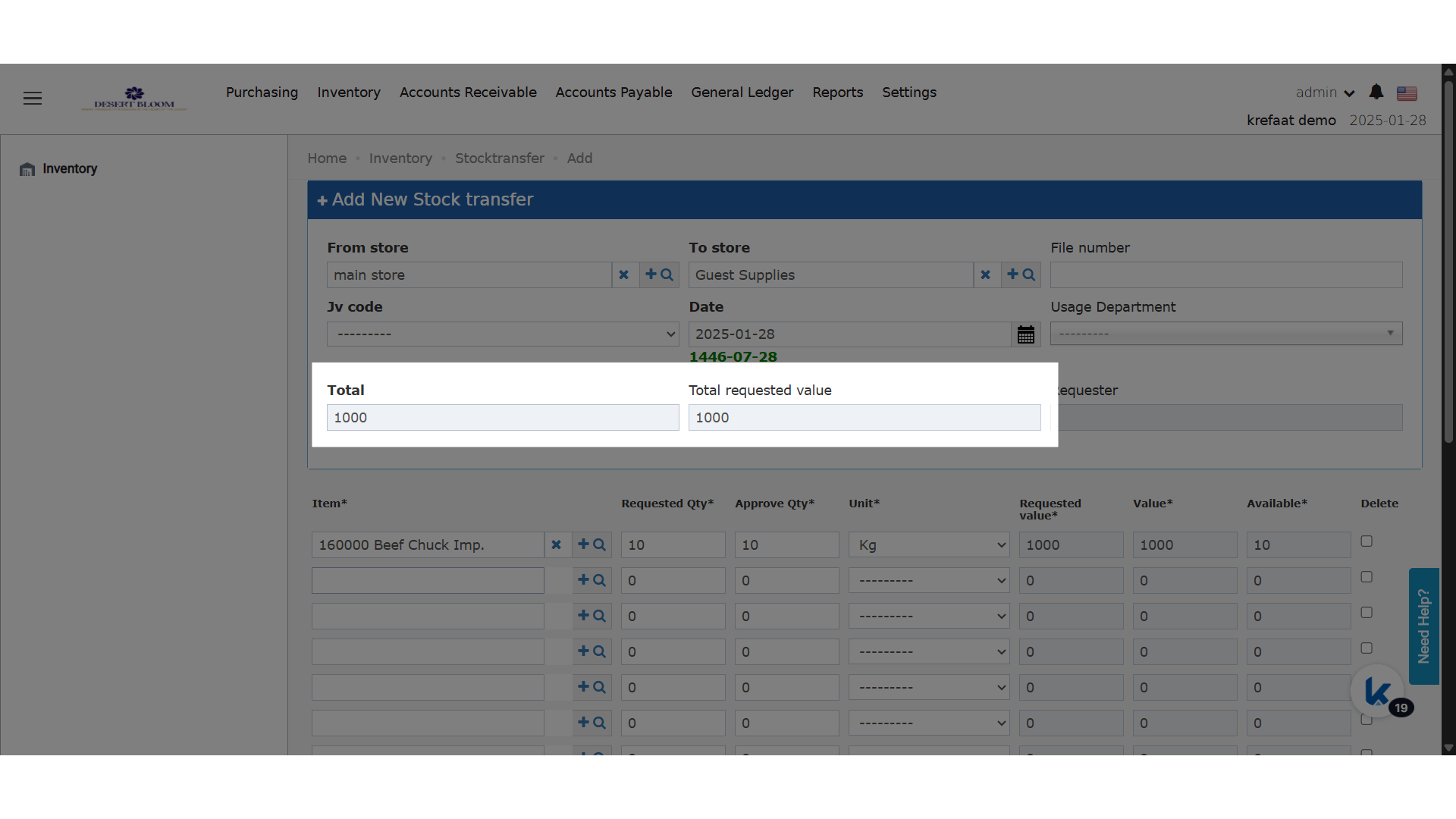
- Total Requested Value Field
- New field at the transfer/usage level.
- Calculation: Sum of all “Requested Value” entries across line items.