- Clear traceability of goods to consuming department for cost-centre reporting.
- Auto-fills Usage Department in direct receiving, reducing manual entry.
- Enforces consistency across purchase requests and orders.
- Restricts access to authorized departments only.
- Food manager selects Kitchen and cost is attributed automatically.
- Purchasing officer finds Usage Department pre-filled from purchase order.
- Store manager filters orders by department for efficiency.
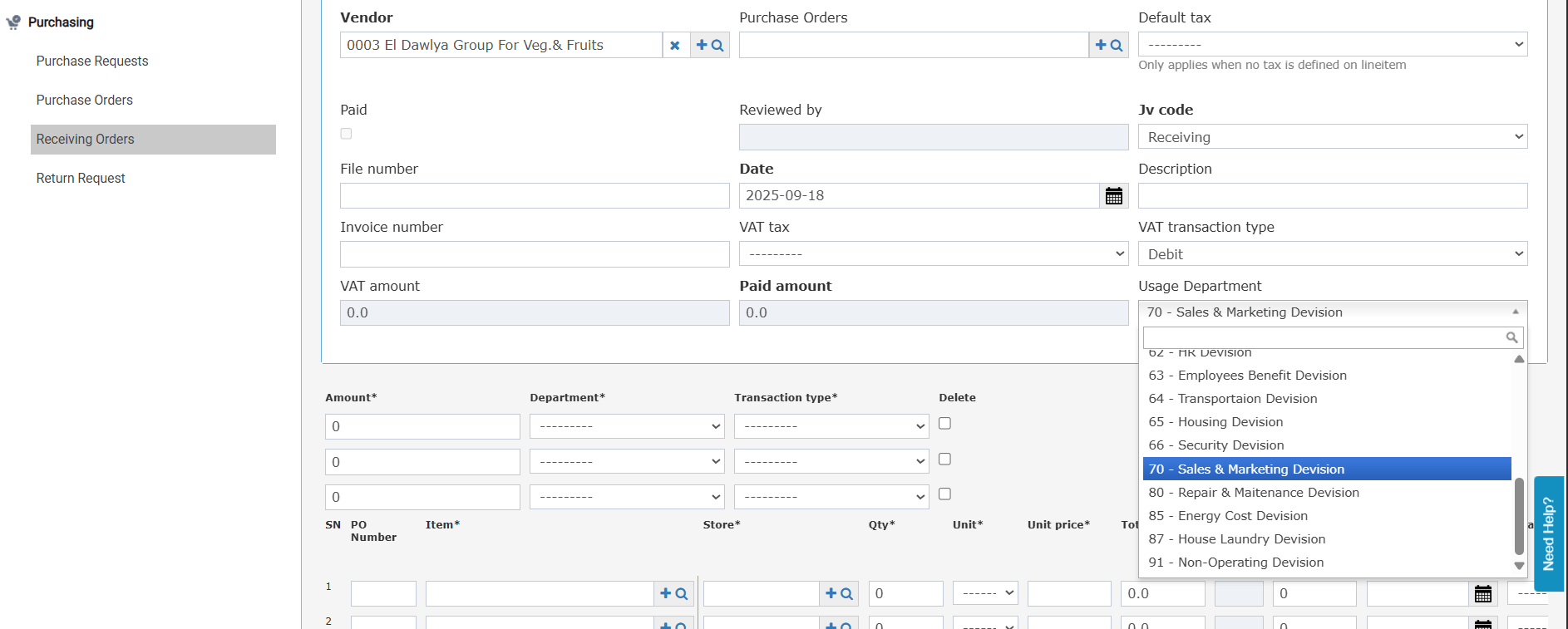
- Direct Receiving (no purchasing cycle): The Usage Department field is editable. Select from the list of usage departments linked to your user account.
- Receive from PO: The field is auto-filled from the Usage Department set on the linked Purchase Order and is read-only.
- Add Receiving Order (single PO): Auto-filled from the linked PO Usage Department; read-only.
- Add Receiving Order (multiple POs, same vendor): If all selected POs share the same Usage Department, the field is auto-filled. If POs have different Usage Departments, saving is blocked with the message: “Linked POs need to have the same Usage Department.”
- When submitting a direct receiving order that has a Usage Department, the field is automatically carried over to the Store Usage screen.
- The expense account is also auto-filled based on the item expense account configuration if available.
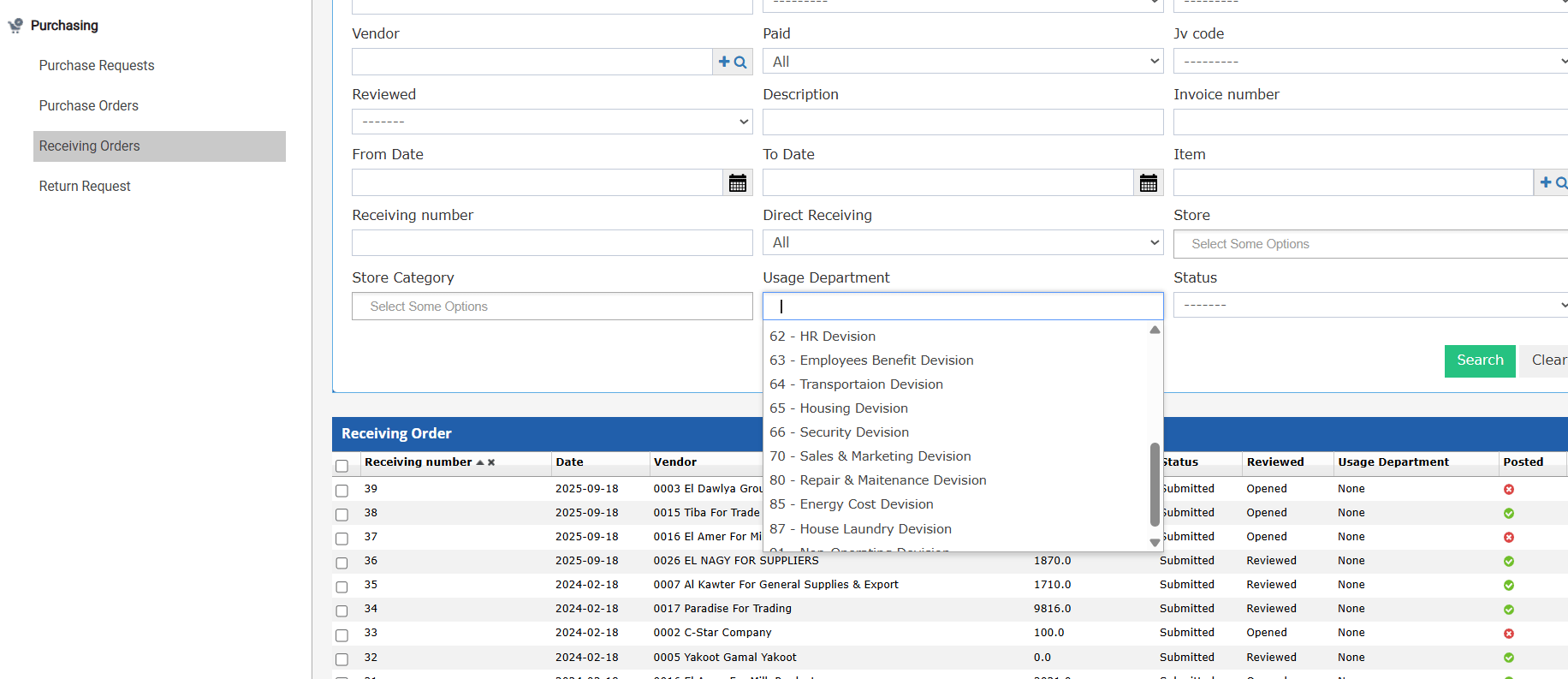
- A new “Usage Department” multi-select autocomplete search field appears on the list screen.
- Defaults to the usage departments linked to the logged-in user.
- If a user resets the search filter and opens a receiving order with a usage department not linked to them, a validation message restricts access.
- The Usage Department field is also shown on the receiving order print output.