

Business Value
- Instant Reference: Users can see recent item details (price, quantity, vendor, date) without leaving the RO screen.
- Consistency: Standardizes item data display across Purchase Requests, Purchase Orders, and now Receiving Orders.
- Decision Support: Helps teams make quick, informed decisions based on real, recent receiving data.
- Error Reduction: Minimizes manual lookups and potential mistakes during the receiving process.
Use Cases
- Warehouse/Receiving Teams: Confirm if items are delivered at expected prices and quantities, based on previous receipts.
- Purchasing Staff: Quickly validate vendor consistency and delivery timelines for each item.
- Audit & Control: Easily compare the latest receiving info with purchasing documents for compliance checks.
Technical Know-How
Where to Find
- Back Office → Purchasing → Receiving Orders
What’s New?
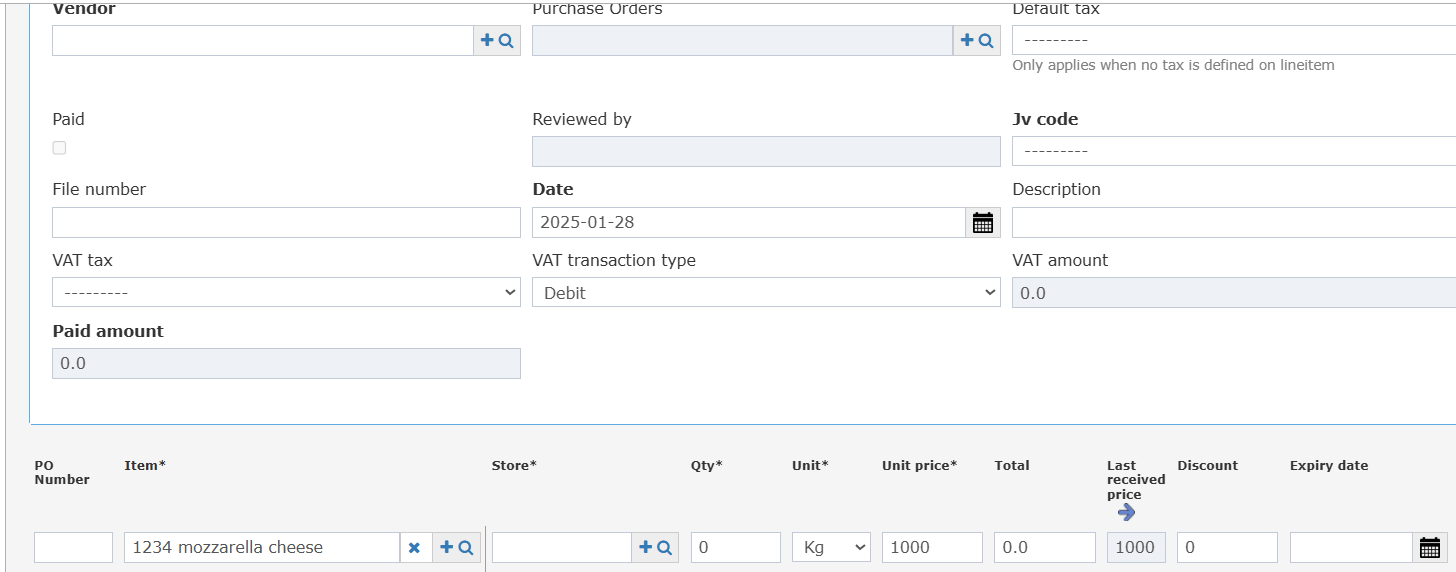
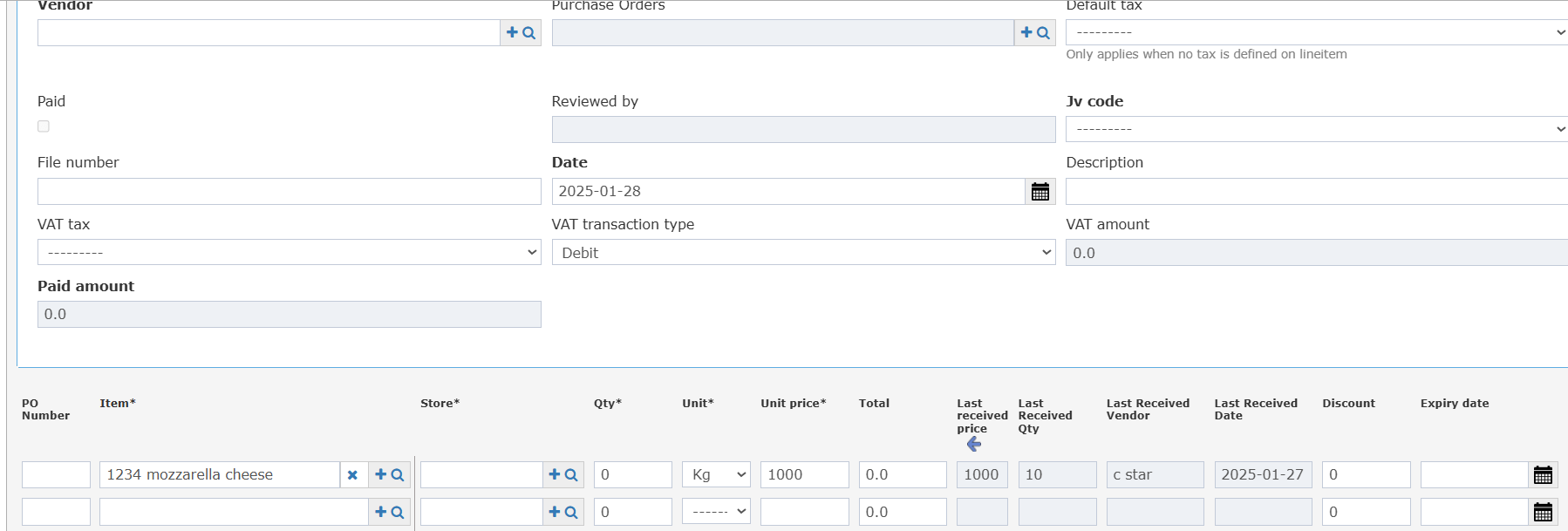
Four new columns are now available for each item in the Receiving Order:-
Last Received Price
- Last Received Qty (Collapsed)
- Last Received Vendor (Collapsed)
- Last Received Date (Collapsed)
How It Works
- For each line item in the Receiving Order, the system automatically pulls the last received data (price, qty, vendor, date) from the latest RO record for that item before the current document date.
- These fields appear directly in the Receiving Order line items table, just after the standard item info columns.
- If there is no previous receiving record, the fields will remain blank.