Business Value
- Instant Stock Visibility: Users can immediately see how much stock is available for each item when creating or reviewing a Purchase Order.
- Reduce Over-Ordering: Prevents ordering items beyond available inventory, improving cost control and procurement accuracy.
- Consistency Across Screens: Aligns the Purchase Order screen with the Purchase Request (PR) experience for easier, more intuitive use.
Use Cases
- Purchasing Officer: Before confirming a new Purchase Order, the officer can review the available quantity of each item and adjust quantities if needed.
- Stock Validation: Inventory managers verify if requested quantities are justified against current stock before approval.
- Real-Time Decisions: Helps teams make smarter buying decisions without switching screens or modules.
What’s New?
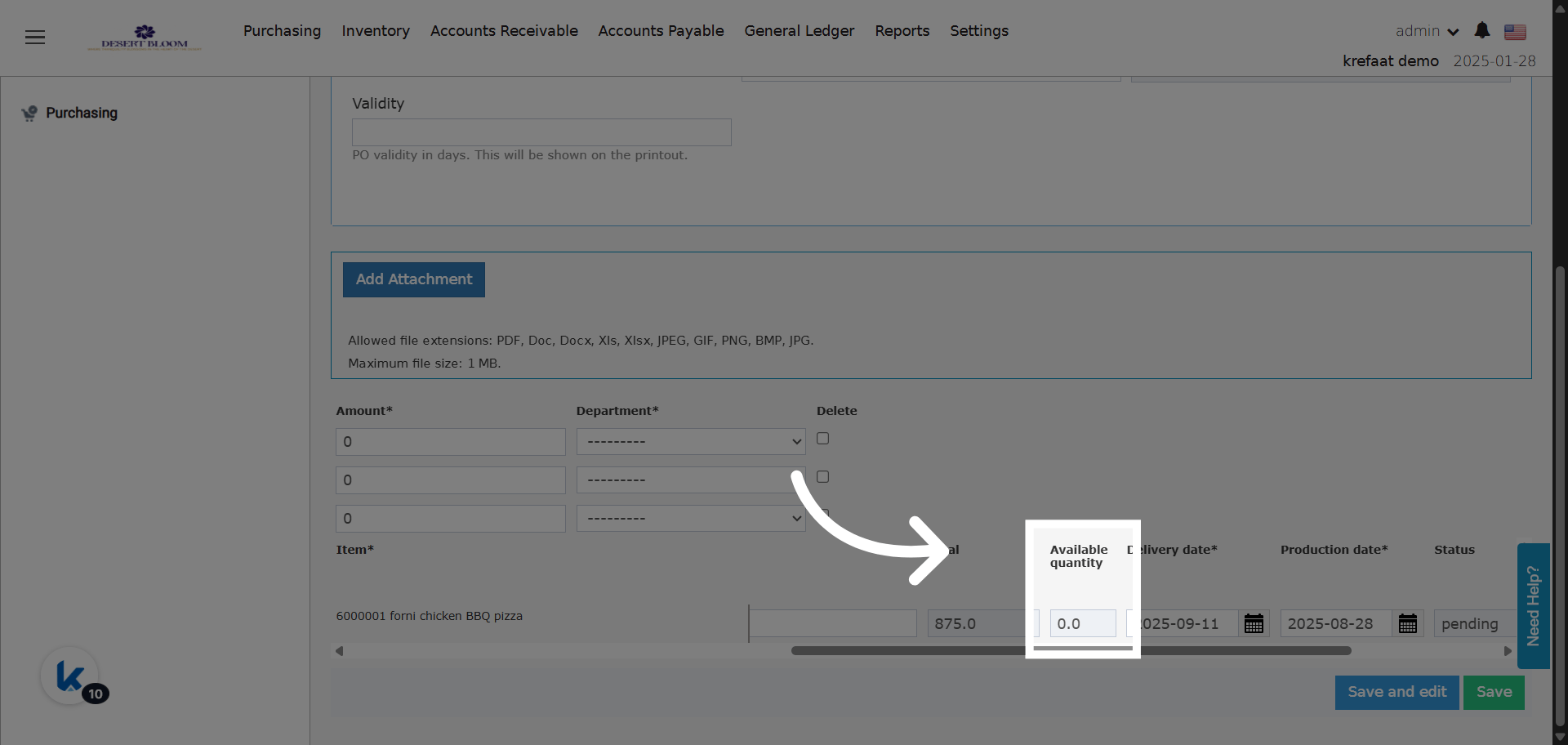
- New column: Available Quantity عمود جديد: الكمية المتوفرة
- The column is read-only; it pulls real-time available stock for each item in its corresponding store on the PO date.
- Placed after the “Total” column in the line items table.
- Value is identical to the “Available” column in Purchase Requests (PR).