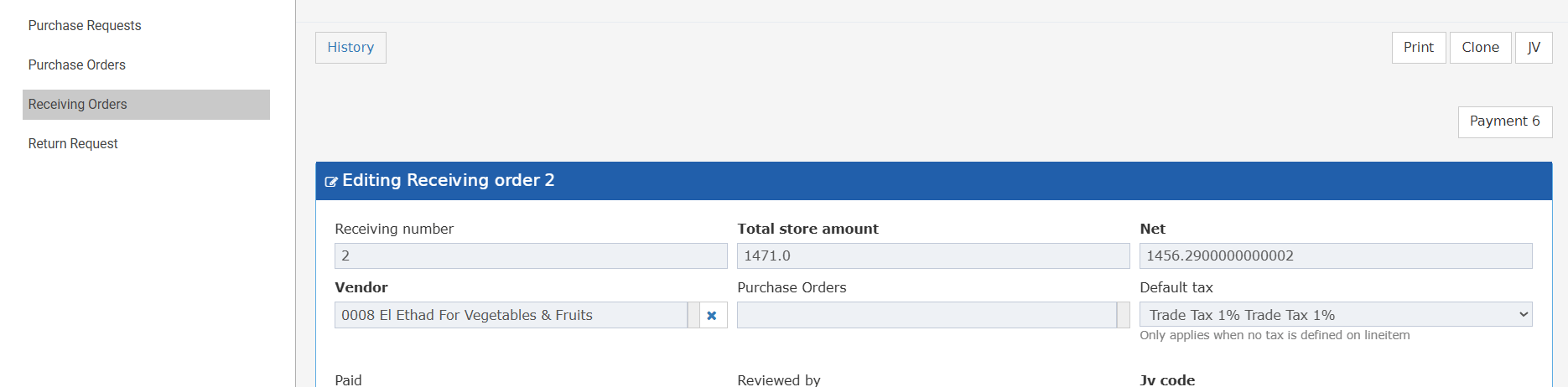
- Save time by cloning repeat Receiving Orders instead of re-entering all details.
- Reduce errors by reusing verified RO data for similar deliveries.
- Speed up high-volume receiving periods with instant RO duplication.
- Permission controls ensure only authorised users can clone ROs.
- A store keeper clones last week’s RO for the same supplier to receive a repeat delivery.
- A purchasing officer duplicates a standing monthly goods receipt without retyping all items.
- A warehouse team reuses an existing RO template for a new delivery with different quantities.
- Open any existing Receiving Order.
- The Clone button appears in the action toolbar based on your permissions (see below).
- Clone button is visible only to users with: inventory → receiving order → Can add receiving order.
- Users without this permission will not see the button at all.
- Clone button requires BOTH permissions:
- inventory → receiving order → Can add receiving order
- inventory → receiving order → Can create receiving order without PO
- If the original RO has a linked Purchase Order, the Clone button is disabled — regardless of permissions or purchasing cycle setting.
- Clicking Clone opens a new Receiving Order in create mode.
- All header details and line items are copied from the original RO.
- File number
- Date
- Invoice Number
- Usage Department