When to use this feature?
✅ Front Office Agents reviewing payment status before check-in. ✅ Accountants auditing open balances from group bookings. ✅ Reservation Managers tracking payment progress on long-stay guests.What Do These Columns Show?
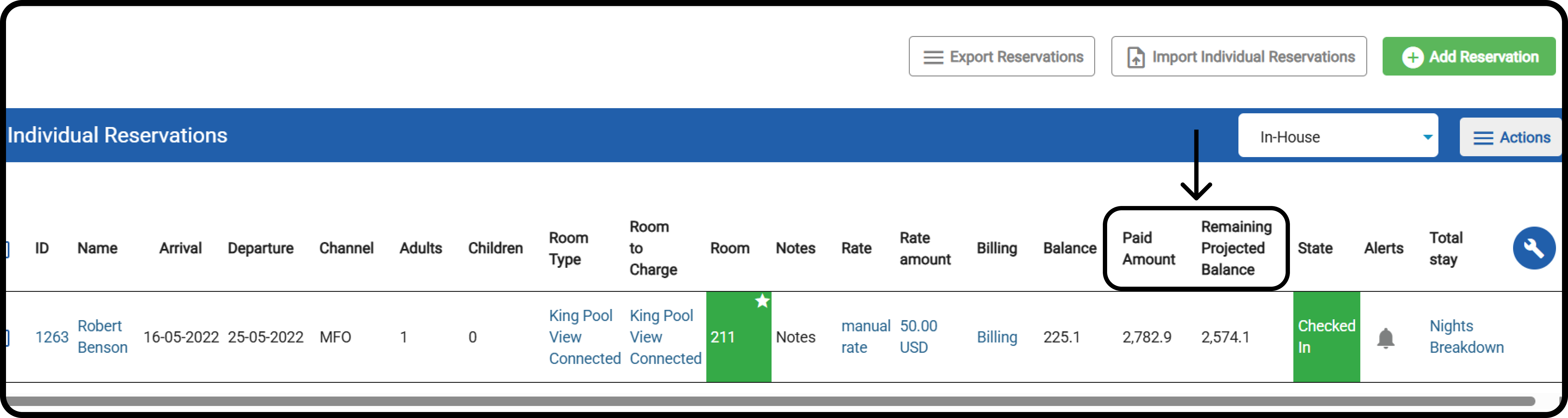
- Paid Amount
- Shows the total credit transactions posted on the reservation.
- Remaining Projected Balance
- Calculated as:
- (All projected debit postings from this reservation and related reservations via billing instructions, excluding duplicates) + Manual charges – Paid Amount
- Calculated as:
How To Add The Columns?
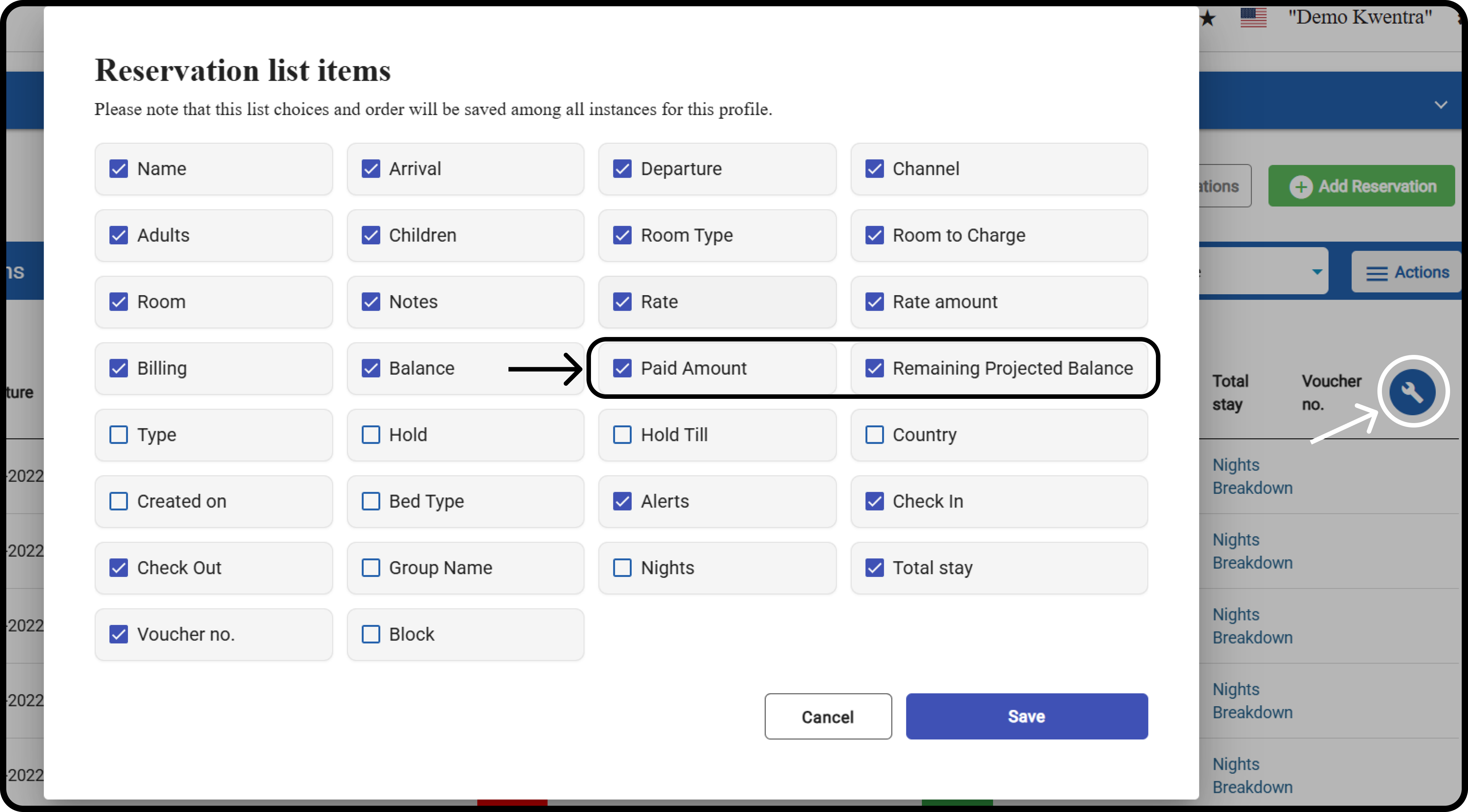
Front Office > Individual Reservations Click on the tool icon, and mark the Paid Amount and Remaining Projected Balance boxes . Click Save.