

Room Rack
Apply Manual Rate from Room Rack
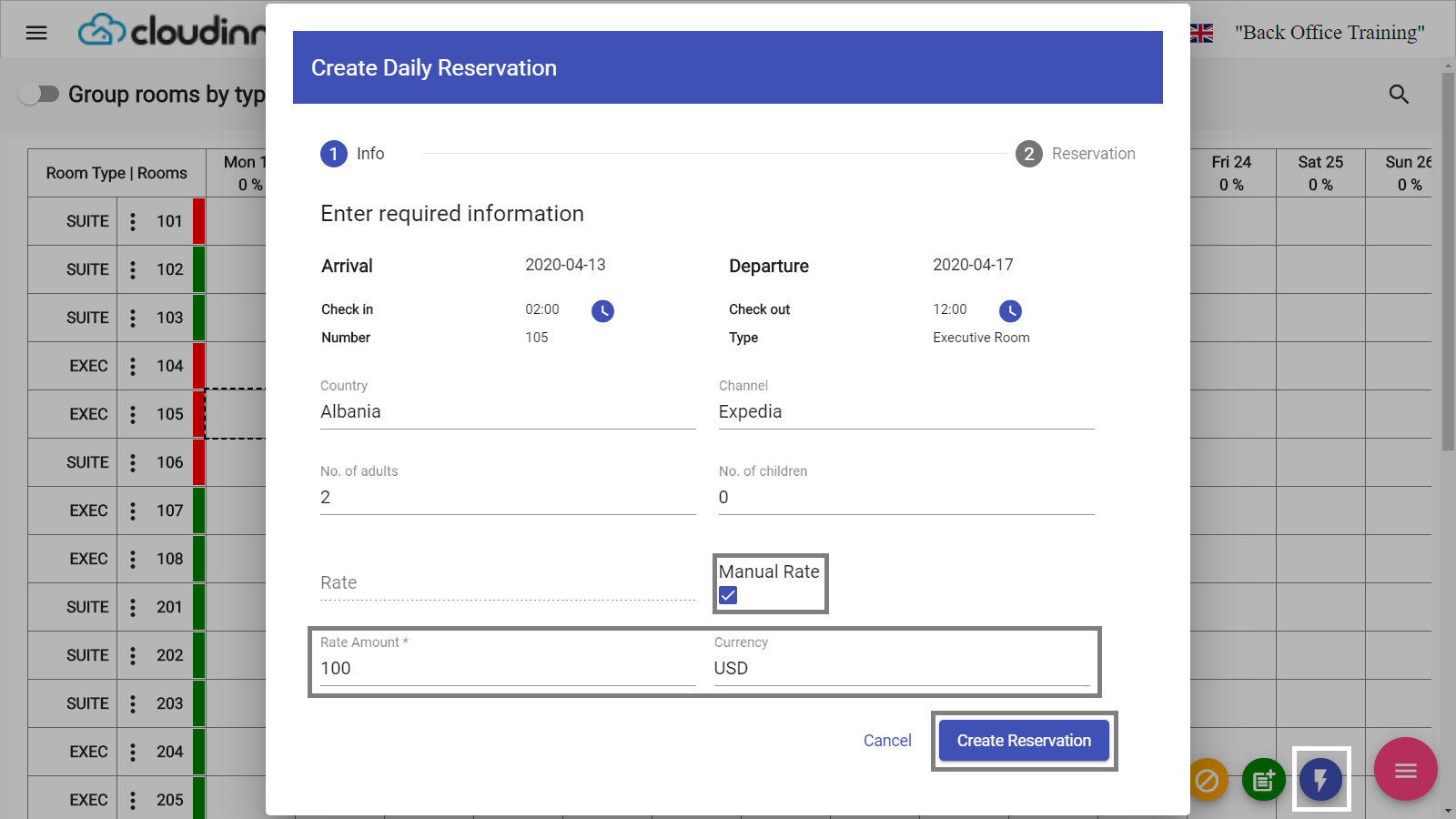
You can easily create a reservation with a manual rate to be applied across all reservation’s nights, using the quick add option from room rack you can mark the reservation to have its rate manuall…
You can easily create a reservation with a manual rate to be applied across all reservation’s nights, using the quick add option from room rack you can mark the reservation to have its rate manually set.
Front Office → Front Desk → Rooms → Room Rack → Select Dates → Options → Quick Add
Front Office (Beta) → Room Rack → Select Dates → Options → Quick Add
The option to mark the reservation as manual rate would appear after selecting the channel.
N.B: Rate Amount & Currency apply on all nights of the reservation automatically, you won’t be able to create reservation unless both fields are filled.