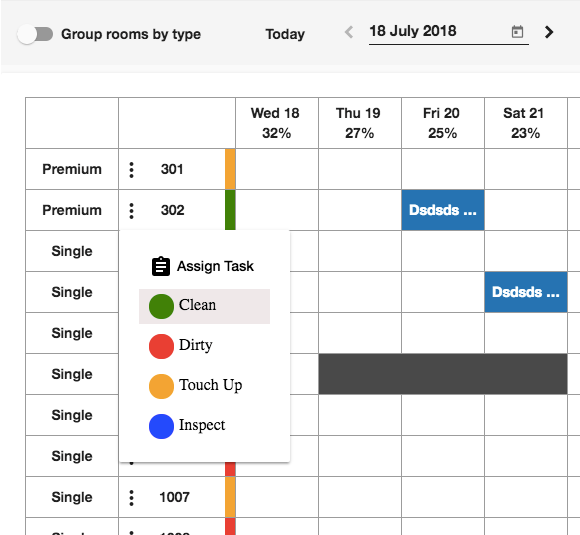
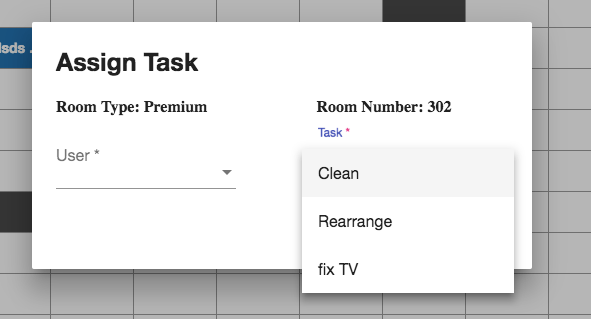
Manage Housekeeping tasks through Room Rack
Yes! You can easily manage the tasks assigned for housekeeping through the room rack in just few clicks:
1- Go to “Front Office” from the home page 2- Select “Rooms” from the left side menu 3- Click on “Room Rack” to display all the property rooms and occupancy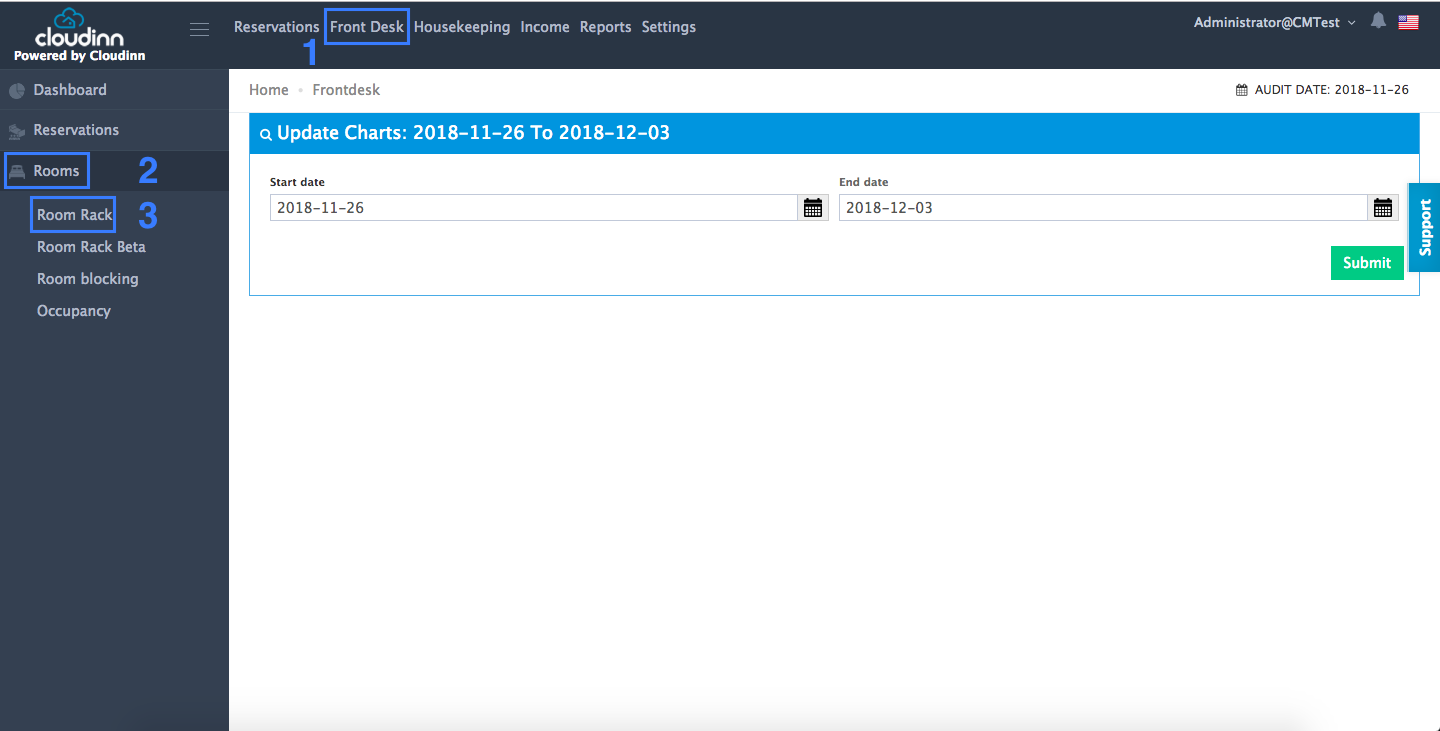 4- Lock on the room number that you want to assign the housekeeping task for and press on the 3 dots on the left side of it