

- Reduces clutter by hiding irrelevant or erroneous unposted JVs.
- Prevents accidental posting of outdated or duplicate JVs.
- Hidden JVs remain in database and can be retrieved with filter.
- Permission-based access limits hiding to authorized controllers.
- Finance controller hides hundreds of duplicate JVs at once.
- Accountant hides erroneous JVs to prevent accidental posting.
- Auditor enables Show Hidden JVs to see all historical records.
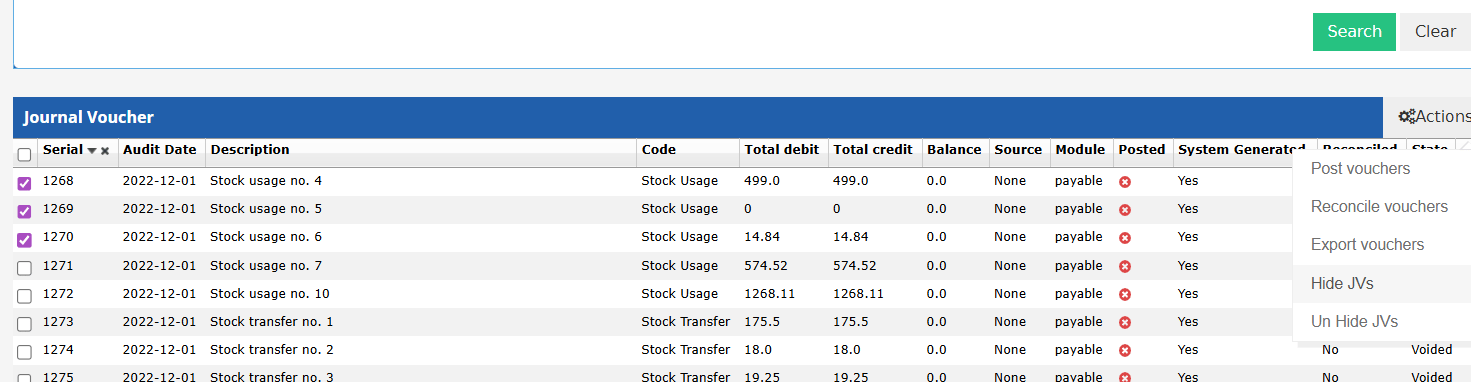
- Select one or more unposted JV rows using the checkboxes.
- Click the Tools dropdown and select “Hide JVs”.
- A confirmation dialog appears: “Are you sure you want to perform the Hide JVs action for the selected JVs? This will hide them from the list and the Export.” Click Confirm.
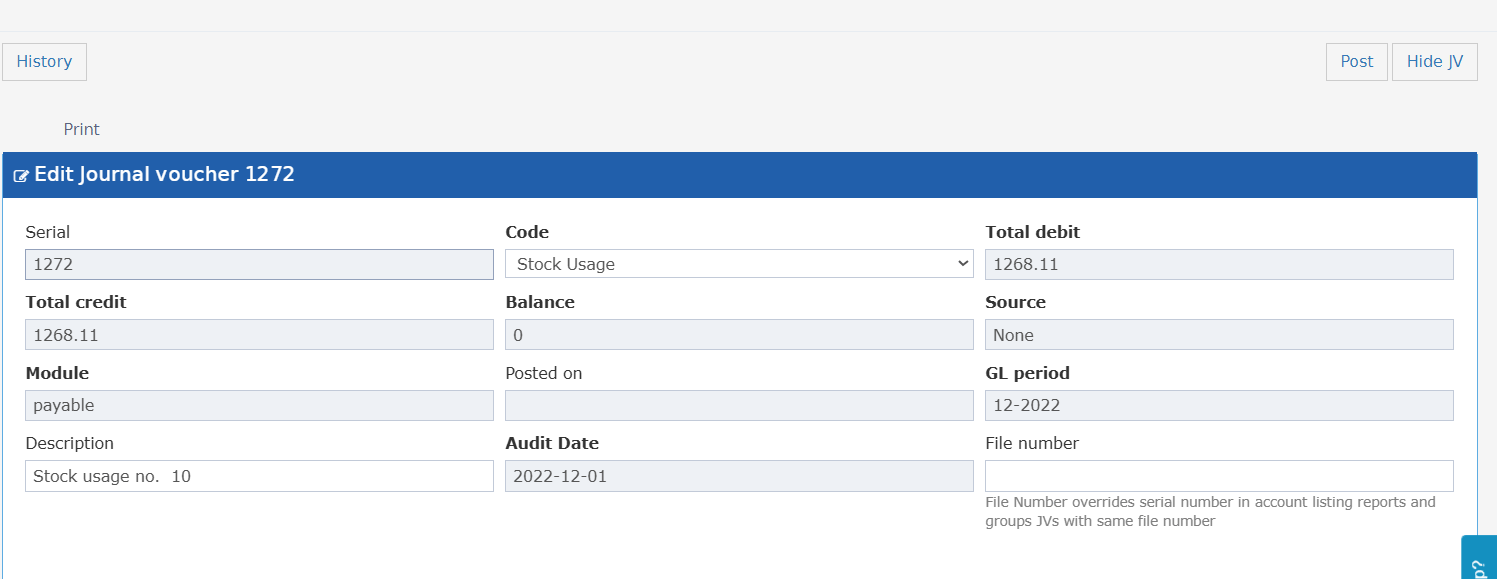
- Open an individual unposted JV and use the “Hide JV” action from the action menu.
- To reverse, use the “Un Hide JV” action on the same screen.
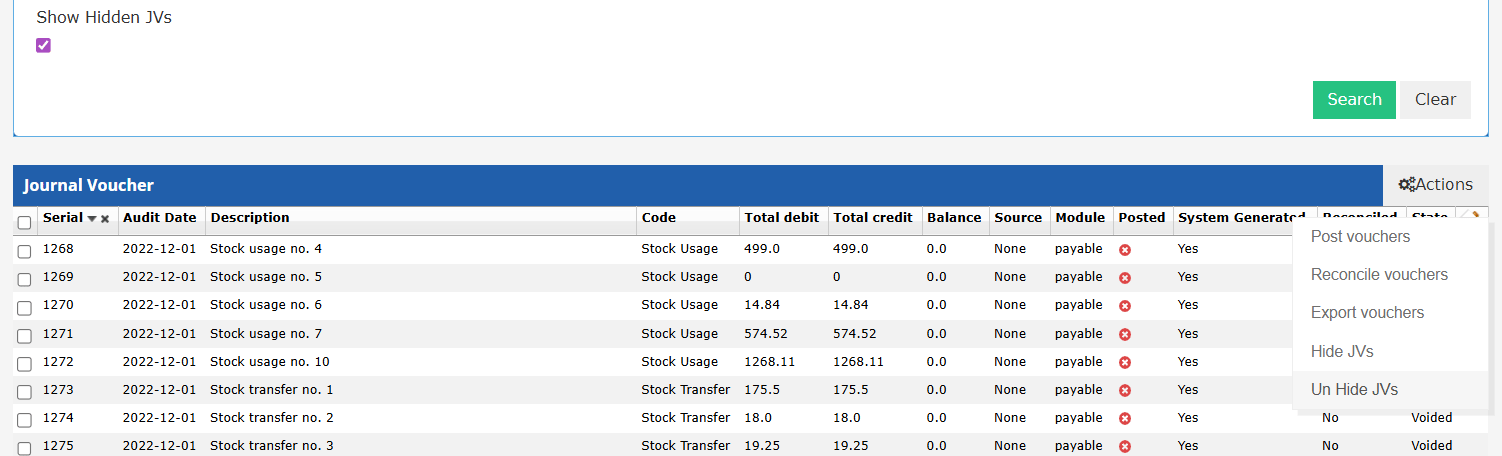
- Enable the “Show Hidden JVs” checkbox in the search filters to include hidden JVs in results.
- Select the hidden JVs to unhide and choose “Un Hide JVs” from the Tools dropdown.
- In the JV list screen, check the “Show Hidden JVs” checkbox in the filter bar. Hidden JVs are included in the results.
- By default, this checkbox is unchecked and hidden JVs are excluded from the list and exports.
- The Hide/Unhide actions require the “Can Hide Journal Vouchers” permission, assigned by default to the Financial Controller role.
- Users without this permission do not see the Hide JVs option in the Tools menu.