Business Value
- Faster Period-End Closing: Instantly identify which JVs are reconciled and ready for reporting.
- Better Audit Trail: Every action—flagging or unflagging—is logged, improving traceability.
- Enhanced Control: Only authorized roles can reconcile or unreconcile JVs, protecting data integrity.
- Streamlined Review: Quickly filter the JV list to show only reconciled or unreconciled entries.
Use Cases
- Monthly or Year-End Close: Finance teams mark all reconciled JVs as “Reconciled” to verify completeness before finalizing accounts.
- Audit Preparation: Auditors filter to see only unreconciled JVs to focus their review.
- Error Correction: If a mistake is found in a reconciled JV, authorized users can unflag it, triggering a warning if the JV is being unposted.
How to Use the Reconcile Button
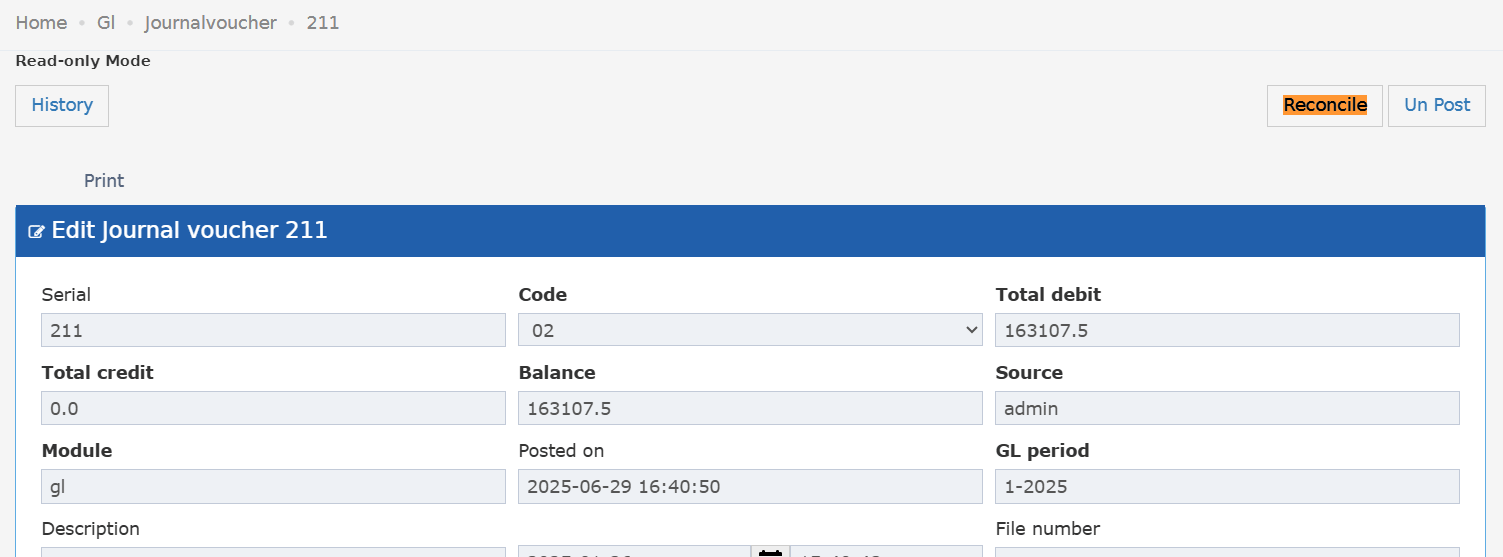
Where: Back Office → General Ledger → Select Journal Voucher (JV) What to Do:- On the JV details screen, click the new “Reconcile” button.
-
When clicked:
- JV is flagged as “Reconciled”
- Button changes to “Reconciled” and turns green
- Clicking again will unflag the JV (back to “Reconcile”, color removed)
-
Every action (flag/unflag) is recorded in the JV history with the user, date, and action.
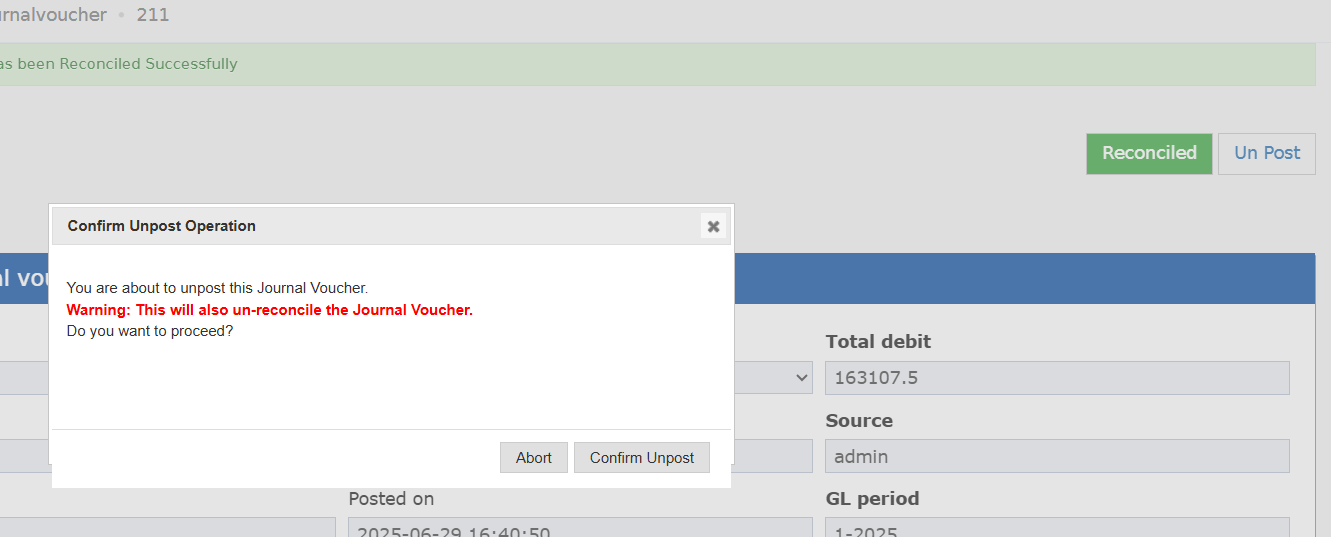
- If you try to unpost a JV that’s currently “Reconciled”, you’ll see a warning:
“Unposting this JV will set the reconciliation flag to false.”
-
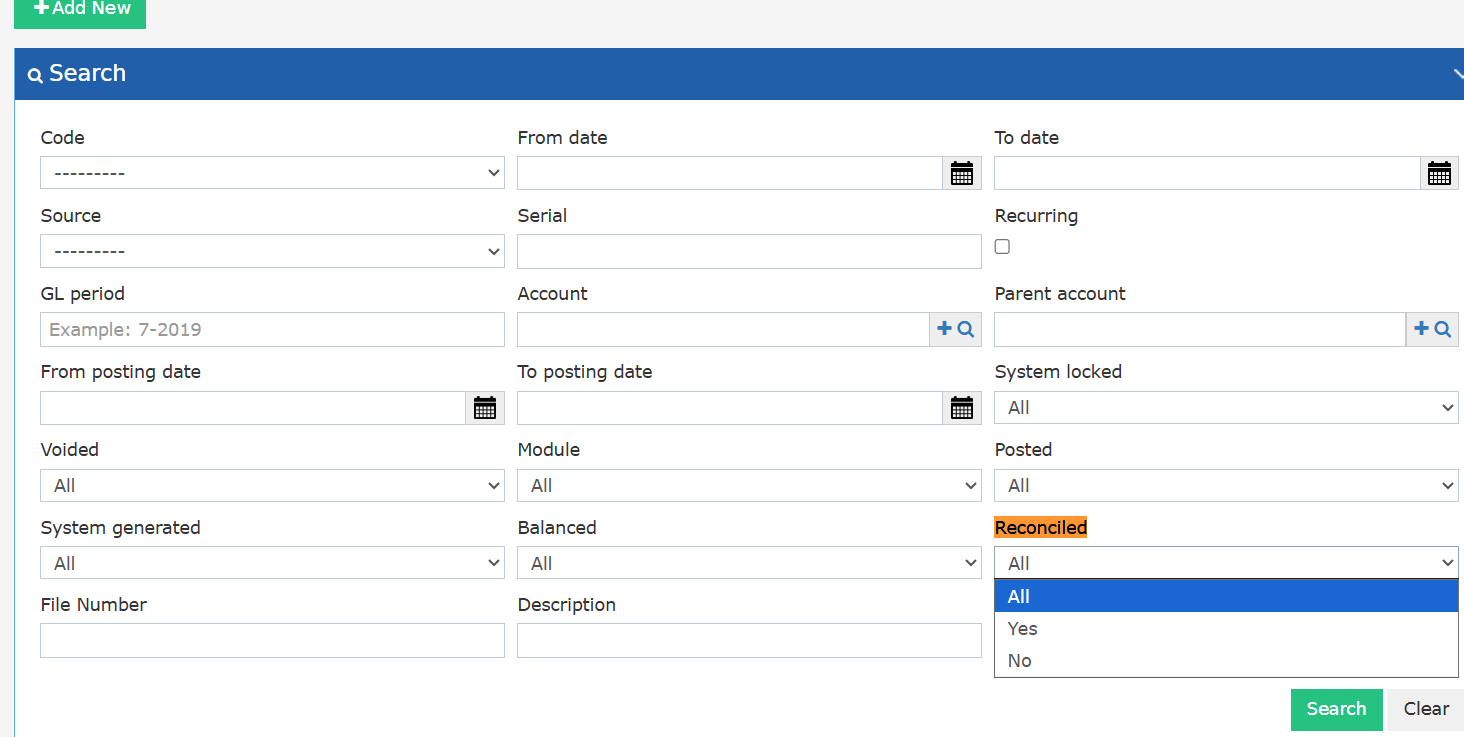
Listing Screen Filter:
- New filter: Reconciled (All / Yes / No)
- Default: All JVs
- Yes: Only show “Reconciled” JVs
- No: Only show “Not Reconciled” JVs
-
Permissions:
- New group permission: can reconcile jv
-
Only these groups can use the feature:
- BackOffice (and all subtypes)
- Chief Acc, Financial Controller, Financial Manager, General Manager, Income Auditor, Payable, Purchasing Manager (and “No Settings”/“No Reports” variants)
- Other users see the status but cannot change it.
Update: 12th of November, 2025
Bulk Reconcile Action for Journal Vouchers
Instantly reconcile multiple journal vouchers in one step for faster period-end closing and improved audit control.Use Cases
- The finance team reconciles all posted, unreconciled JVs at once after completing the period review.
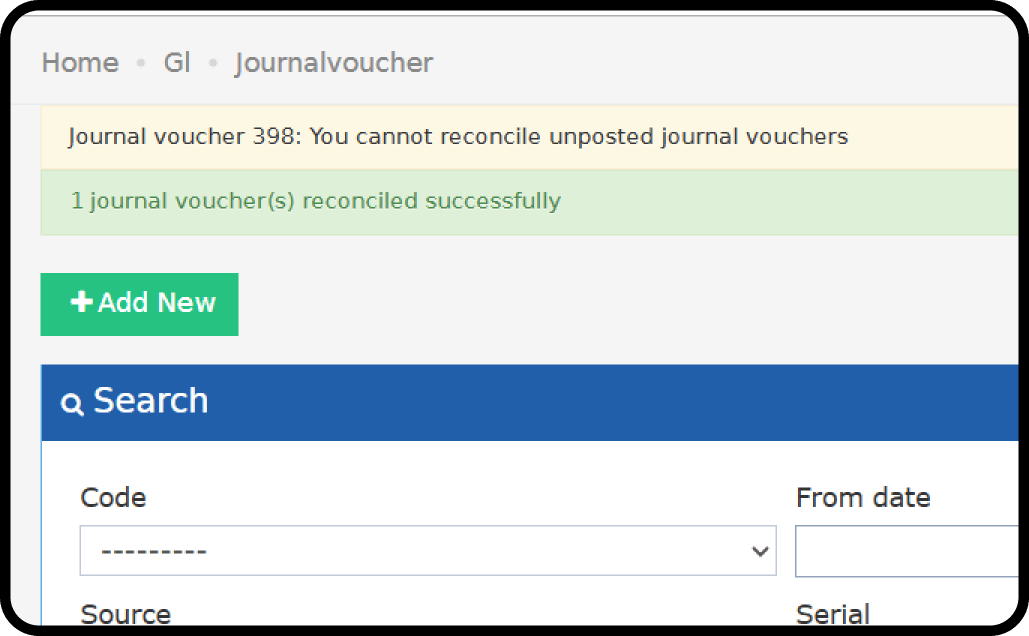
- Users attempt to reconcile; the system notifies them if any JV is unposted or already reconciled.
How to Use Bulk Reconcile for Journal Vouchers
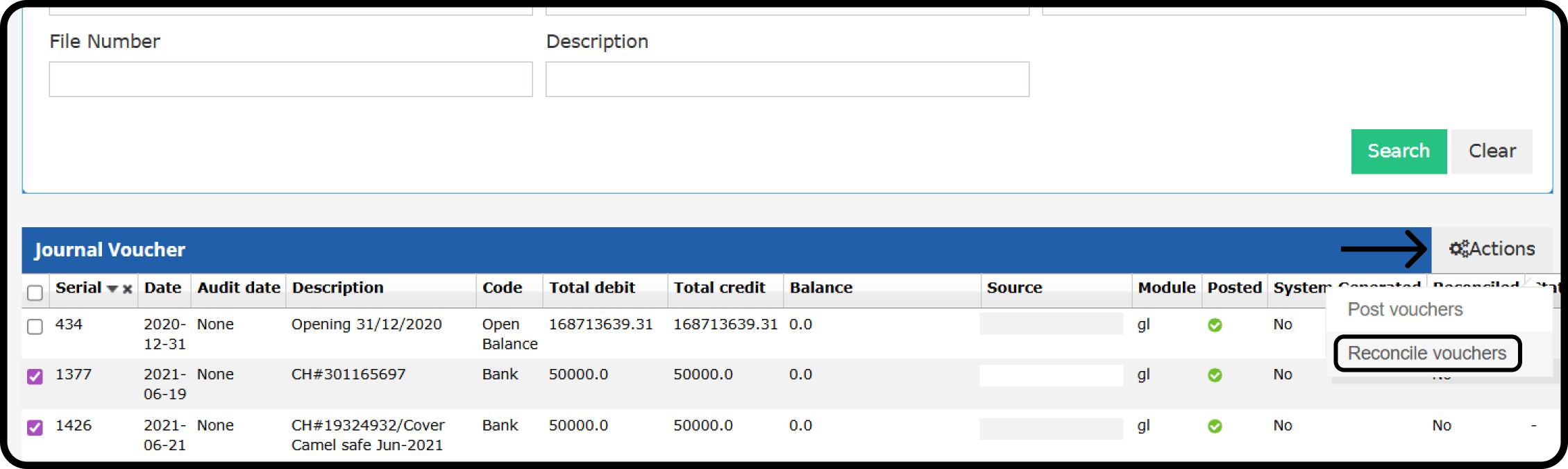
- Back Office → General Ledger → Search for unreconciled JVs
- Mark on the JVs
- Actions → Reconcile Vouchers
Validation Messages
- If a selected JV is unposted: “JV Number: You cannot reconcile unposted journal vouchers.”
- If a selected JV is already reconciled: “JV Number: Journal voucher already reconciled”
- Posted Journal vouchers will update normally; only unposted JVs will remain unreconciled.