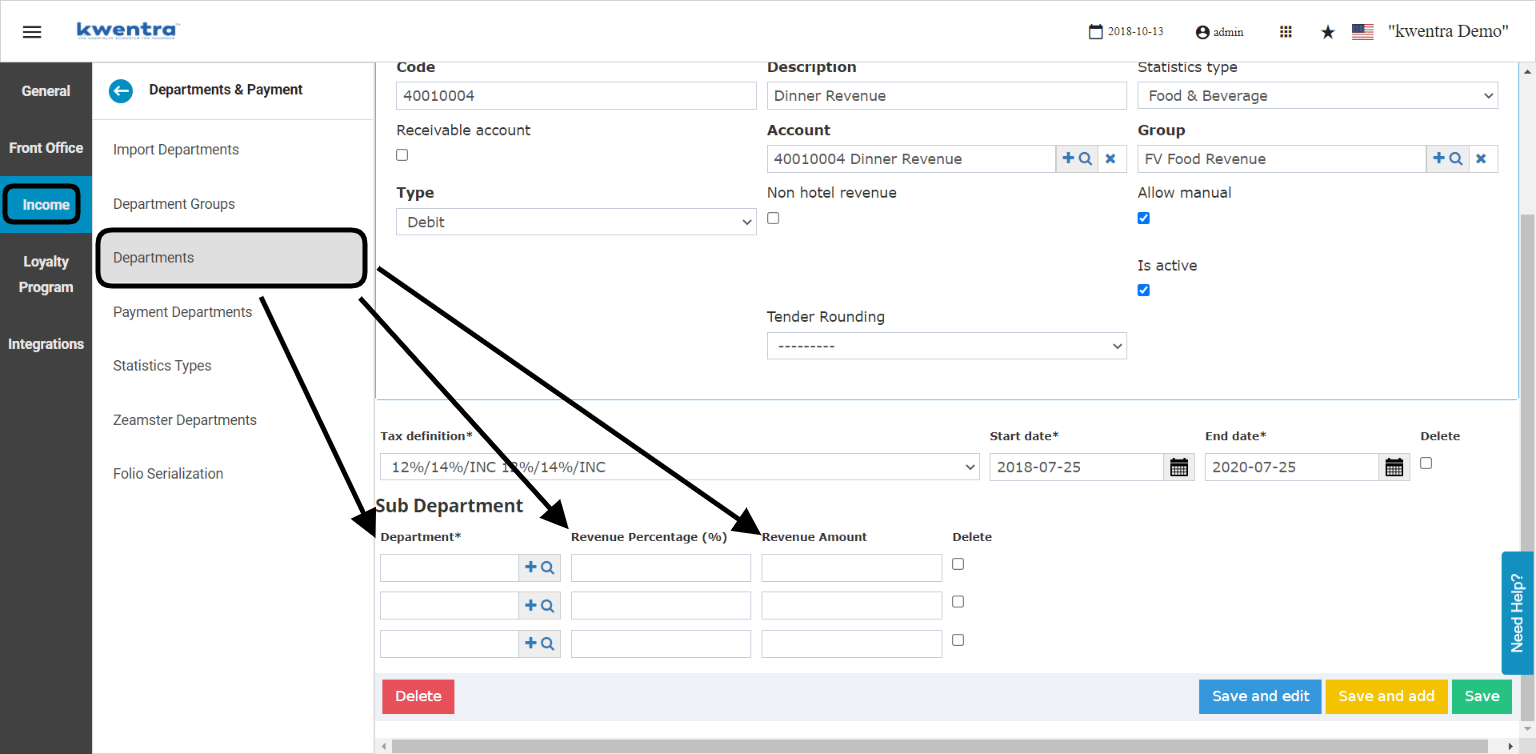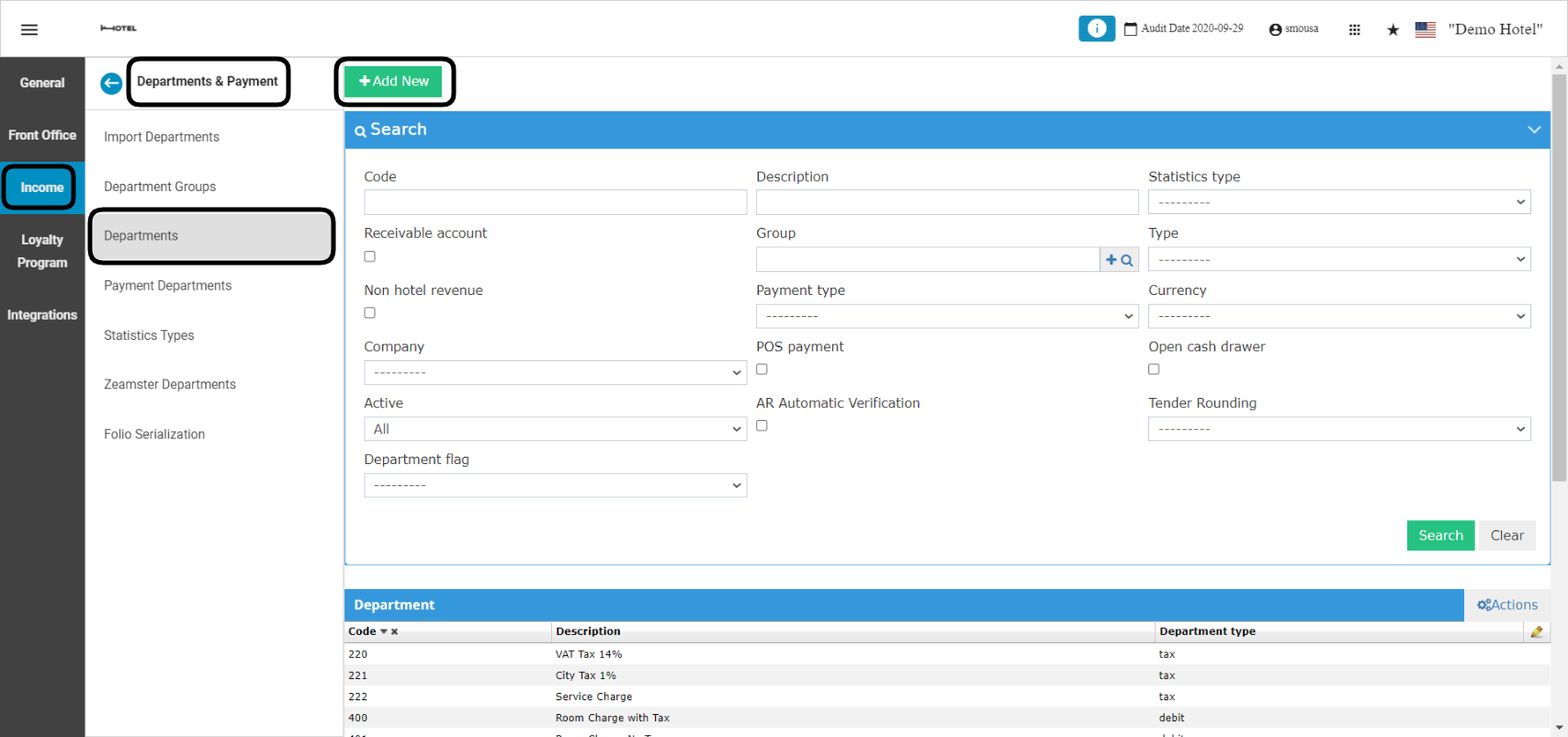
- Code: a serial number for the revenue department, make sure to follow the serialization of your revenue centers in order to have everything organized correctly.
- Description: the name or the explanation for the new revenue generating service that will appear on the guests’ billing screen and their printed out invoices. i.e. Package charges, breakfast charge.
- Statistic type:
- Receivable account: only use this option when the revenue department will be used in your AR accounts sub-module from back office.
- Account: linking your revenue department to a revenue account from your chart of accounts is very important, debit departments are to be linked to revenue accounts only.
- Group: select the revenue account group that the account you selected belongs to in the chart of accounts.
- Type: department type should be always debit for your revenue centers.
- Allow Manual: use this checkbox when you would like to use this revenue department to apply it as a manual charge on a reservation.
- Active: since you cannot delete departments, you can activate or deactivate revenue departments when you desire.
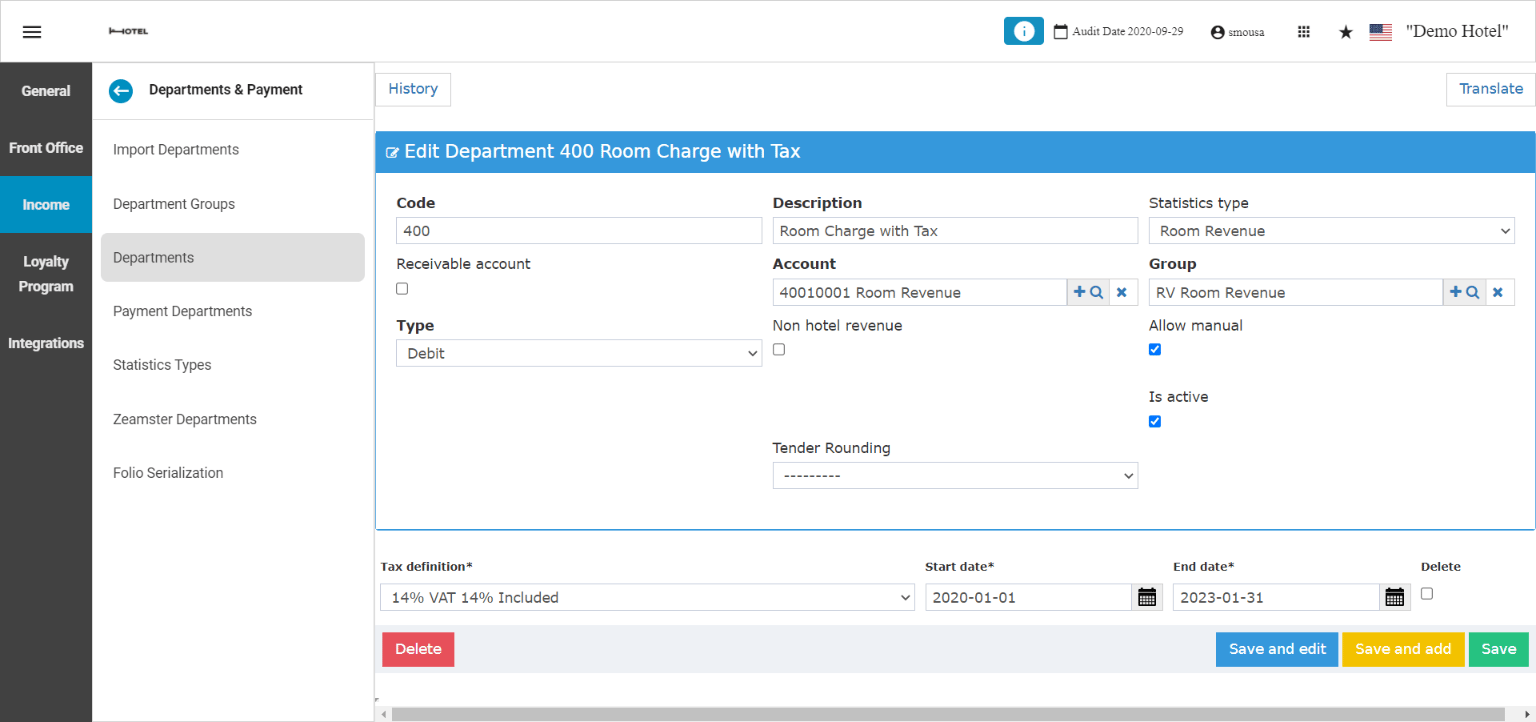
- You cannot apply this feature to departments that are linked to rate plans I.E. Room Charges or Room Revenue.
- You cannot apply this feature to departments that are linked to packages “included packages or add-on packages”.
- You can only apply this feature to departments that will be used as manual charges or fixed charges.
- Select the Revenue Department you would like to apply the sub-departments to.
- Insert the department code you want in the sub-department field.
- Write the revenue percentage you want to apply for this sub department.
- Click Save so as not to lose the changes you made.
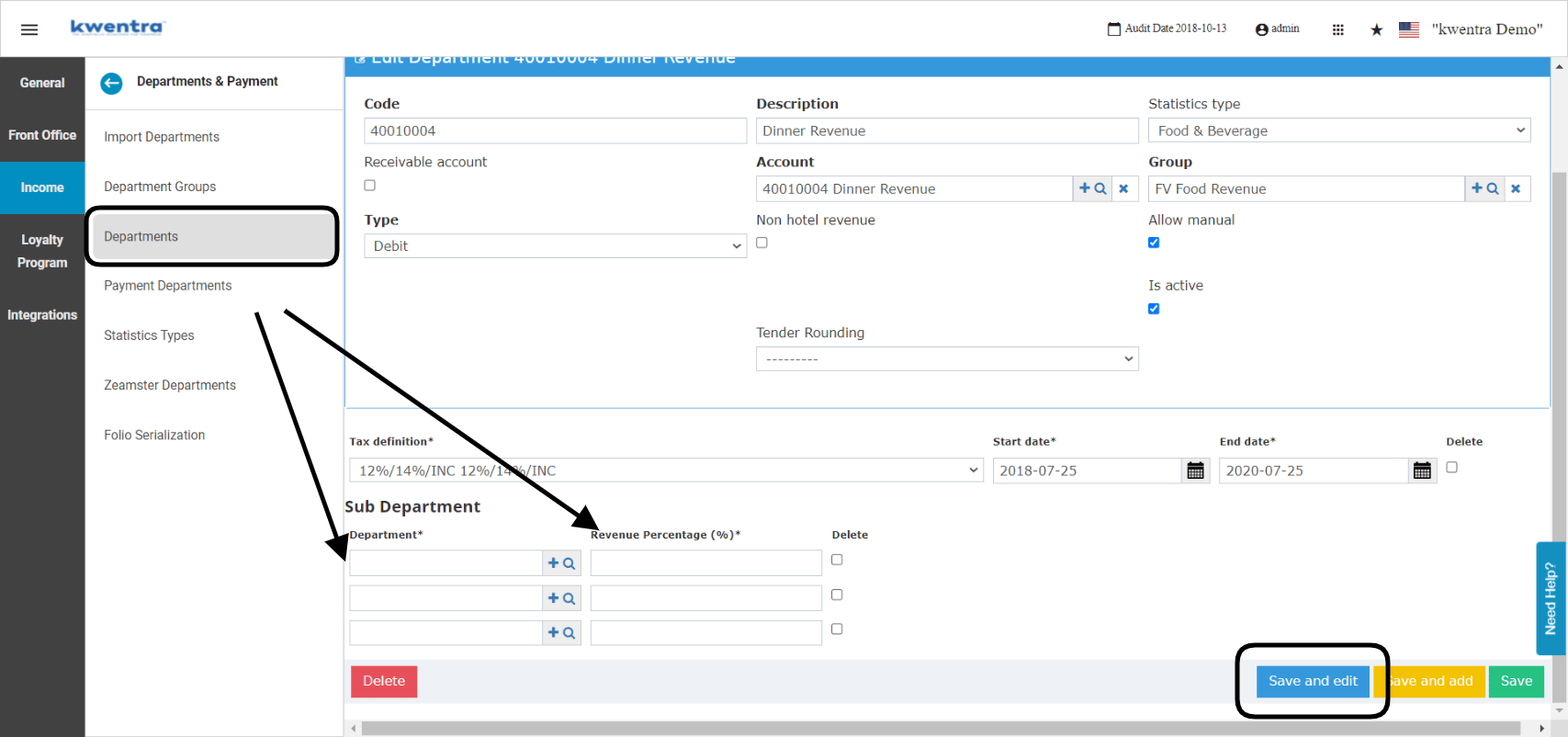
- Select the Revenue Department you would like to apply the sub-departments to.
- Insert the department code you want in the sub-department field.
- Write the revenue percentage or amount you want to apply for this sub department.
- Click Save so as not to lose the changes you made.
- Transportation Provider’s charges after taxes: 22.4 USD
- Hotel’s income from transportation after taxes: 91.2 USD