Documentation Index

Fetch the complete documentation index at: https://help.kwentra.com/llms.txt

Use this file to discover all available pages before exploring further.

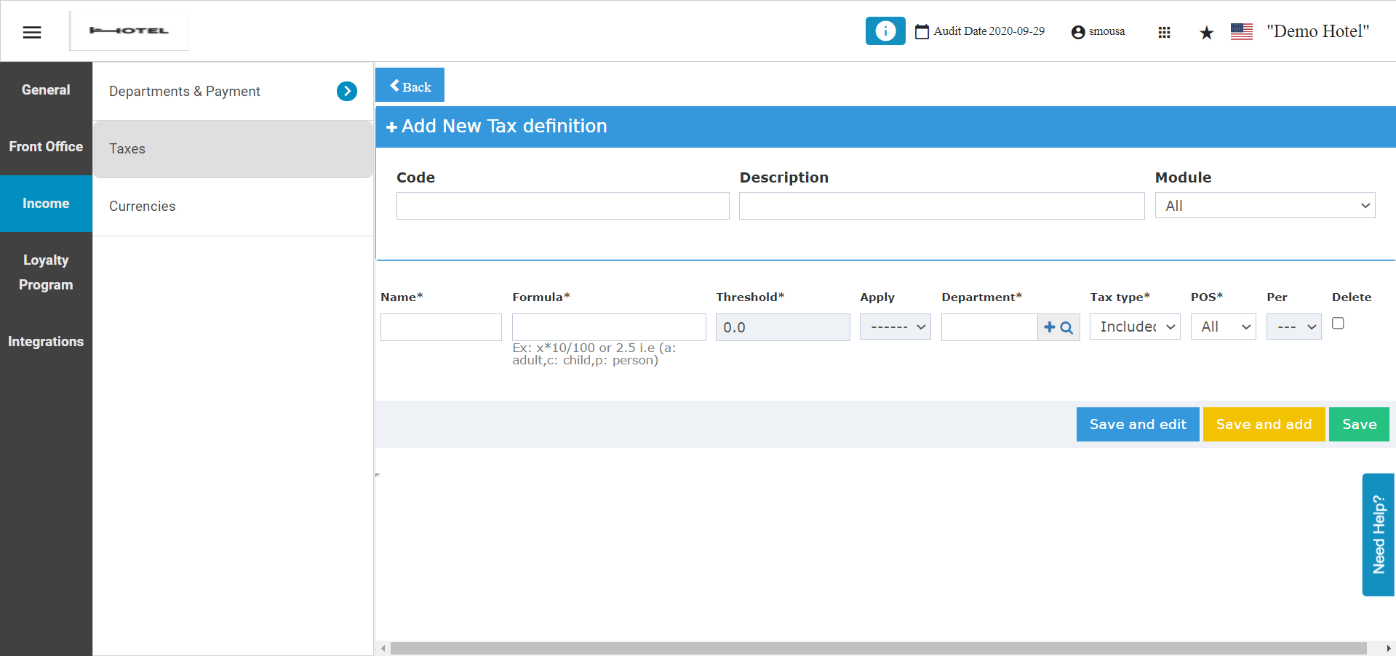
This new feature allows you to create tax definition in respect to the type of guest whether child or adult or apply the local city tax per person regardless of their age. In order to apply an Excluded Tax per person you should go to the settings: Front Office → Settings Gear Sign → Income → Taxes → Add New The formula field would now accept new characters to refer to different guest types:
  • a → It refers to the number of adults in the reservation.
  • c → It refers to the number of children in the reservation.
  • p → It refers to the number of persons in the reservation.
N.B: The new variables are case sensitive, so they should be written as small letters. Threshold field to be used when you would like to have a minimum/maximum amount to be applied on the reservation, where it gets compared between the Threshold Value and Formula Value. This field only accept decimal inputs. Apply drop-down helps in defining the behavior of the threshold. Per drop-down helps in defining the whether the outcome of the formula to be multiplied in the number of adults, number of children or total number of guests in reservation.

Example:

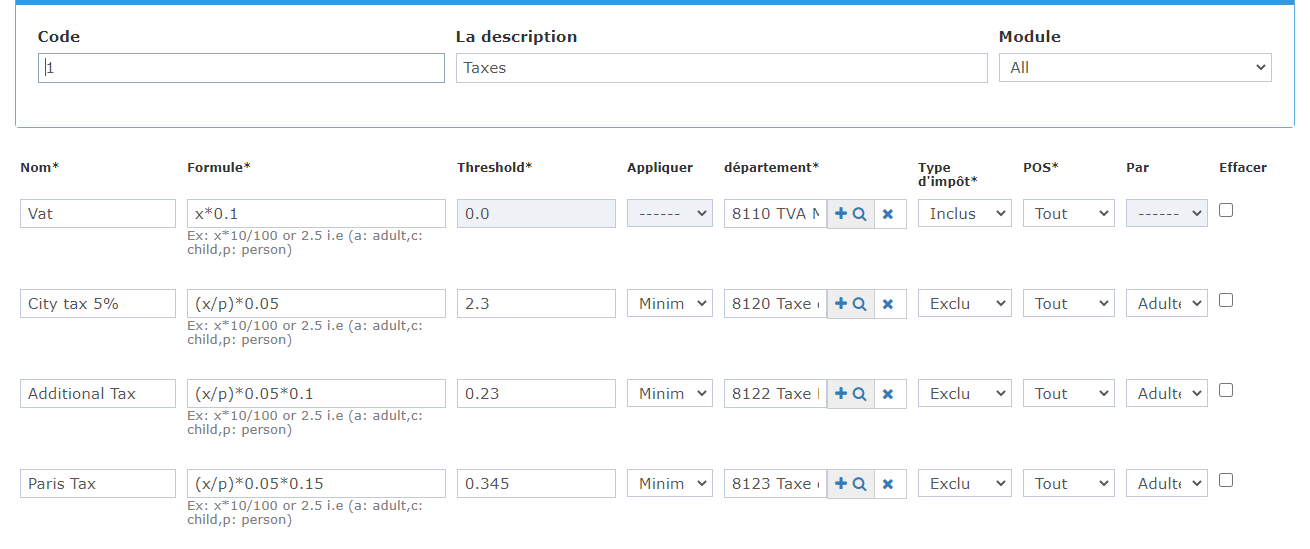
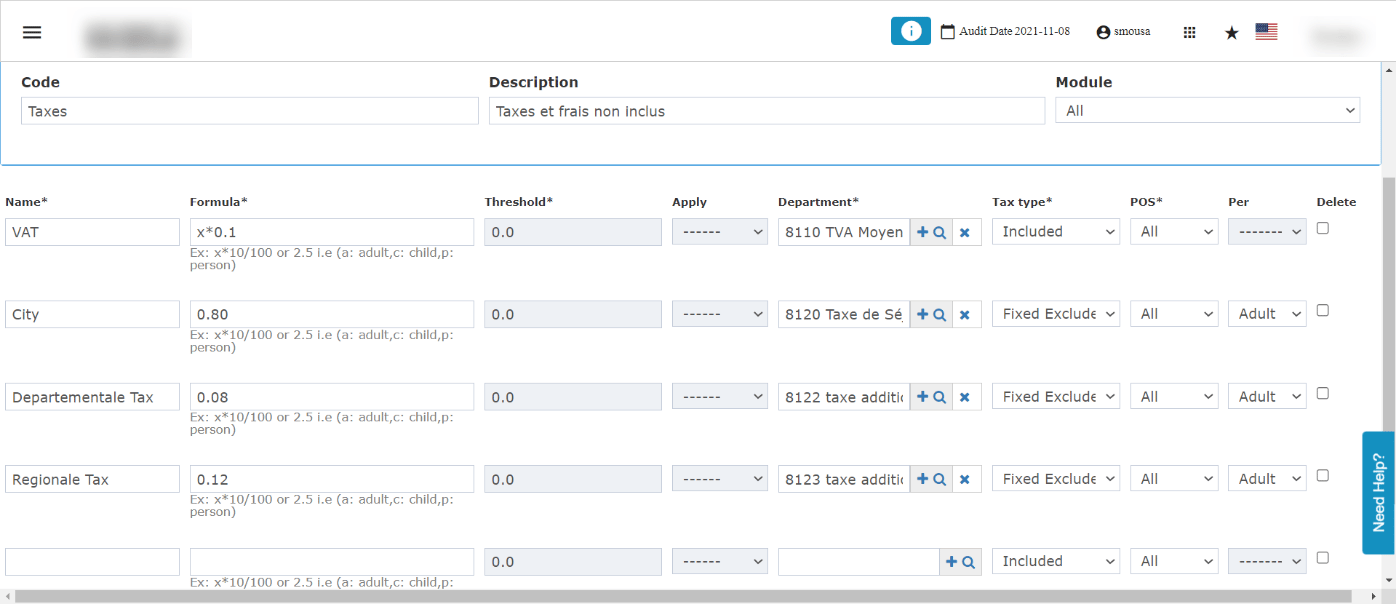
A hotel that would like to follow the tax code of his city would like to apply a tax definition where 10% are Value Added Taxes already included in the rate amount, alongside 5% local city tax that is excluded from the rate and it applies in respect to the number of guests and adults on the reservation. In the below scenario, if the formula value of the city tax renders a result that is less than 2.3, the formula value will apply on total amount. If the formula value of the city tax renders a result that is higher than 2.3, the threshold value will apply on total amount. What Are Fixed Excluded/Included Taxes? In some countries & regions a fixed amount of taxes applies to the whole reservation regardless of the number of guests or set with a specific percentage. Example: a country applies 2.5 USD as fixed tax on each reservation regardless of dates, rates and number of guests. How to apply it on the system? Whatever the fixed amount is, we should put it as it is in the field, and select the tax type as fixed excluded or fixed included depending on the hotel and the governmental regulations. In the below example, there are multiple fixed excluded taxes that apply on top of the room rate with no formula. With the below setup the system automatically will add 0.80 EUR + 0.08 EUR + 0.12 EUR on top of the charges as a part of the hotel’s compliance to the governmental taxes.