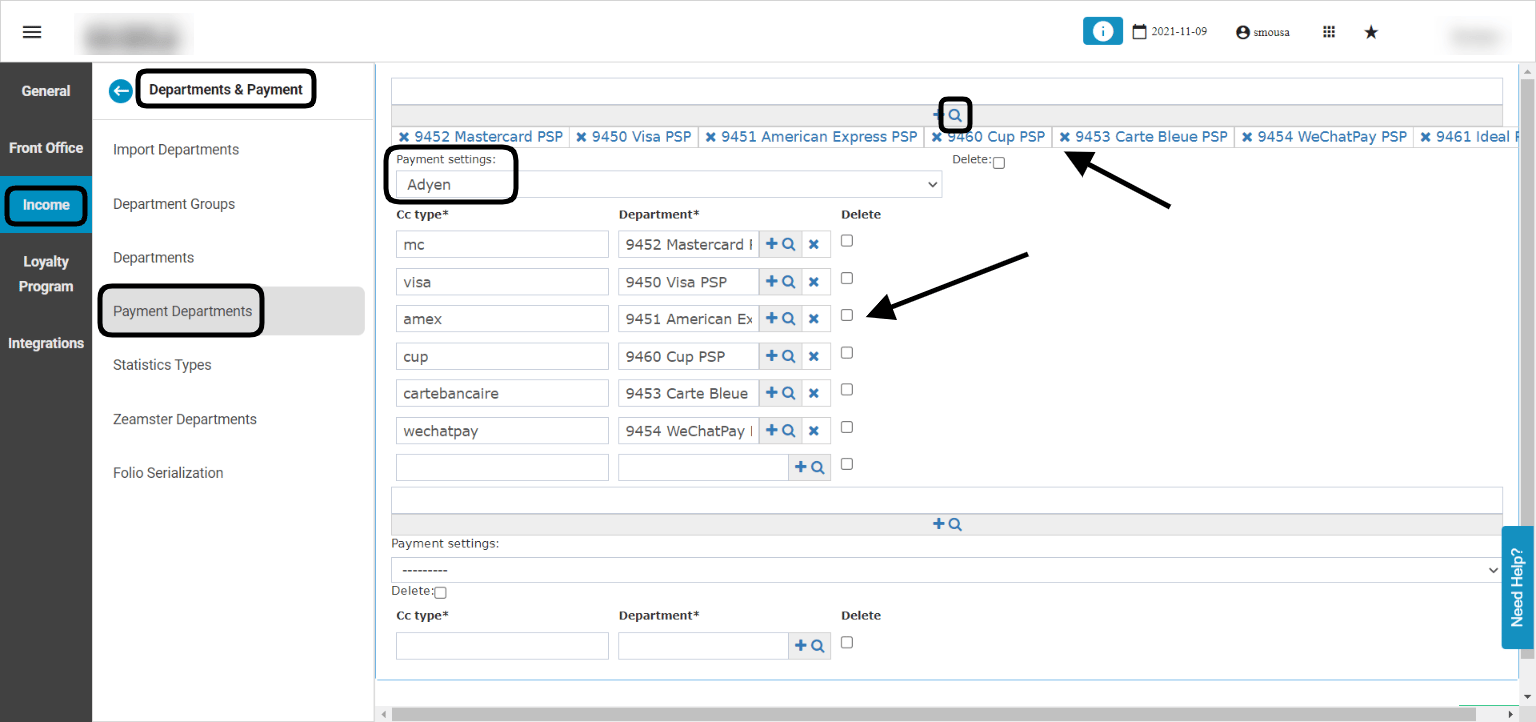
After consulting with kwentra Support Team and successfully configure the system for payment, it is time to adjust the payment departments to sync with the payment done and credit card type used. The benefit for this is to have the payment routed correctly to the department and therefore finances would be adjused automatically. Prerequisites to have prior to setting up Adyen Payment Departments:Documentation Index
Fetch the complete documentation index at: https://help.kwentra.com/llms.txt
Use this file to discover all available pages before exploring further.
- Payment Departments per currency to serve multi currency scenario if any I.E. Credit Cards USD, Credit Cards EUR
- Payment Departments per credit card type to have each payment routed to the designated department I.E. Visa, Master Card, Diners etc
- The Main Payment Department that would get routed to in case the payment is made with a different credit card type/currency.
- From the magnifying glass we select the payment departments per currency alongside the main payment department we want to set up for Adyen.
- Adjust Payment Settings to Adyen.
- For each cc type, select the department you desire.
- Scroll down to save.
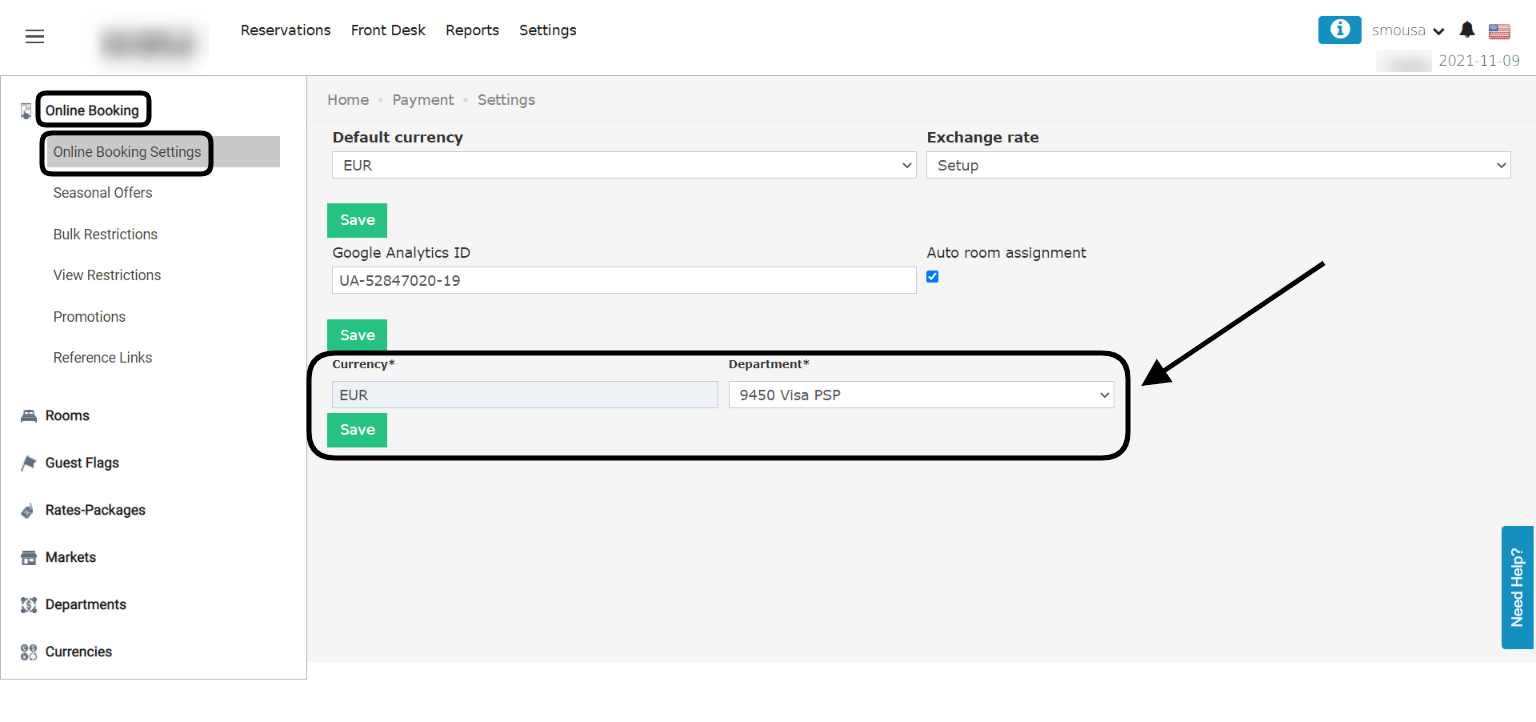
With the above in place, one final step to be done for Online Booking purposes.
Online Booking → Settings → Online Booking → Online Booking Settings
It is very important for OB payments to adjust the currencies here with your payment departments so as to link each merchant account you own with multiple payment departments from kwentra.
With the above in place, your payment integration with Adyen has been successfully completed and ready to receive payments from your website.
Using Adyen to finalize payments from Front Office Billing:
After setting up Adyen on your system, using any of the payment departments we set up in step 1 will trigger a payment fields inside kwentra’s payment dialogue to use the guests’ credit cards to finalize their payment.
This Payment Dialogue will charge the guest’s credit card and add the payment amount to your billing screen.