Documentation Index

Fetch the complete documentation index at: https://help.kwentra.com/llms.txt

Use this file to discover all available pages before exploring further.

Following the local tax code for Egypt, all hotels are obliged to follow the below tax definition for their rates, packages and any income generated for the hotel. There are three types of taxes to be applied on hotels in Egypt:
  • 12% service charge.
  • 1% local city tax.
  • 14% value added taxes.
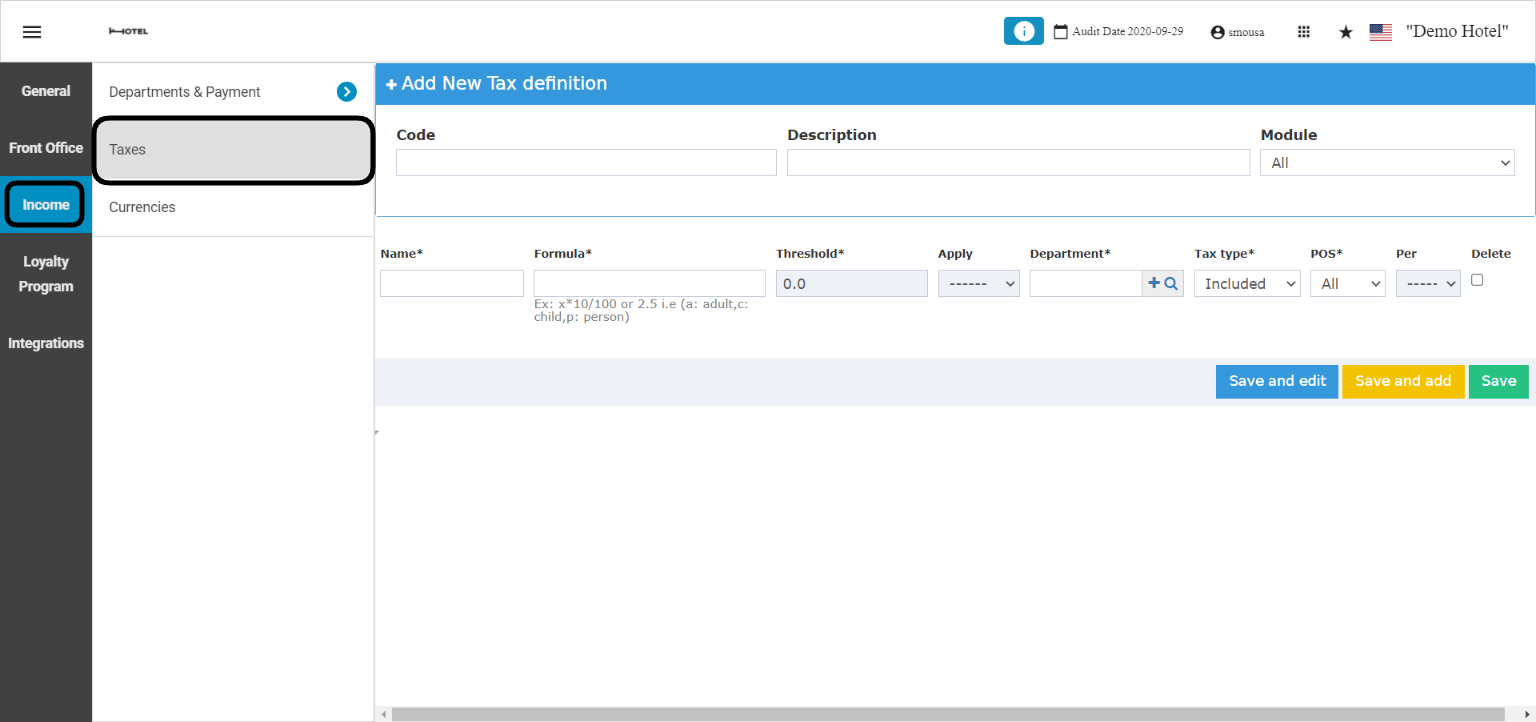
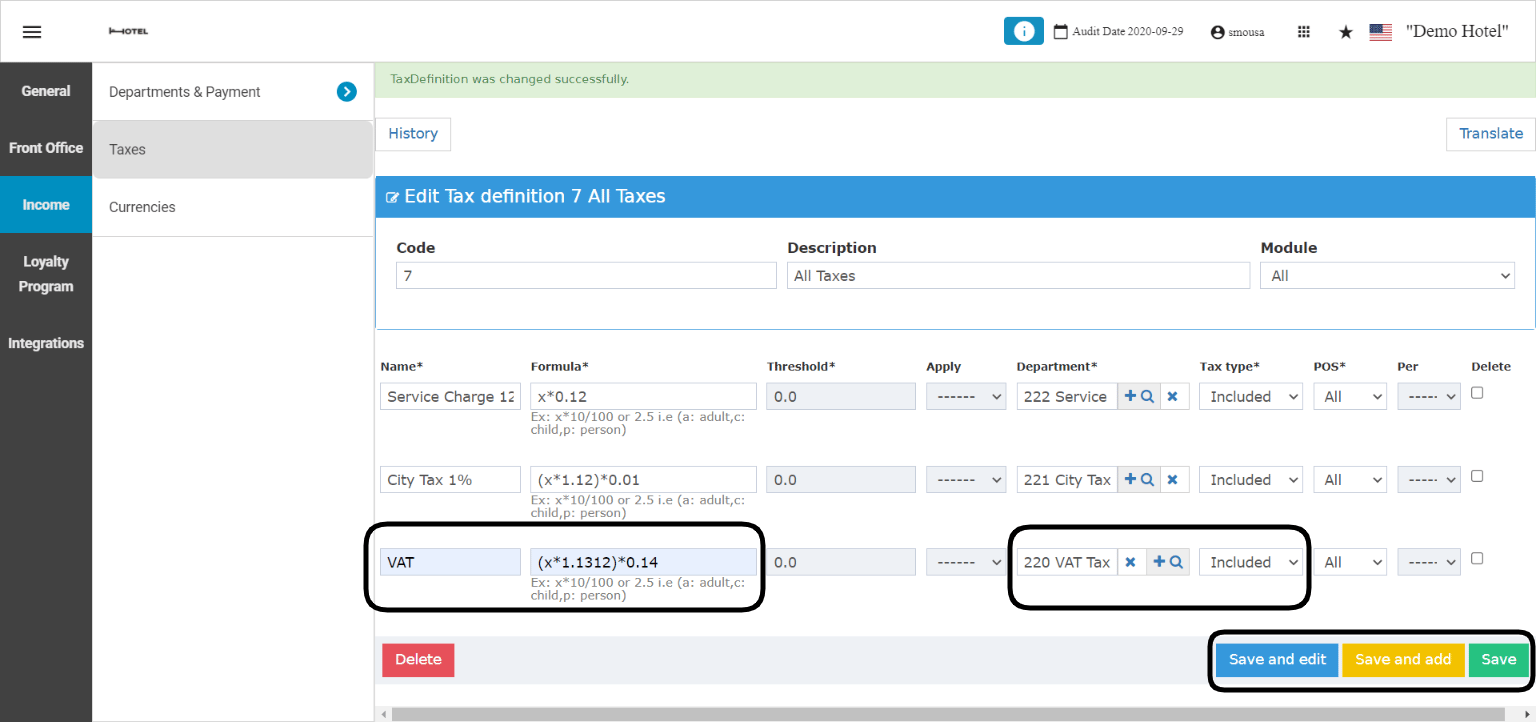
The Egyptian Tax Code obligates Hoteliers to follow the below formula in order to calculate and apply the taxes correctly. Example: Net Rate per night is 100 EGP. 1. Apply the 12% service charge: 100 EGP * 0.12 = 12 EGP 2. Apply the local city tax on the net rate + the service charge: (100 EGP + 12 EGP) * 0.01 = 1.12 EGP 3. Apply the VAT on the net rate + service charge + local city tax: (100 EGP + 12 EGP +1.12 EGP) * 0.14 = 15.84 EGP With the above formula in place the Gross Rate Per Night is 100 EGP + 15.84 EGP = 115.84 EGP including all taxes. How to apply the taxes on the system?: Front Office → Settings Gear Sign → Income → Taxes → Add New
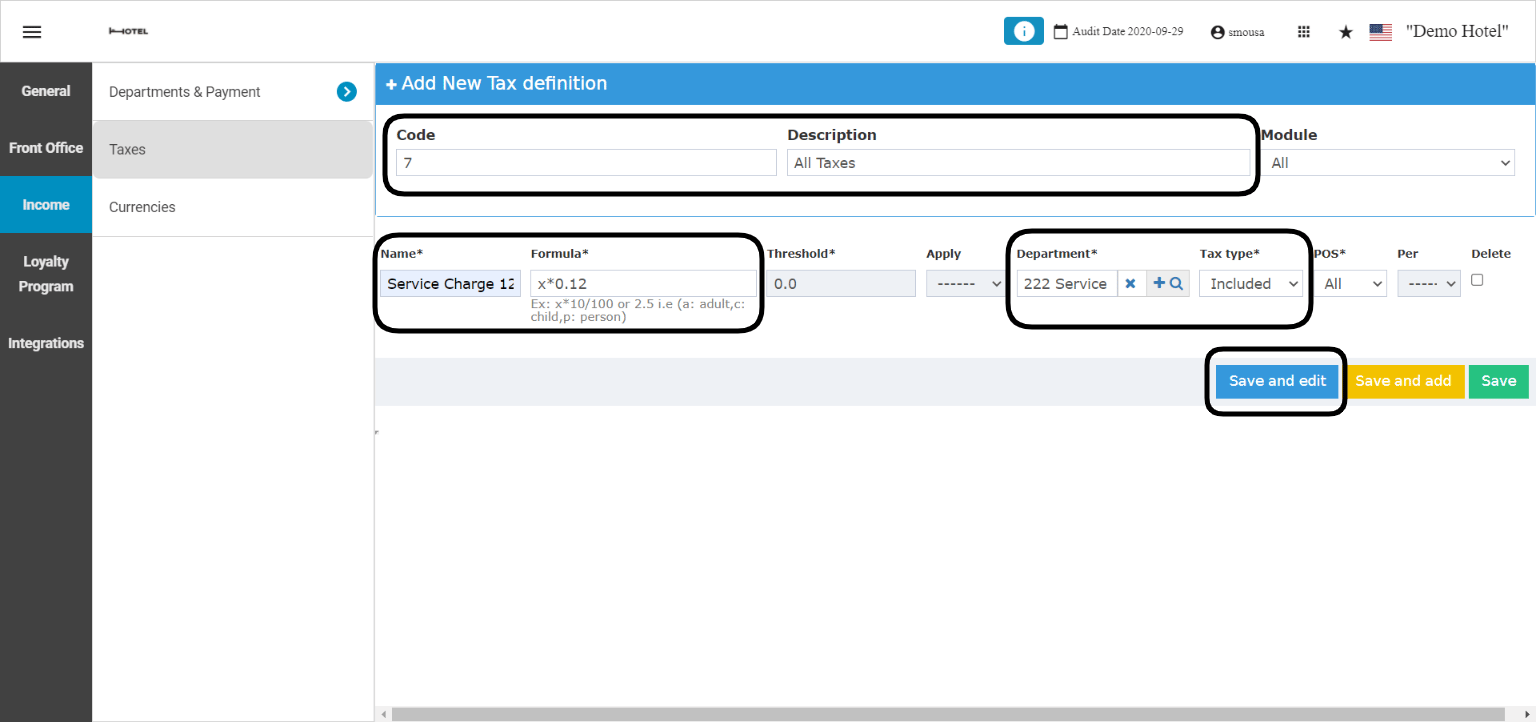
  • Add a numerical code & a description for the new tax definition.
  • In the Name field write the first tax to be applied which is the service charge.
  • Formula to apply is x*0.12.
  • Select the Tax Department to link with the service charge.
  • Select whether this tax is included or excluded from the charges.
  • Click Save and edit to get more lines for the remaining taxes.
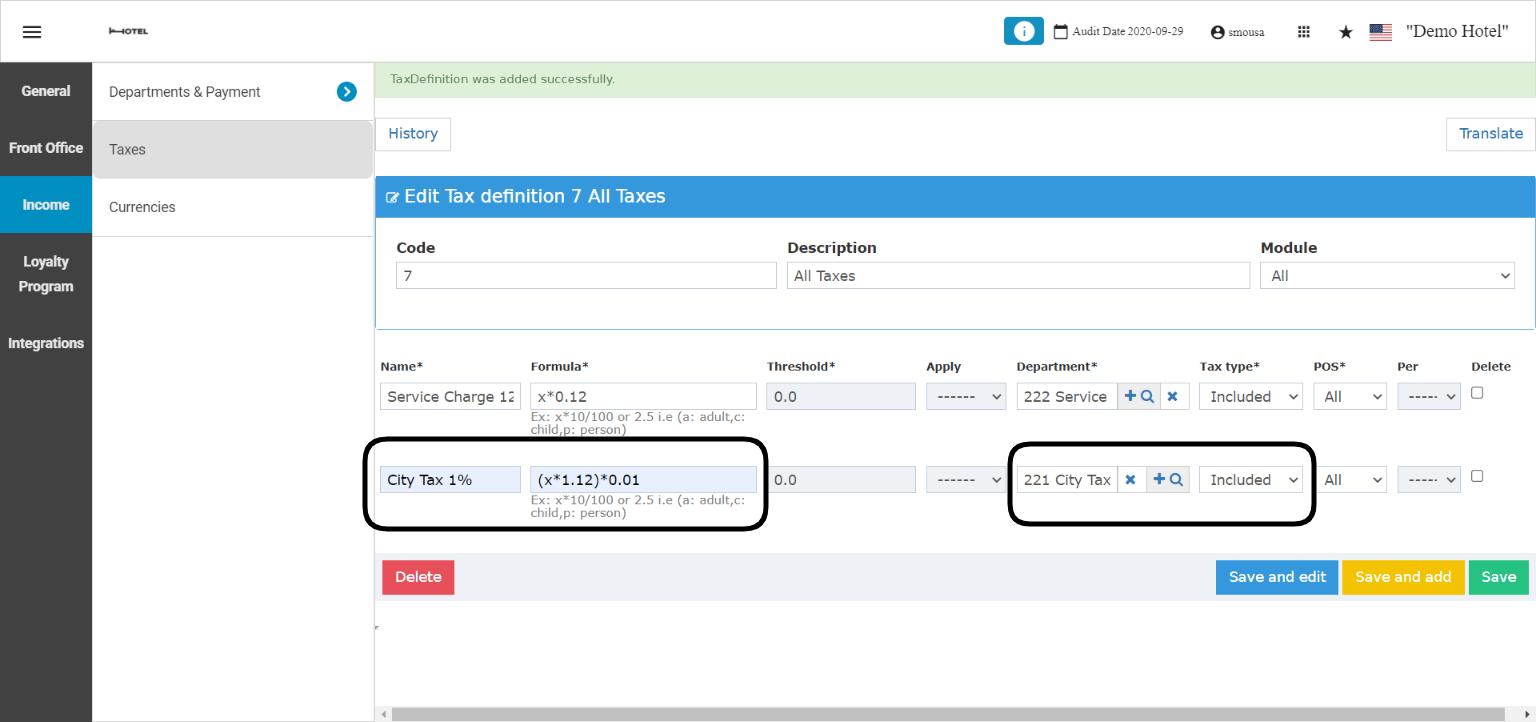
  • Enter in the Name field the second tax to be applied which is the local city tax.
  • Formula to apply is (x*1.12)*0.01
  • Select the Tax Department to link with the local city tax.
  • Select whether this tax is included or excluded from charges.
  • Click Save and edit to get the last line for the tax.
  • Enter in the last Name field the name for VAT tax.
  • Formula to apply is (x*1.1312)*0.14
  • Select the Tax Department to link with the value added tax.
  • Select whether this tax is included or excluded from charges.
  • Click Save and edit to finalize your tax definition.
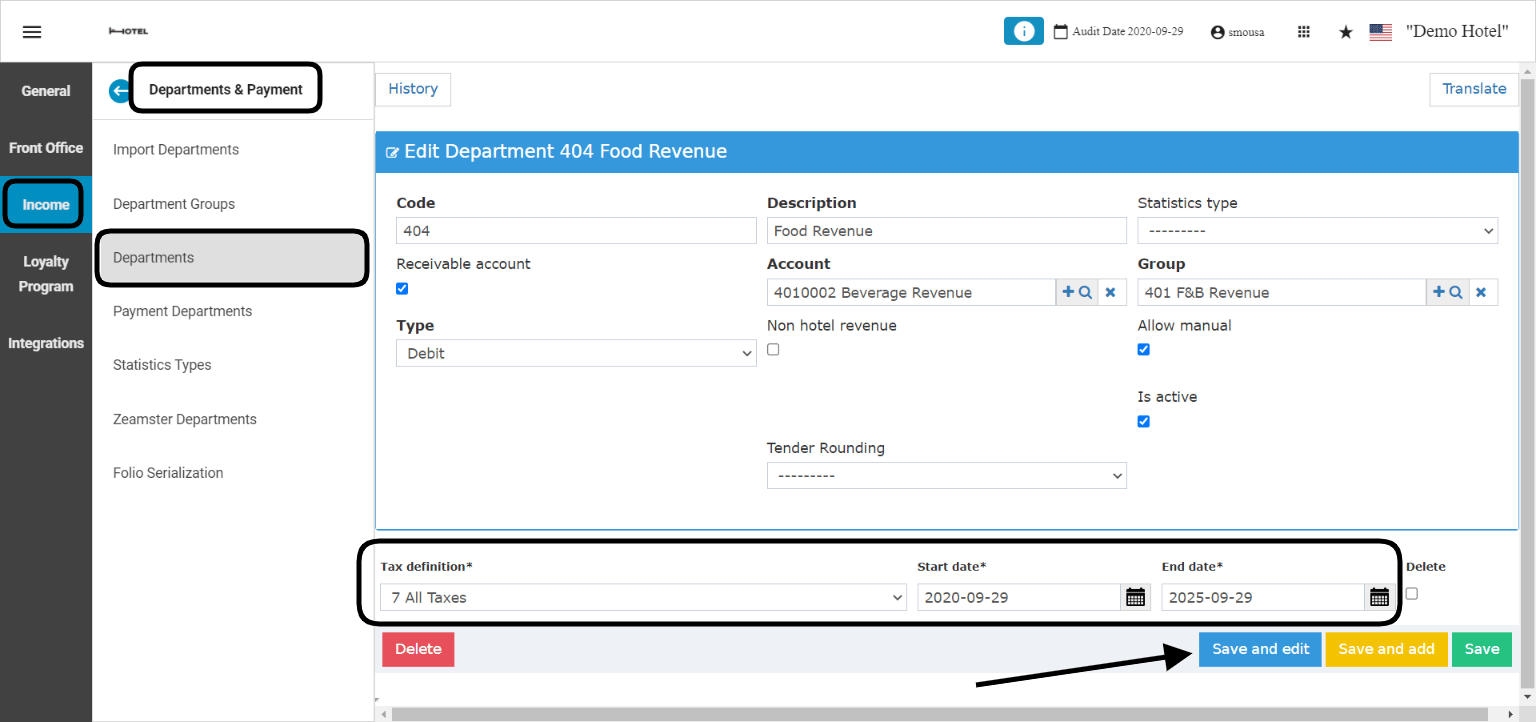
After adding the tax definition you need to link it to your Revenue Departments so the taxes would apply automatically on the generated income from your hotel. Front Office → Settings Gear Sign → Income → Departments & Payment → Departments → Select Revenue Department Taxes apply on departments with the type Debit only. Example: you would like to apply the new tax definition on the Food Revenue Department:
  • Find the Revenue Department you need to apply the new tax on.
  • Select the Tax definition from the drop down menu.
  • Choose the start and end date for the tax definition.
  • Click Save and edit.
Now that the tax definition have been applied, all charges going to Food Revenue shall be taxed based on the formulas and settings applied.