
Documentation Index

Fetch the complete documentation index at: https://help.kwentra.com/llms.txt

Use this file to discover all available pages before exploring further.

Import daily budgets for Hijri months to override monthly calculations. Business Value
  • Enable precise day-level budget management for Hijri calendar hotels.
  • Daily budgets override auto-calculated monthly/days figures.
  • Daily budgets flow through to all revenue reports.
  • Support dual-budget periods with monthly and daily imports.
Use Cases
  • Revenue manager imports Ramadan daily budget with unique daily values.
  • Finance director sees imported daily values in Manager Report.
  • Hotel gets warning before overwriting existing monthly budget.
How It Works Accessing the Hijri Daily Budget Import
Front Office → Settings → Income → Daily Hijri Budget
Preparing the Import Template
  • Select the Hijri month you want to import using the month selector.
  • Export/download the template for that month. The template columns are individual days (dd/mm/yyyy format) and rows are the same budget departments as the monthly budget.
  • All days of the selected Hijri month are required; the system validates for missing (empty) days before accepting the import.
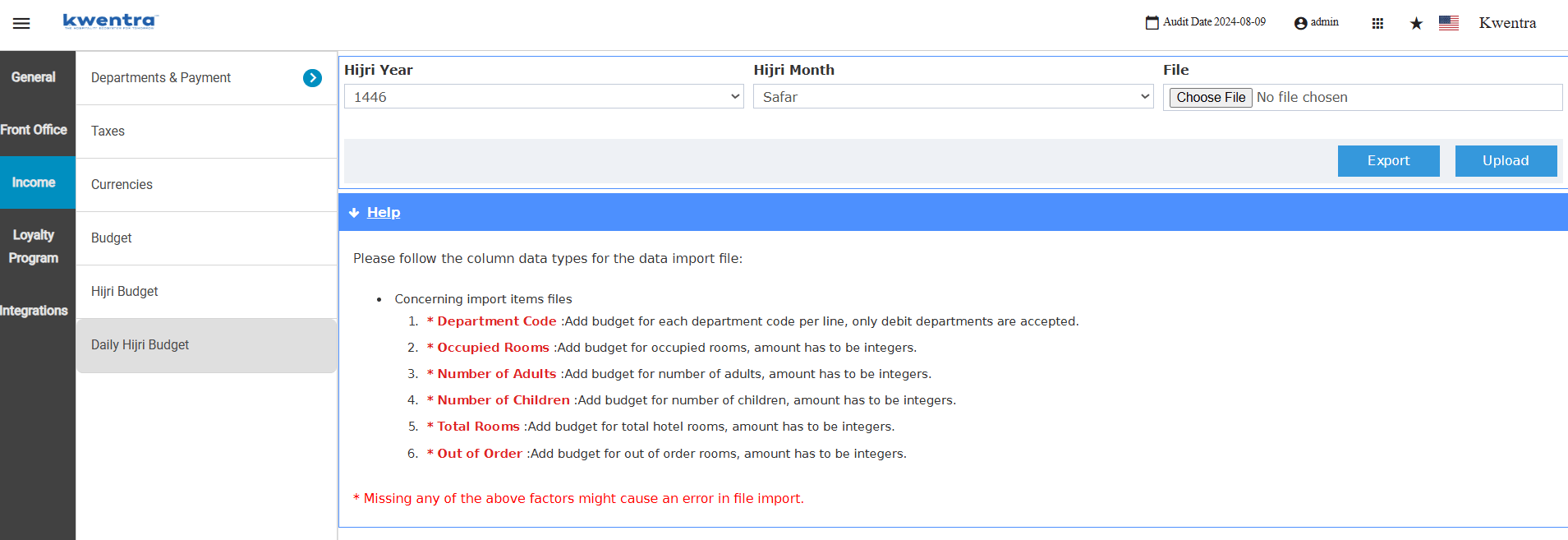
Importing the Daily Budget 1. Select the desired Hijri month from the month selector. 2. Download and fill in the daily budget template. 3. Upload the completed file using the import function. 4. If a daily import for the same month already exists, a warning is displayed. Confirm to proceed with the overwrite. 5. If a monthly budget exists for the same month, a warning is displayed. Confirm to proceed; the daily import takes precedence for that month. Effect on Reports Read more below about the affected report based on daily budget import:
Daily Hijri budget data is stored in a separate table from the monthly budget. The export/import can be performed at any time from the same screen.