💡 Business Value
- Quickly verify guest room rates without opening each reservation
- Improve accuracy when communicating with clients about pricing
- Reduce time spent on group pricing reviews
- Prevent manual mistakes and pricing mismatches
🧳 Use Cases
- The front office team wants to confirm room rates for a group before check-in
- A group coordinator needs to validate pricing for an invoice or group contract
- A hotel manager compares rates across rooms in large group bookings
✅ New Behavior
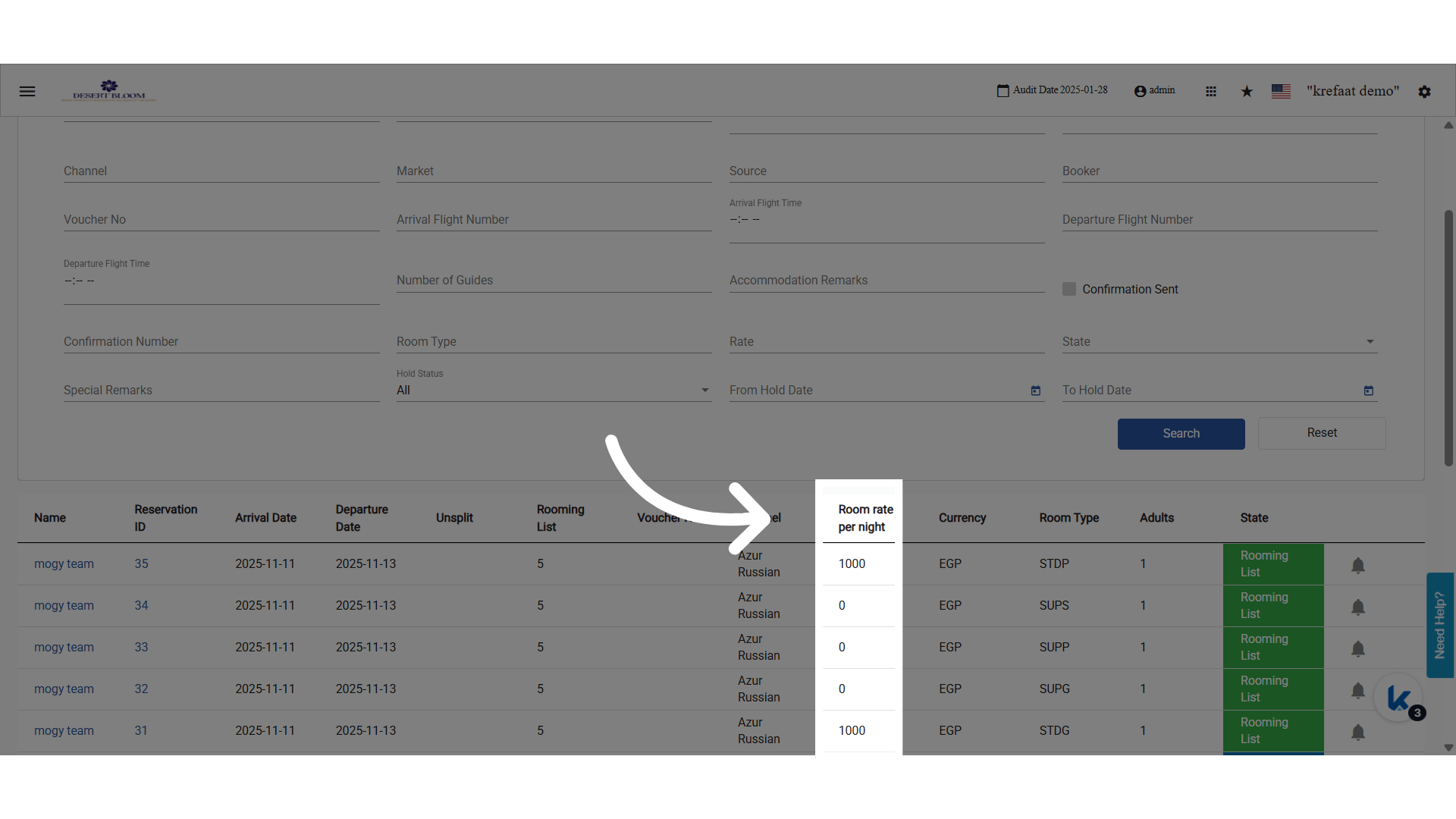
- Added a Room Rate per Night column in the group reservation list
- Shows rate for the current night with the reservation’s currency (e.g.
450.00 USD) - Based on today’s audit date
- Removed the following from the list for clarity:
- Market
- Source
- Hold Status