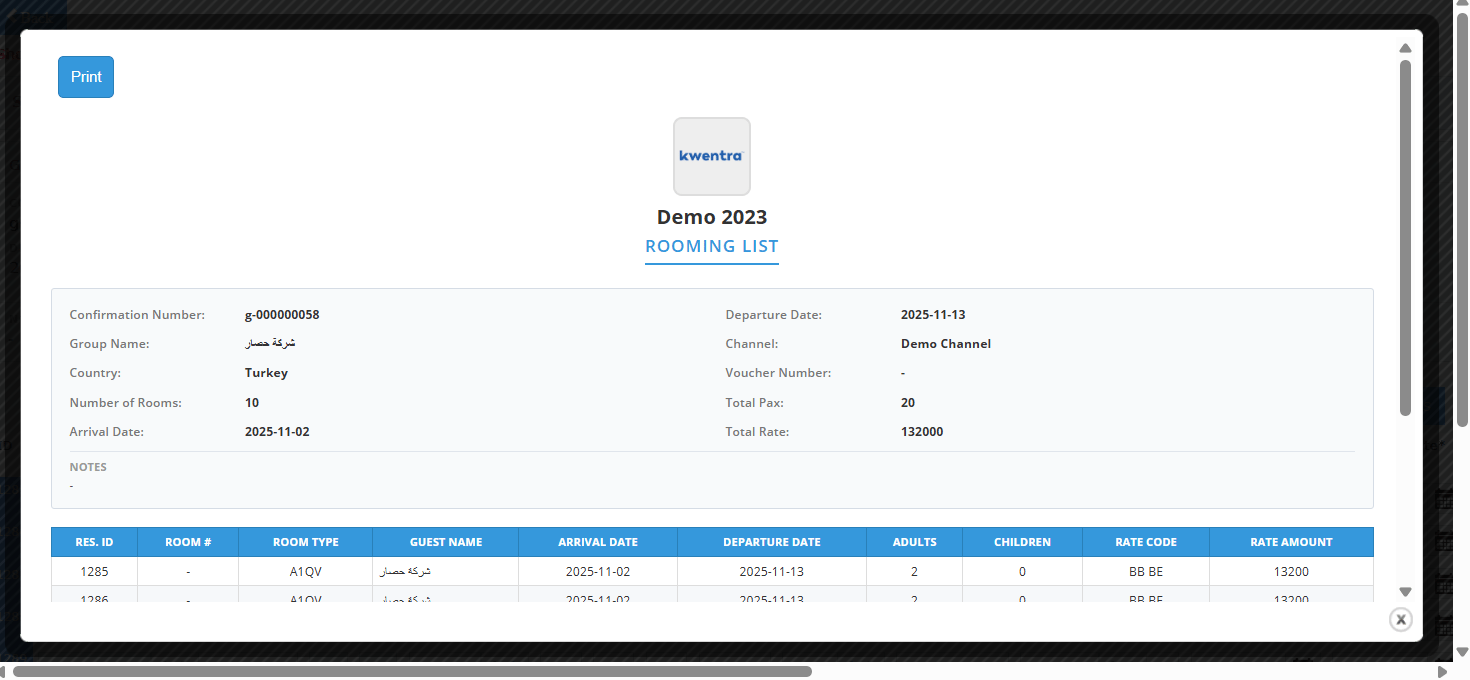
- Saves time displaying group summary without navigating away.
- Print button generates professional rooming list documents.
- Header adapts to multi-group scenarios automatically.
- Printed list includes color header and complete guest details.
- Front office agent sees group summary (name, dates, rooms) instantly.
- Reservations manager prints formatted list to hand to event planner.
- Group coordinator sees consolidated header data from primary group.
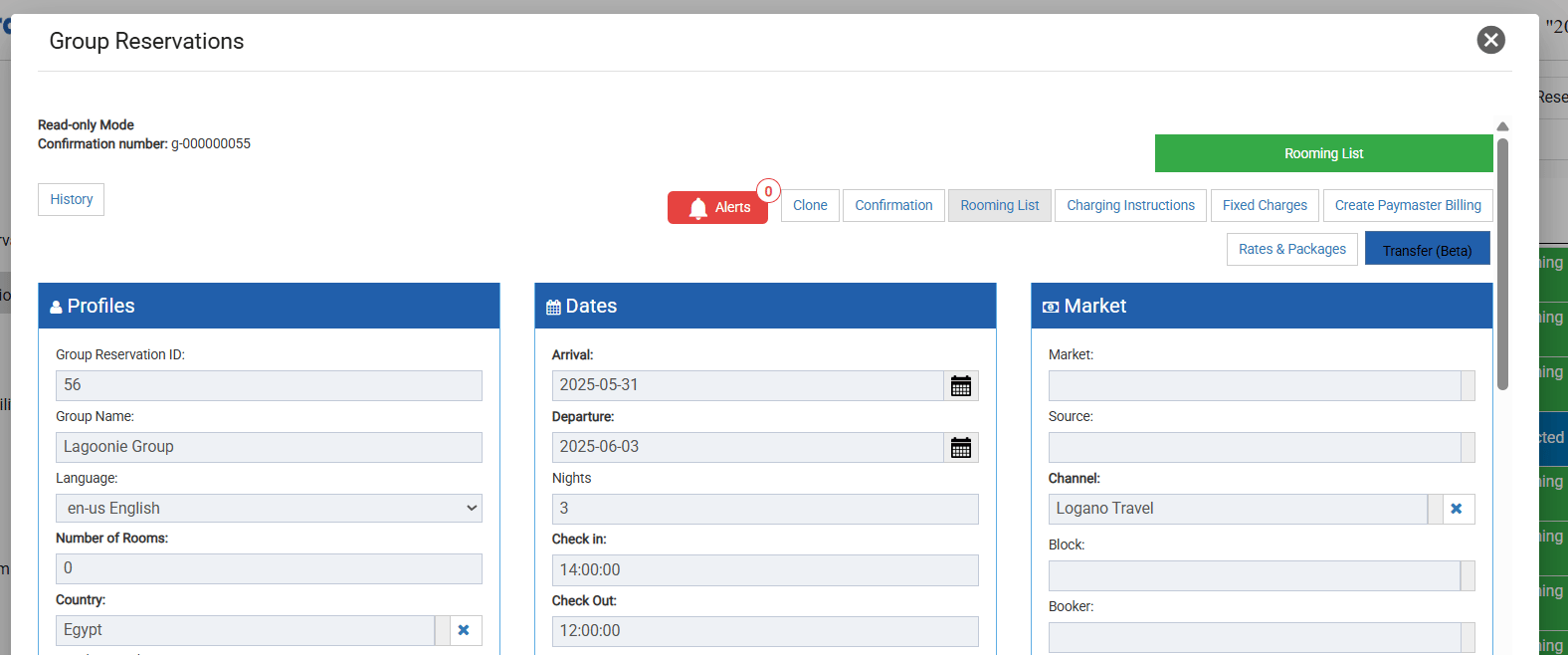
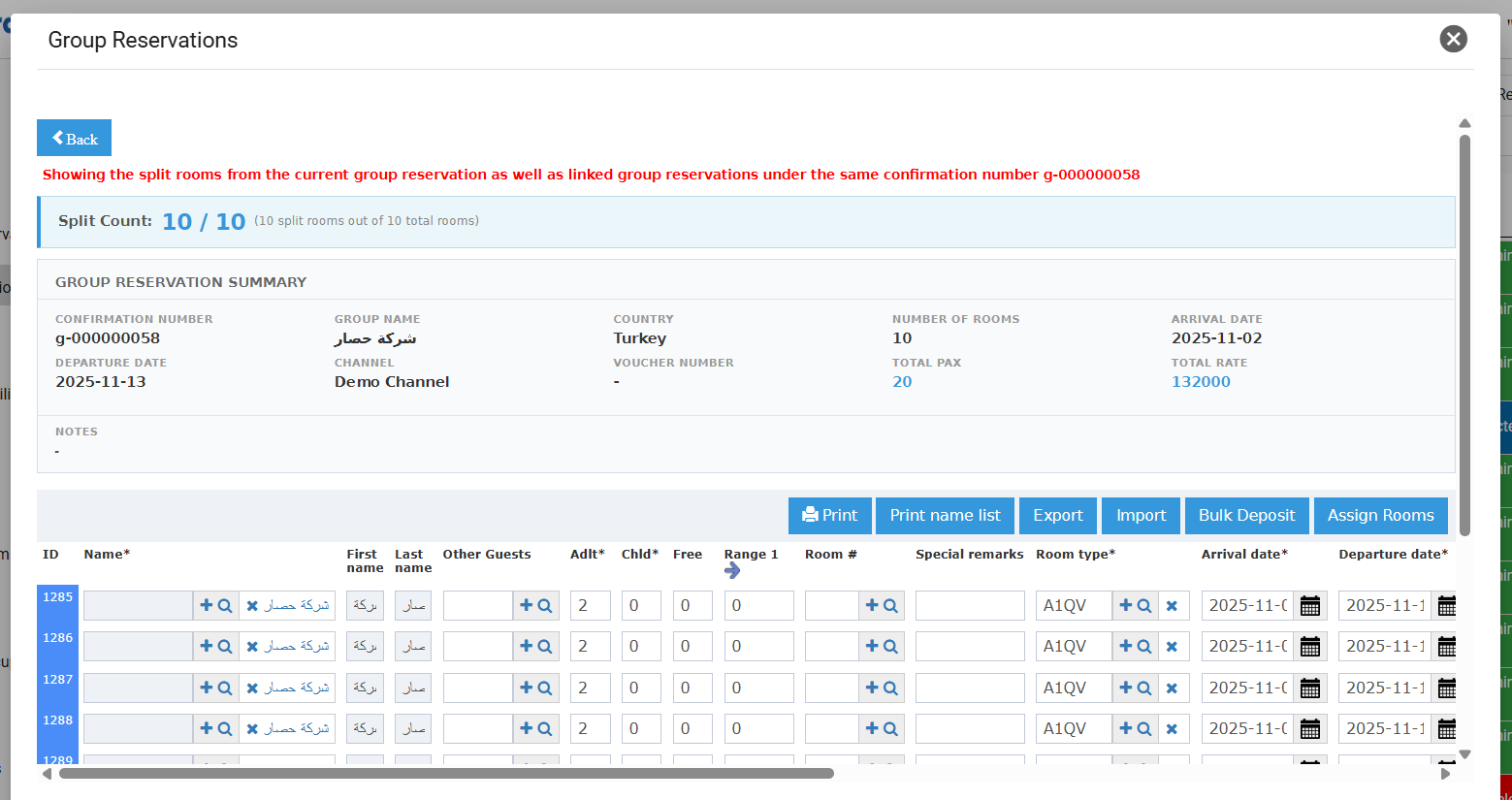
- Split Count — number of split rooms / total number of rooms in the group reservation (shown above the summary).
- Confirmation Number, Group Name, Country, Number of Rooms
- Arrival Date, Departure Date, Channel, Voucher Number
- Total Pax — total adults + children across all split reservations linked to the group.
- Total Rate — total stay rate of all split reservations.
- Notes — Internal, Billing, and External notes.
- Hotel Logo and Hotel Name
- “Rooming List” header title
- Group reservation summary (same fields as the on-screen header)
- A table of all split individual reservations with columns: Reservation ID, Room Number, Room Type, Guest Name, Arrival Date, Departure Date, Adults, Children, Rate Code, Rate Amount.