

Business Value
- Shows each user only the stores of their division.
- Stops staff from using the wrong store by mistake.
- Keeps items in the stores where they belong.
- Locks the store account once transactions have posted.
- Keeps the balance sheet in line with old journal vouchers.
Use Cases
- An F&B purchasing officer sees only F&B stores, not engineering or housekeeping stores.
- An admin links the Engineering store to the Engineering division only.
- An admin tries to change the account of a store with posted orders, and the system blocks it.
How It Works
Link Stores to Divisions
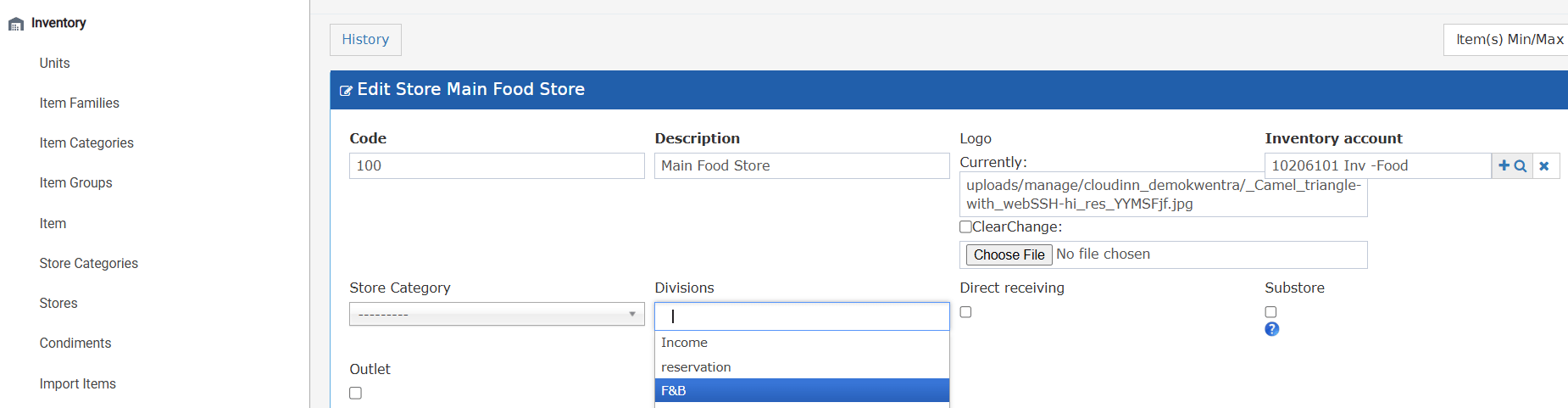
To set up divisions, see How do I add divisions on the system?- Open the store you want to restrict.
- Find the Divisions field. It is optional, and you can pick more than one.
- Select one or more divisions. Every division on your system is listed.
- Save the store. Only users in the selected divisions can now use it.
What Each User Sees
When you open a store or item lookup, the system checks your divisions.- It shows only stores linked to at least one of your divisions.
- If you are in Division A and Division B, stores of either one show.
- Stores with no division always show. They are shared stores.
- The item lookup works the same way. It shows items kept in stores you can use.
- A user with no division sees all stores.
- Purchase Requests
- Receiving Orders
- Return Requests
- Store Transfer
- Store Usage
Link Stores to Items
- Select the stores this item belongs to.
- You can link more than one store to the same item.
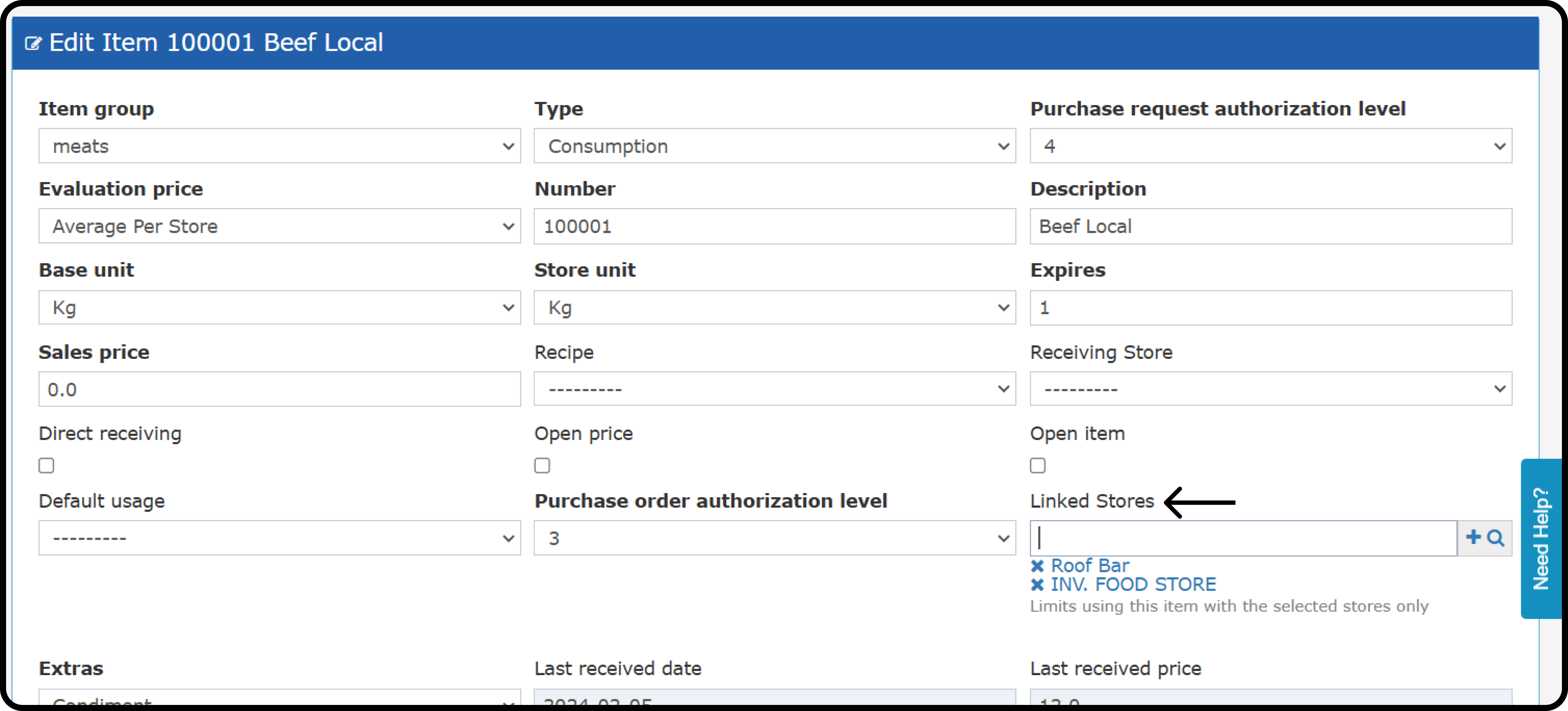
- An item with no linked store can be used in every store.
- An item with linked stores can be used in those stores only.
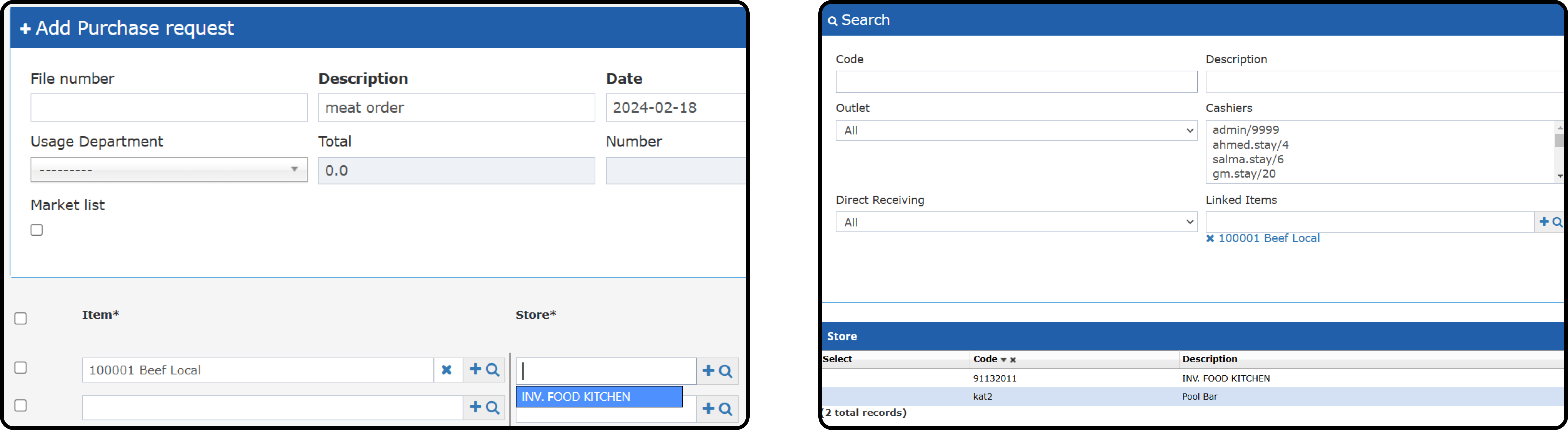
- Picking the item number limits the store list to the item’s stores.
- The store magnifying glass shows only the item’s stores.
- Picking a store first shows only its items, plus items linked to no store.
Protect the Store Account
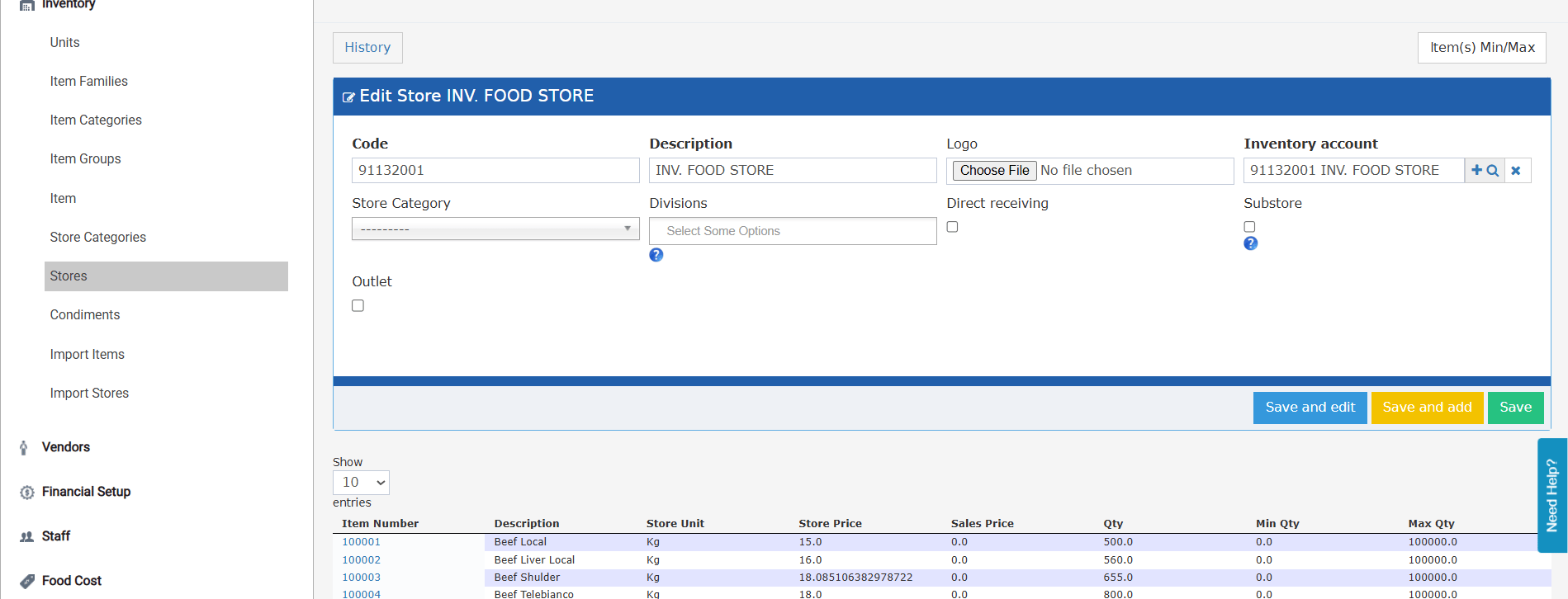
- The store is new and has no transactions.
- The store has only unsubmitted transactions, with no JVs yet.