

- Each account belongs to an account group.
- Each account group belongs to an account family.
There are 5 globally known Account Types in which your chart of accounts has:
- Assets
- Equity
- Liabilities
- Revenue
- Expenses
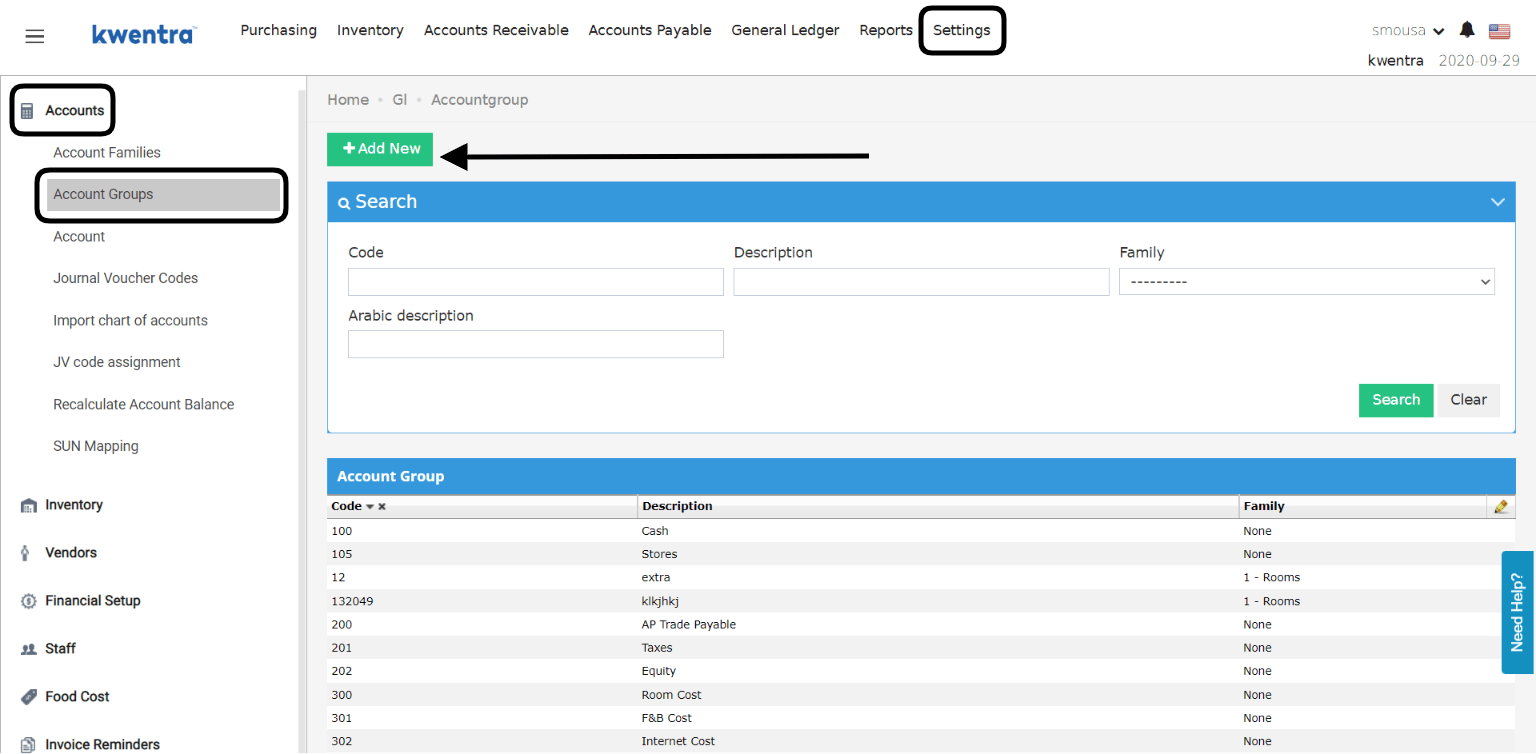
- Add the account group code you desire, the group code will determine the order of this group on your finanacial reports.
- Add a description for the new group.
- Linking the new group to an account family is important yet not mandatory.
- Click Save so you won’t lose your changes.
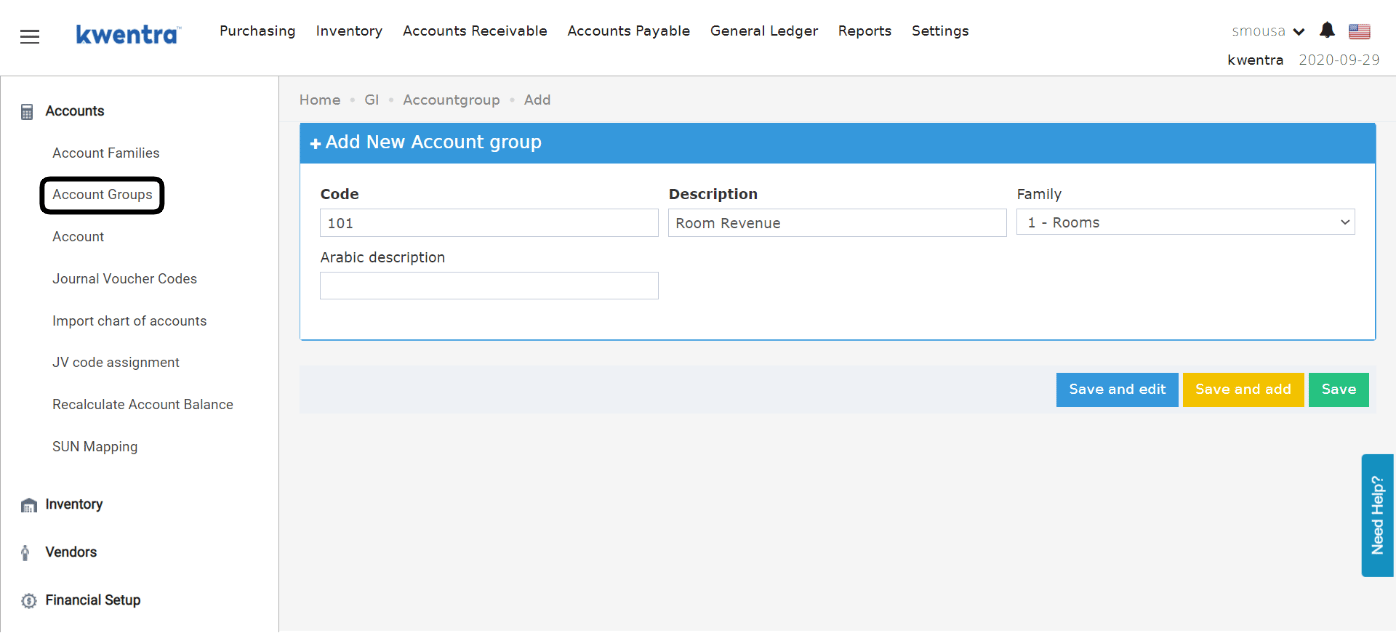
- Account number
- Description
- Search using the account group
- Account type
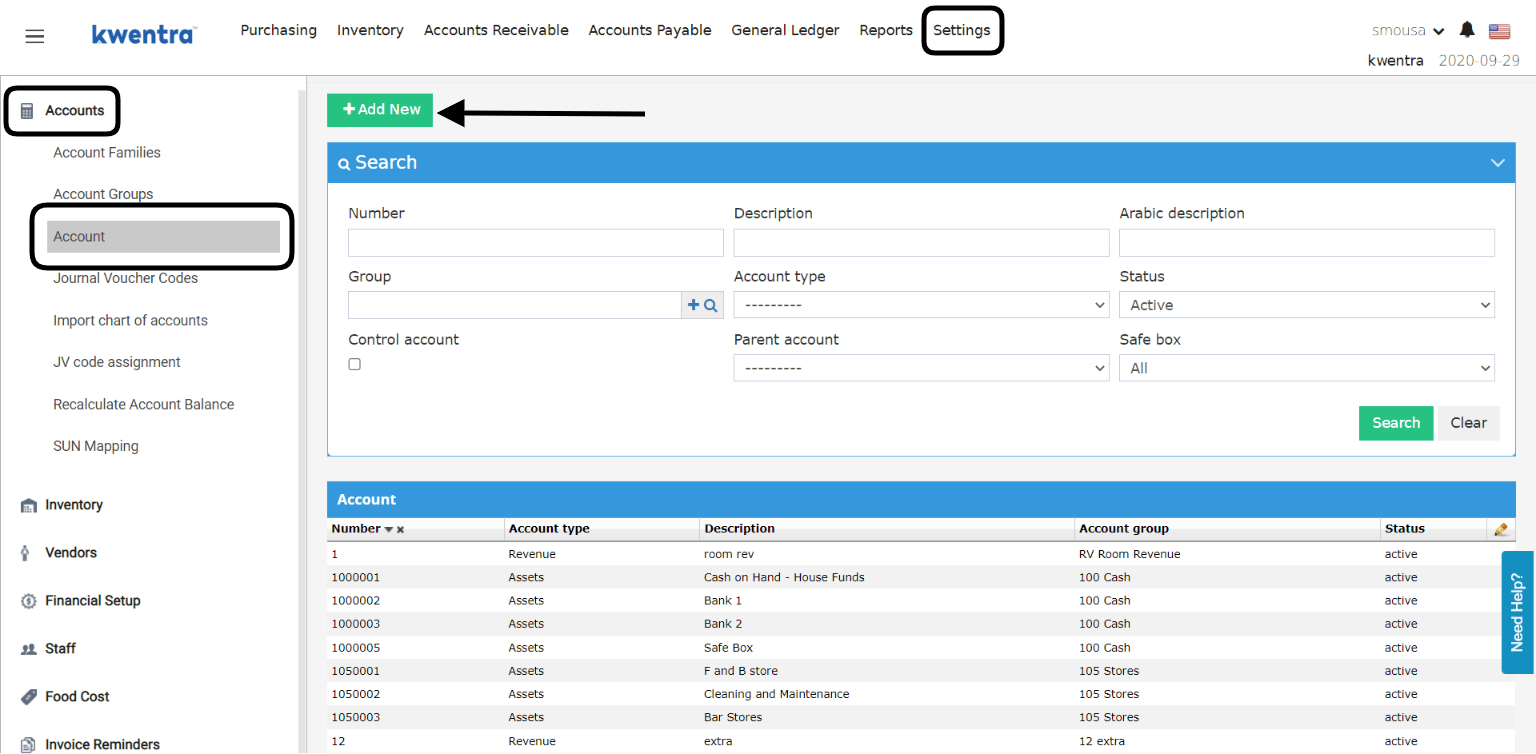
- Insert the Account number you want depending on the serialization of the account group/family.
- Insert a description for the new account that explains it.
- Link the new account to the group you desire.
- Select the account type “Assets / Liabilities / Revenue / Expenses / Equity”
- Click Save so as not to lose your settings.
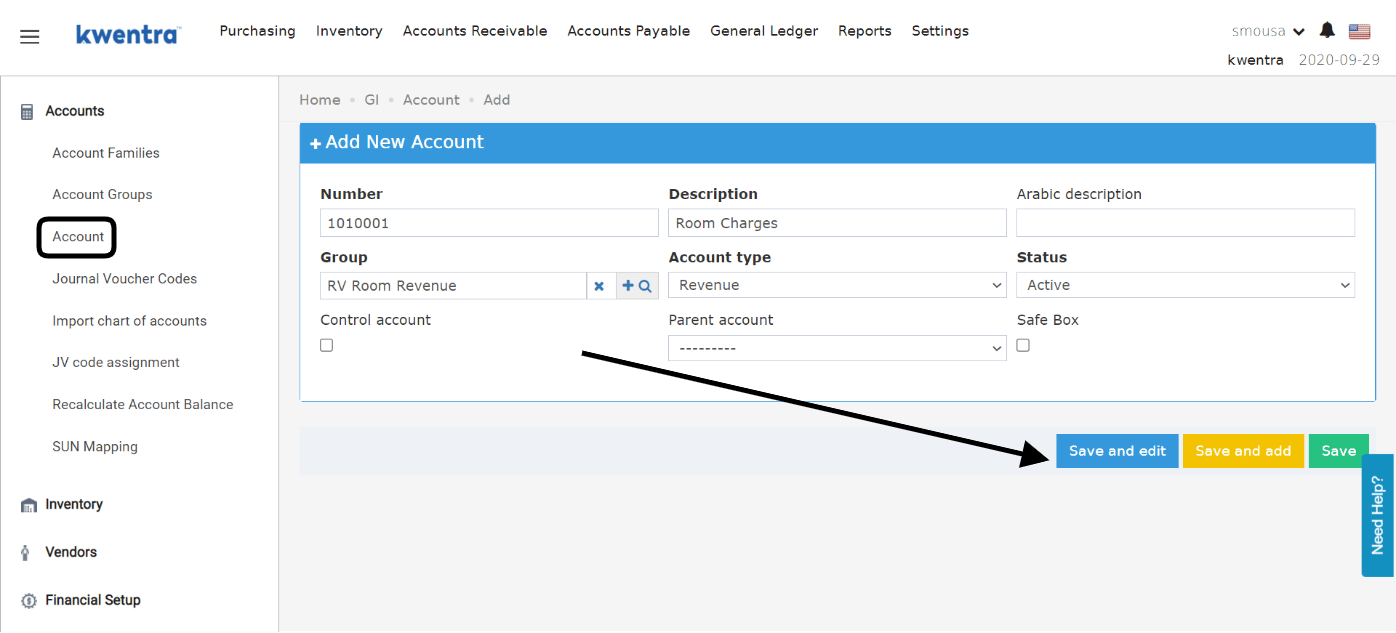
- To mark an account as a parent, you need to use the Control Account Flag.
- To create an account under a parent, you need to select the parent account from the designated dropdown menu.
Update: July, 2026
Protections for City Ledger & AR Account Parents
The Chart of Accounts now guards the parent of an AR (city ledger) account, so a stray edit can’t silently re-group your city-ledger history or drop a balance from your reports.How It Works
- The top-level City Ledger account no longer appears in the Parent account dropdown on AR account forms — only its control accounts can be selected.
- An AR account’s parent must be an active control account. Saving one with an inactive parent, or a parent that is not a control account, is rejected with a clear message — on both the screen and the API.
- An account already used as the parent of AR accounts is protected: you can’t clear its Control Account flag, move it out of the City Ledger branch, or set it inactive. The error names how many AR accounts currently rely on it.
- Changing the parent of an account that has posted transactions now asks you to confirm first. The prompt warns that moving it re-groups all of its history under the new parent in every GL report, so previously printed reports will no longer match. Accounts with no posted history are unaffected.