

- Prevents balance sheet discrepancies from account changes after posting.
- Ensures historical JVs remain aligned with store balance.
- Provides clear validation message on blocked changes.
- Allows changes on new stores with no transactions.
- Admin attempts change on store with existing orders; system blocks it.
- New hotel sets up stores and can freely change accounts initially.
- Accountant gets alert when trying to separate shared store account.
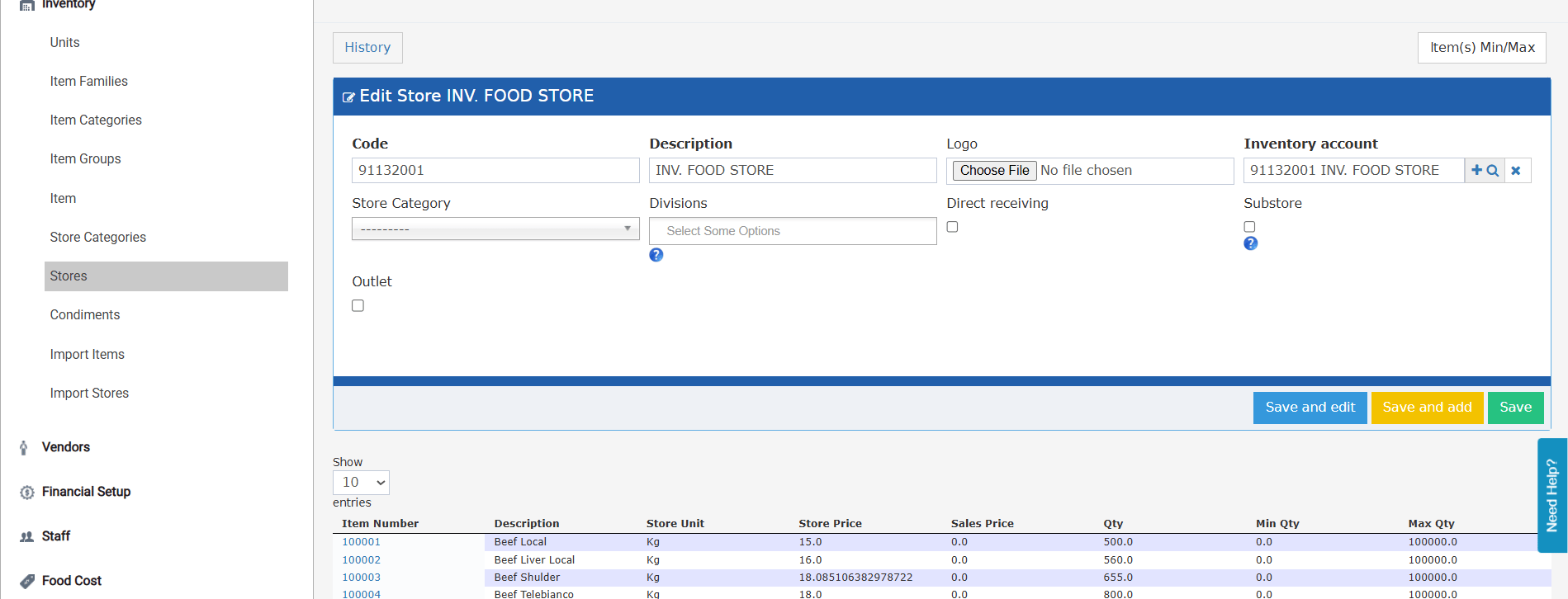
- If the store has any submitted transactions with JVs — including Receiving Orders, Stock Transfers, Stock Usages, POS Invoices, or Return Requests — the Inventory Account field cannot be changed.
- Attempting to save a different account triggers a validation error message explaining that the account cannot be changed because existing inventory transactions are linked to it.
- New stores with no transactions: account can be freely set or changed.
- Stores with only unsubmitted transactions (no JVs created yet): account can still be changed.
- Keeping the same account as the current value is always allowed regardless of transaction history.