Business Value
- Better credit control, with a limit for each corporate customer.
- Overdue or very high AR balances do not go unnoticed.
- Finance teams see the risk at once in AR Aging.
- Every credit limit change is logged for audits.
Use Cases
- Hotels that give credit to companies or travel agents track their limits.
- Finance teams check customer balances before approving new invoices.
- Auditors review credit control at monthly or yearly closing.
- AR clerks find customers who went over their limit.
How It Works
Add Credit Limit to AR Accounts
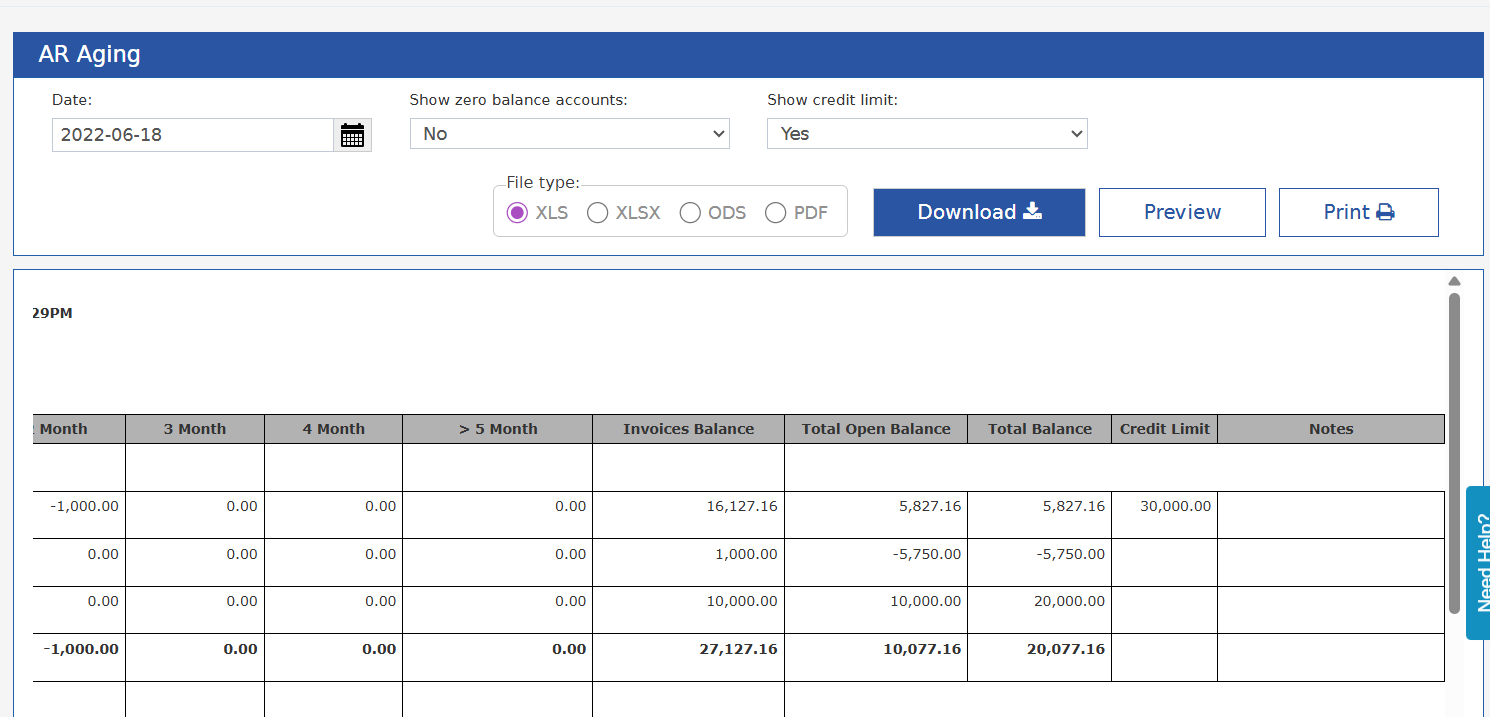
Where: Back Office → Accounts Receivable → AR Account → Select AR Account A new field:Credit Limit
- Number field
- Help text: “Amount in base currency”
- Users with access to AR accounts can always edit it
- Every change is logged in the AR account history:
Credit limit changed from “X” to “Y”.If there is no credit limit, the account has no limit.
AR Aging Report Changes
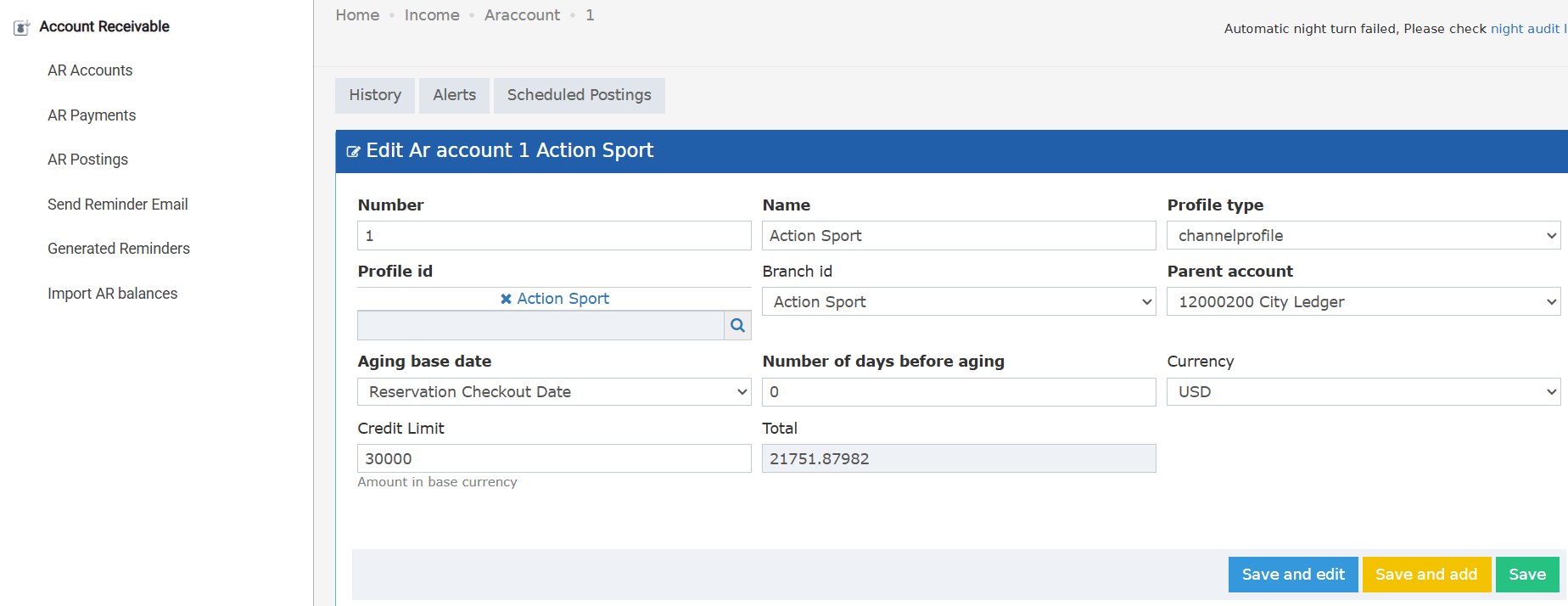
Where: Reports → BO → Receivable → AR AgingNew parameter: Show Credit Limit
- No (Default)
- Yes
Credit Limit
- Shows the credit limit set on the AR account
- Blank if the AR account has no credit limit
Notes
- If the account’s total AR balance is over the credit limit → Notes shows: “Exceeded Credit Limit”