Business Value
- Keeps every agency advance on its AR account.
- Deducts advances automatically when Front Office invoices are verified.
- Gives the agency credit when a guest leaves early.
- Shows clearly what the agency still has to pay.
Use Cases
- A receivable clerk records a deposit from an agency for next month’s bookings.
- A cashier credits a tour operator for the night a guest did not stay.
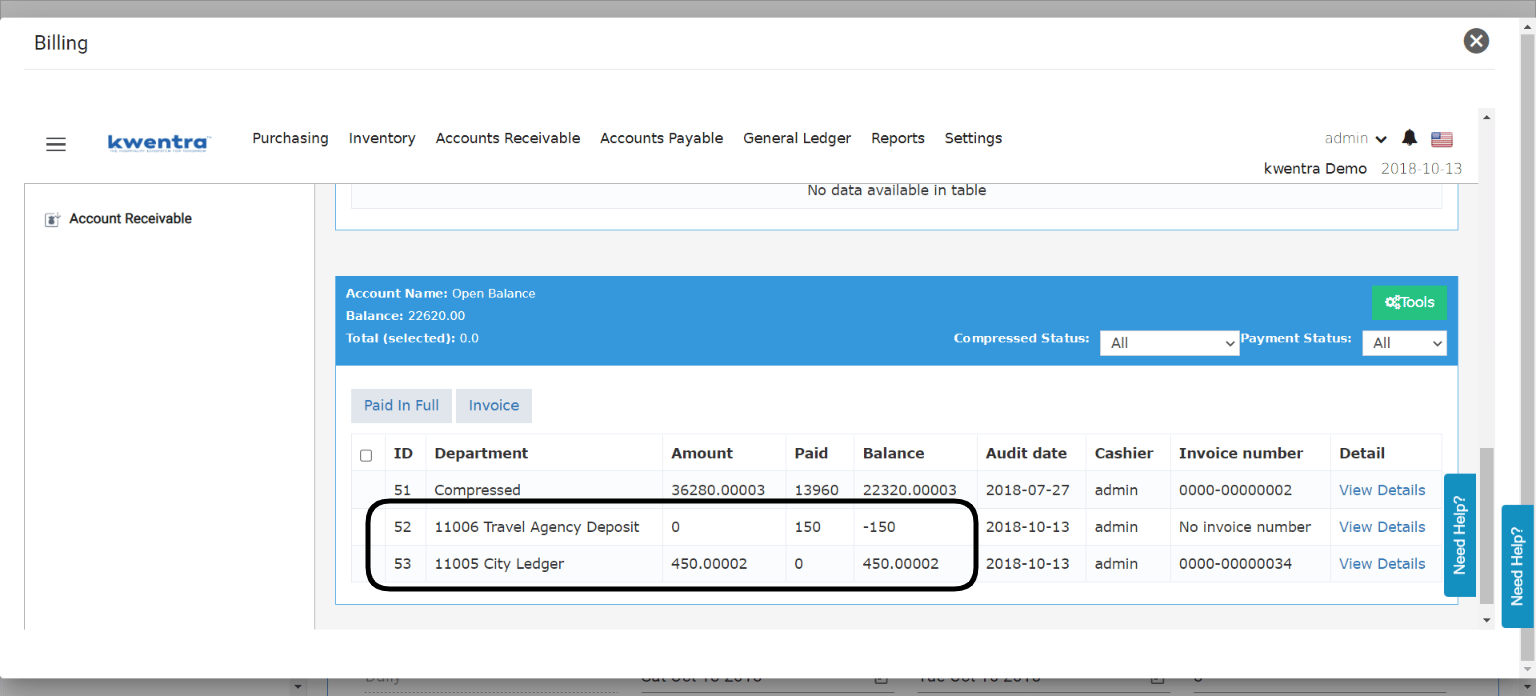
- An accountant checks an agency’s open balance and sees the credit beside the invoice.
How It Works
There are two cases:- Advance deposit: the agency pays before its guests arrive. You record it in Back Office.
- AR Deposit from billing: a guest leaves early, and the agency gets credit for the unused nights. You do it from the reservation’s billing.
Record an Advance Deposit
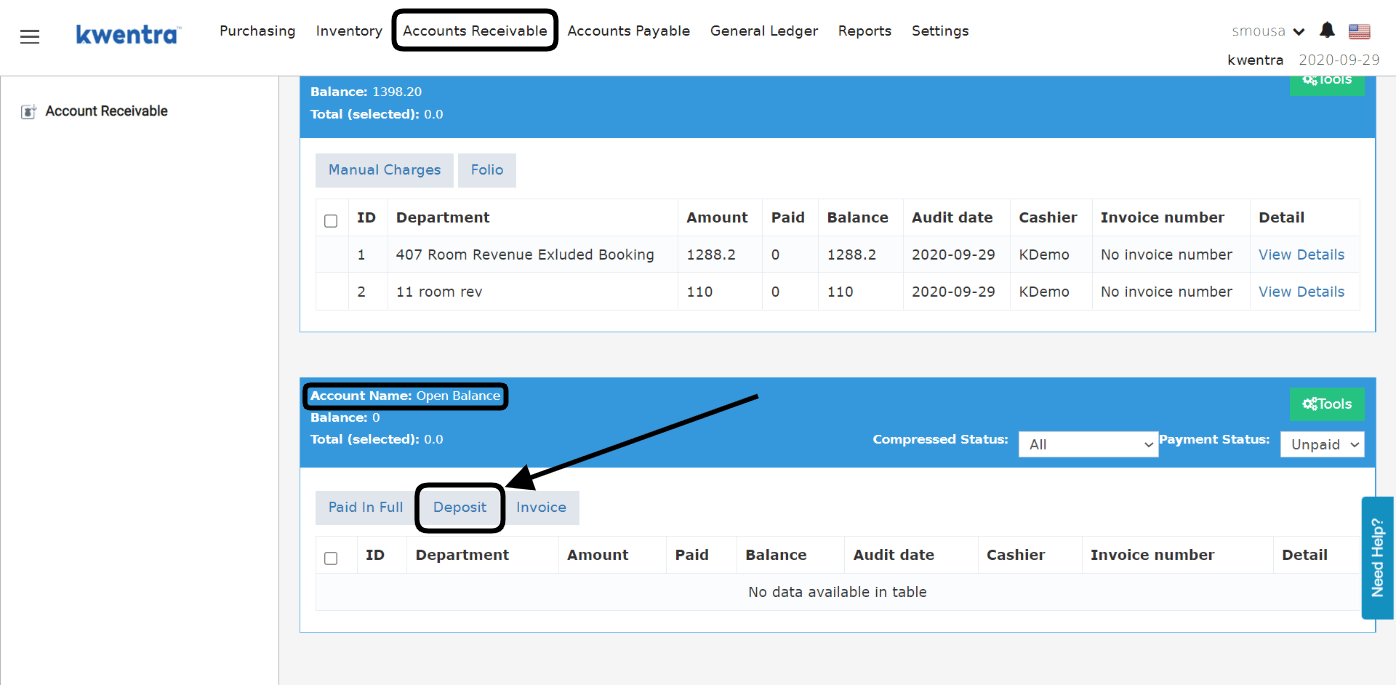
- Click Deposit.
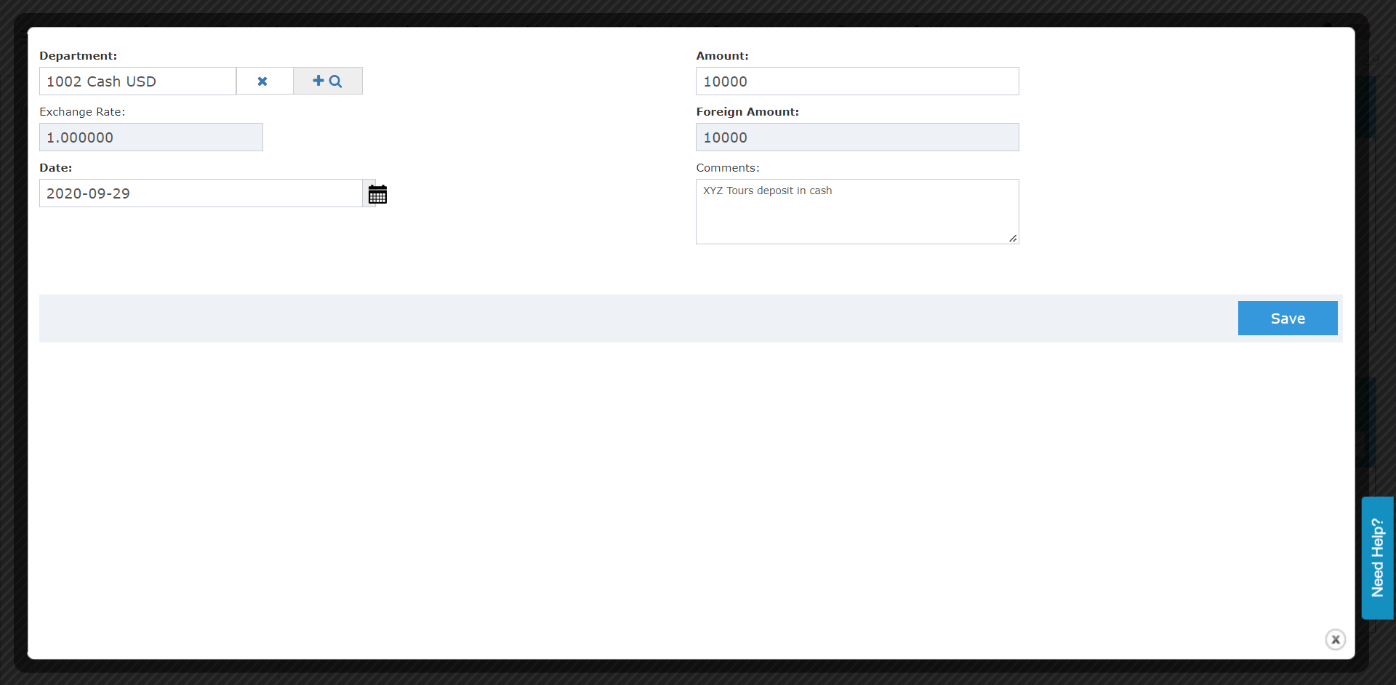
- Select the department (transaction code) for travel agency deposits.
- Enter the deposit amount.
- Select the transaction date.
- Optional: add a comment. It shows in your reports.
- Click Save.
- Deposits have no invoice number.
- Advance deposits are deducted automatically. This happens when receivable clerks verify Front Office invoices paid to city ledger.
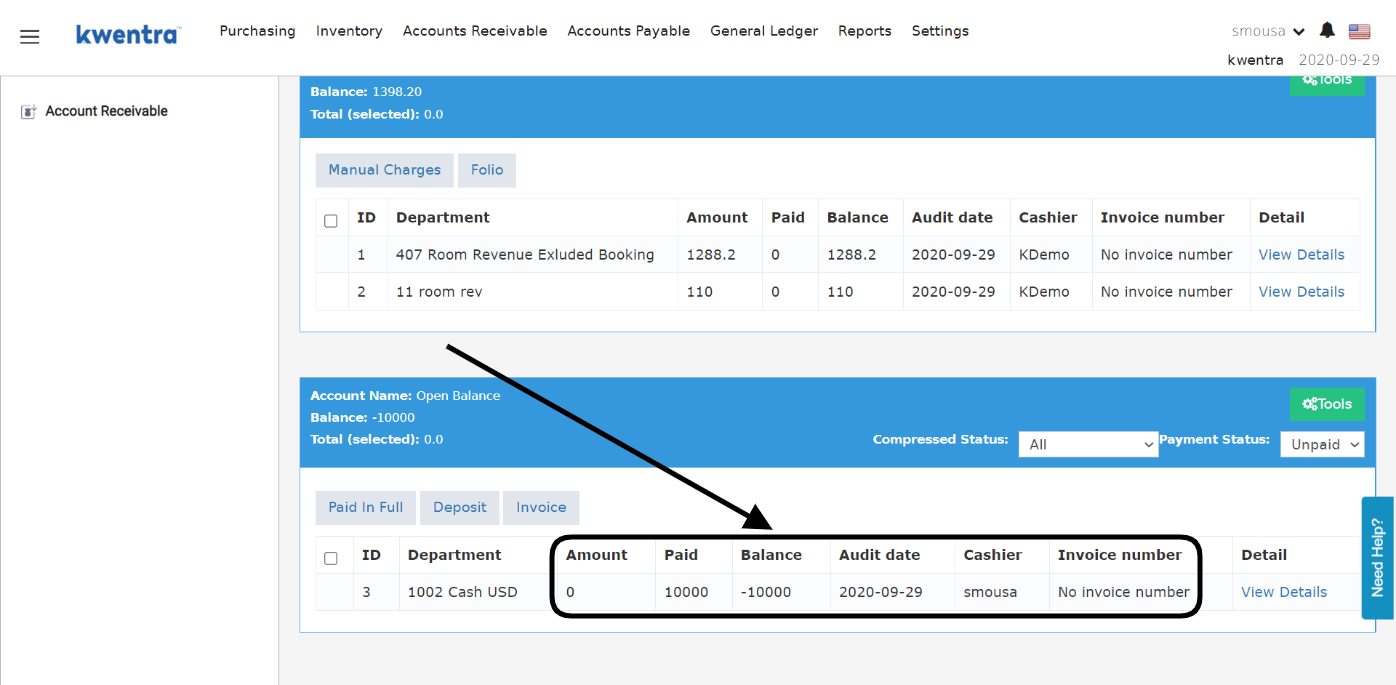
Credit the Unused Part of a Stay
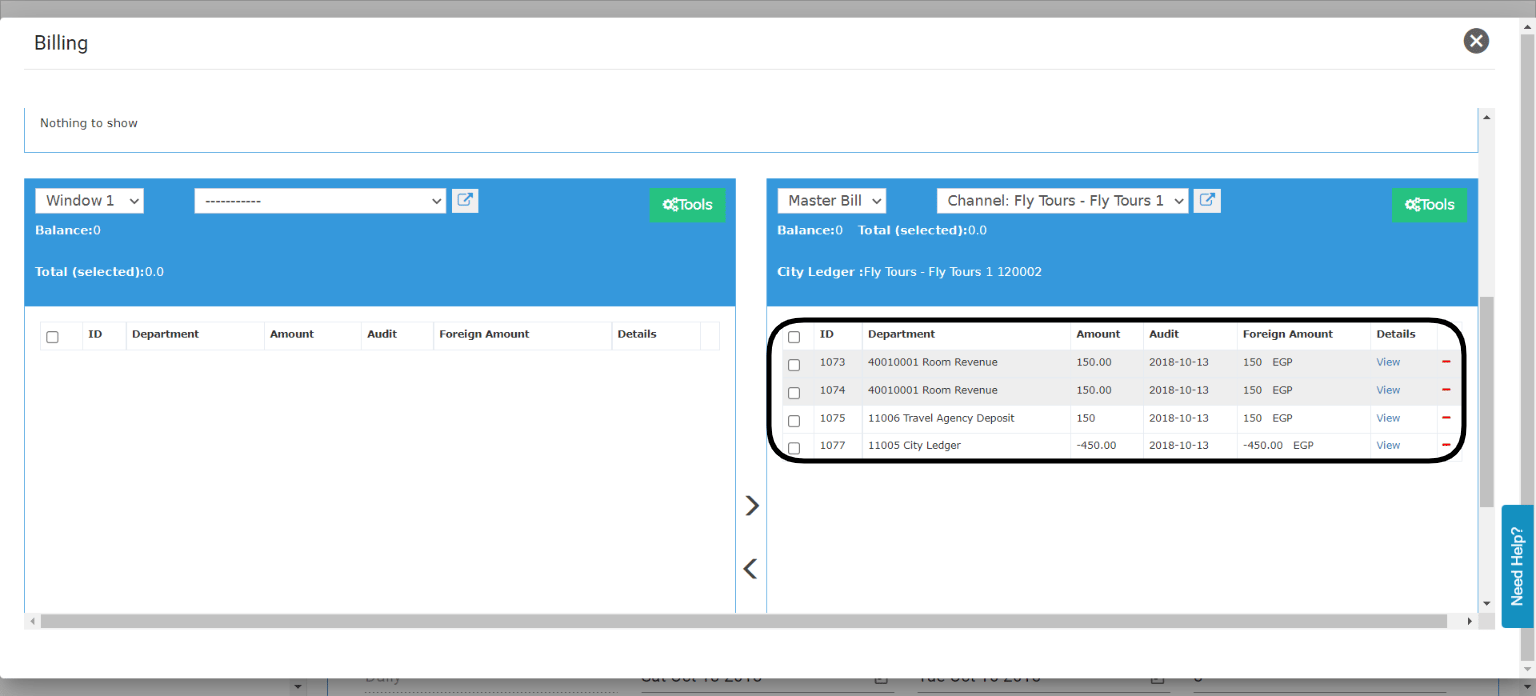
Example: Fly Tours books a 3-night stay for 450 USD (150 USD per night). The guest leaves after the 2nd night. The remaining 150 USD becomes credit for Fly Tours. First, create a payment method (credit department) for AR deposits.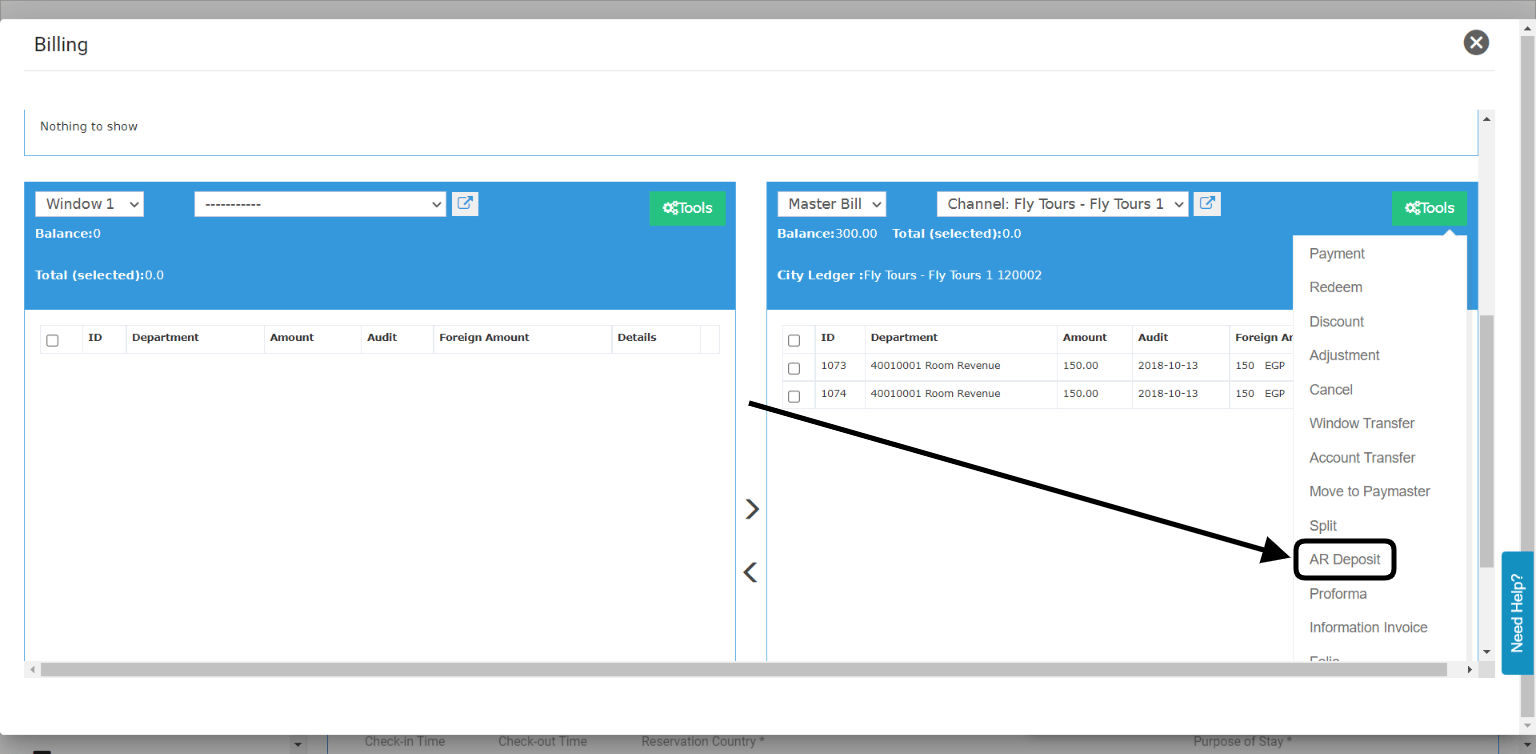
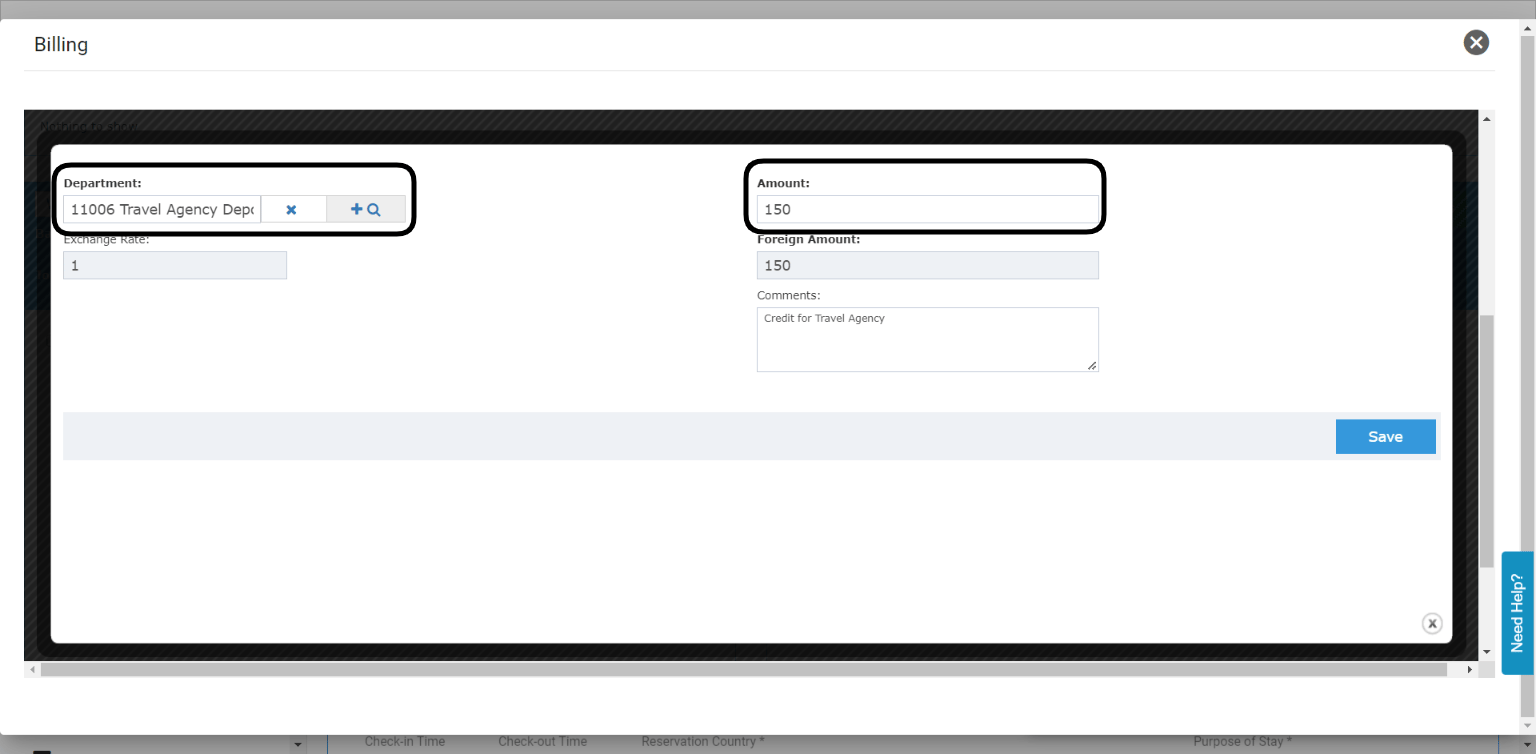
- Select the credit department for deposits.
- Enter the amount to credit to the agency.
- Optional: enter a comment.
- Settle the invoice with City Ledger Payment. The agency gets credit for what is left.