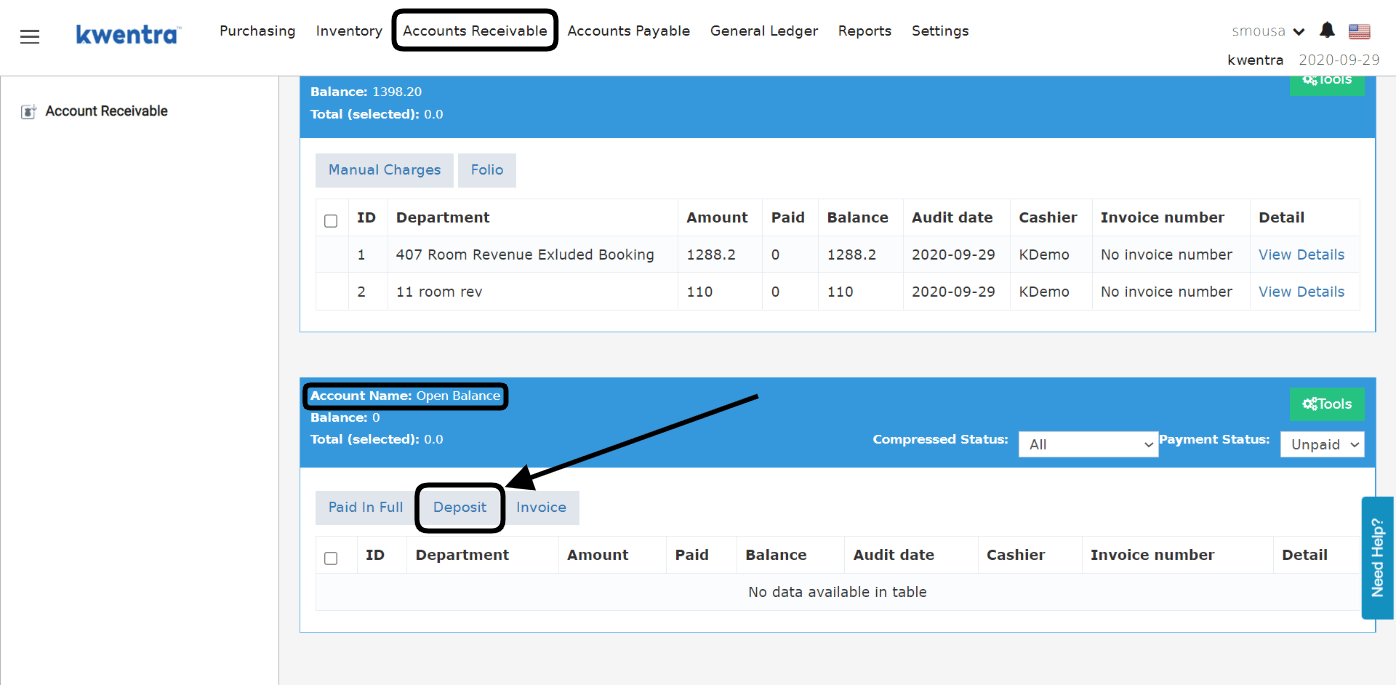
When a travel agency pays to the hotel a deposit in advance to cover their future guests’ reservations it has to be recorded on the travel agency’s account as a deposit. In this case where you would like to add a deposit for a specific travel agency from back office accounts receivable we follow the below steps: Back office → Accounts Receivable → Select AR Account → Open BalanceDocumentation Index
Fetch the complete documentation index at: https://help.kwentra.com/llms.txt
Use this file to discover all available pages before exploring further.
From here you would select the Deposit option to add the advance payment the travel agency paid to the hotel.
- Click on Deposit.
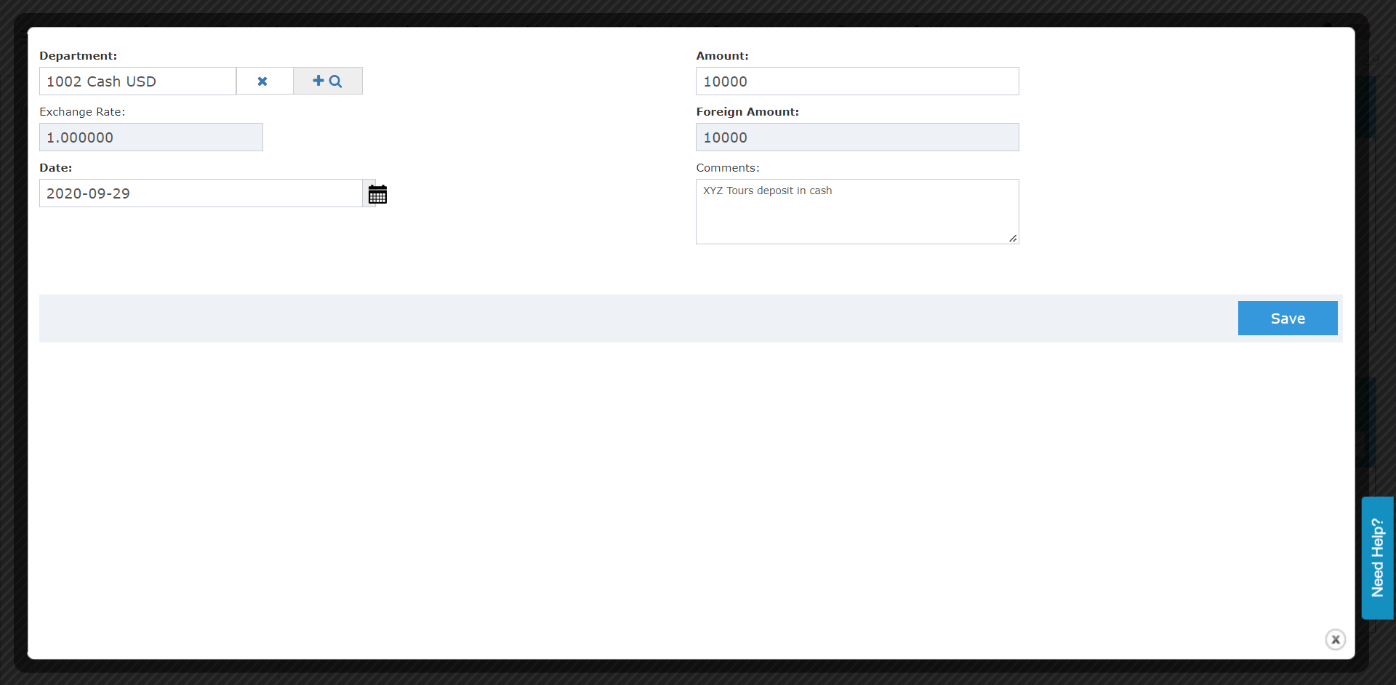
- Select the department “transaction code” specified for travel agency deposits.
- Enter the amount of the deposit.
- Select the date of the transaction.
- Optional: add a comment to the deposit to reflect in your reports.
- Click Save.
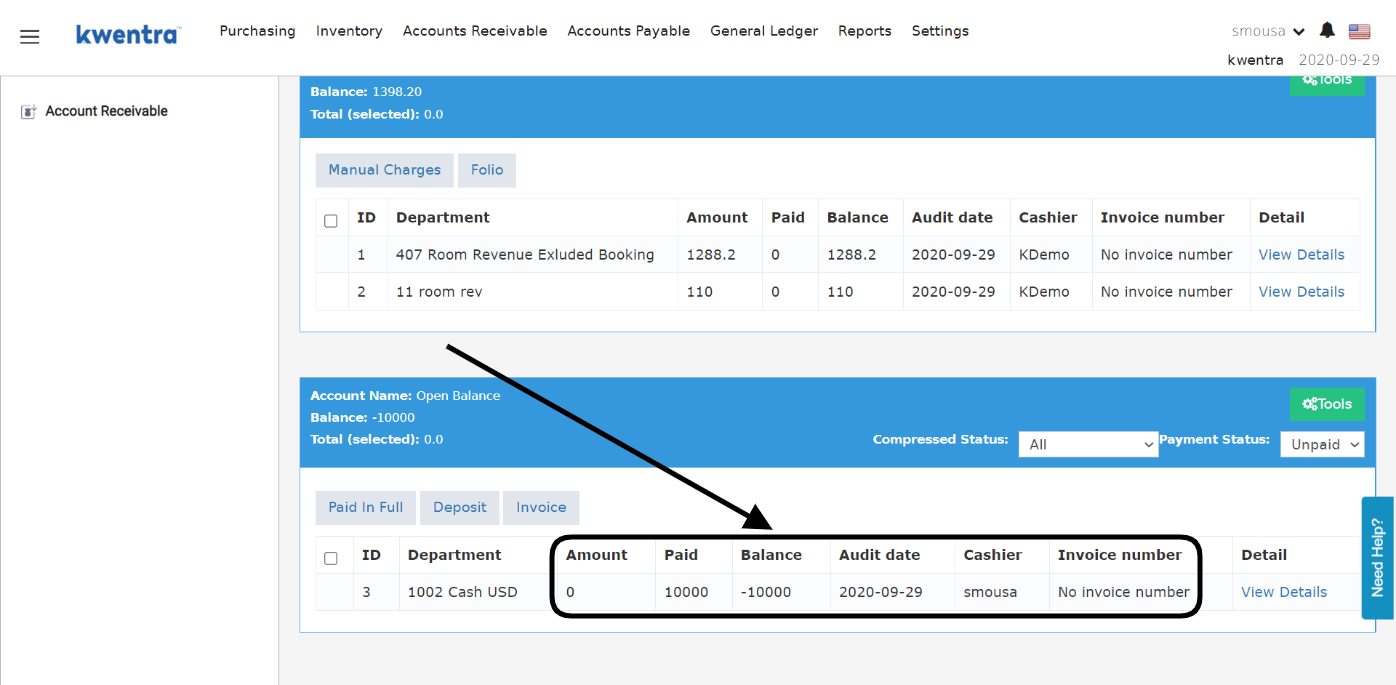
Below is how the deposit would like on the verified invoices screen “open balance”:
- Deposits created would not have an invoice number.
- Deposits paid in advance will automatically get deducted once there are invoices paid to city ledger from front office and verified by receivable clerks.