Documentation Index
Fetch the complete documentation index at: https://help.kwentra.com/llms.txt
Use this file to discover all available pages before exploring further.
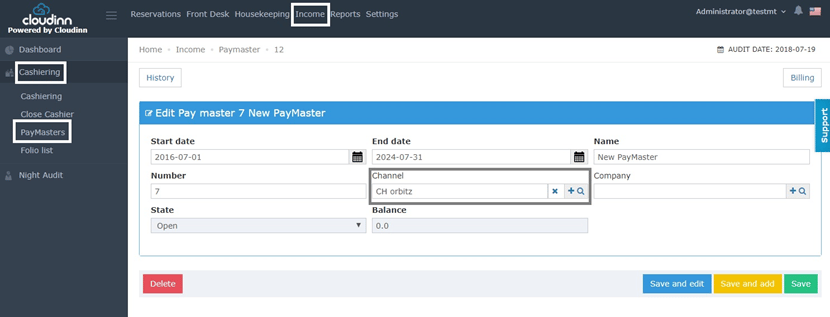
First, we need to understand how to create a paymaster account.
- Front Office
- Income
- Cashiering
- Paymasters
- Add New
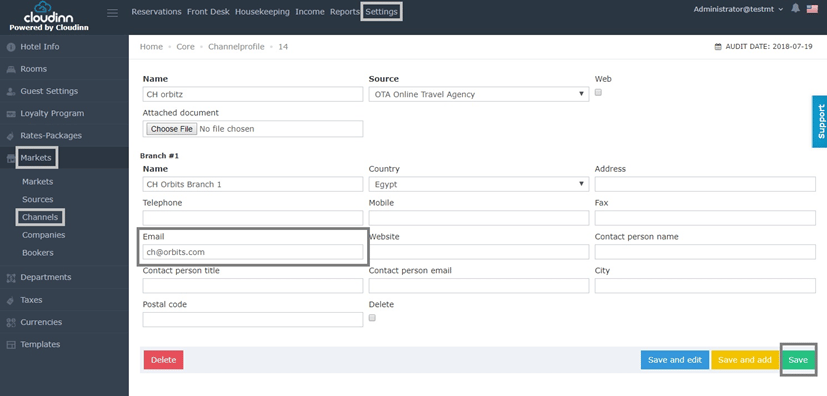
Now we just need to make sure that CH Orbitz has an email updated in it.
- Front Office
- Settings
- Markets
- Channels
- Search for Channel
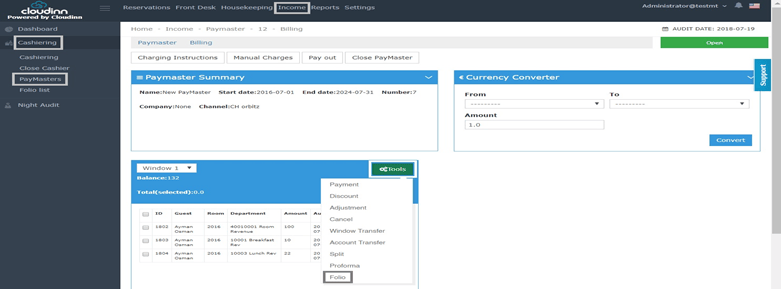
Generate Paymaster’s Folio:
- Front Office
- Income
- Cashiering
- Paymasters
- Search for Paymaster
- Billing
- Tools
- Folio
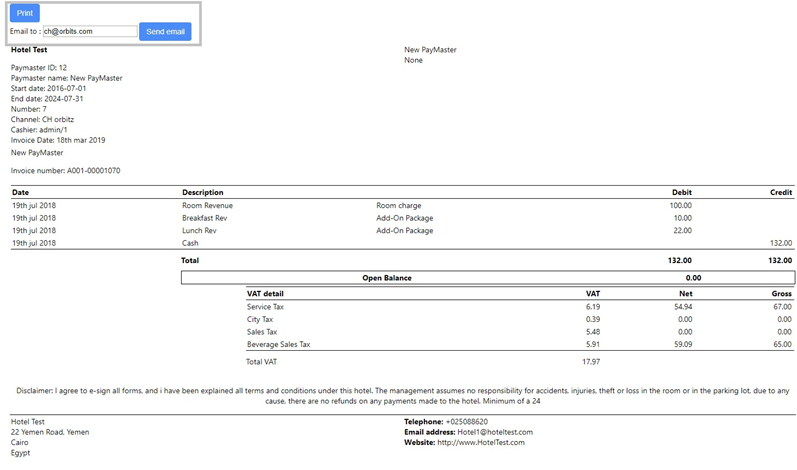
Now that we have generated the Folio successfully, we can see the email we updated, user can simply now Email the Folio to the pre-selected email or change it to their convenience.