Documentation Index

Fetch the complete documentation index at: https://help.kwentra.com/llms.txt

Use this file to discover all available pages before exploring further.

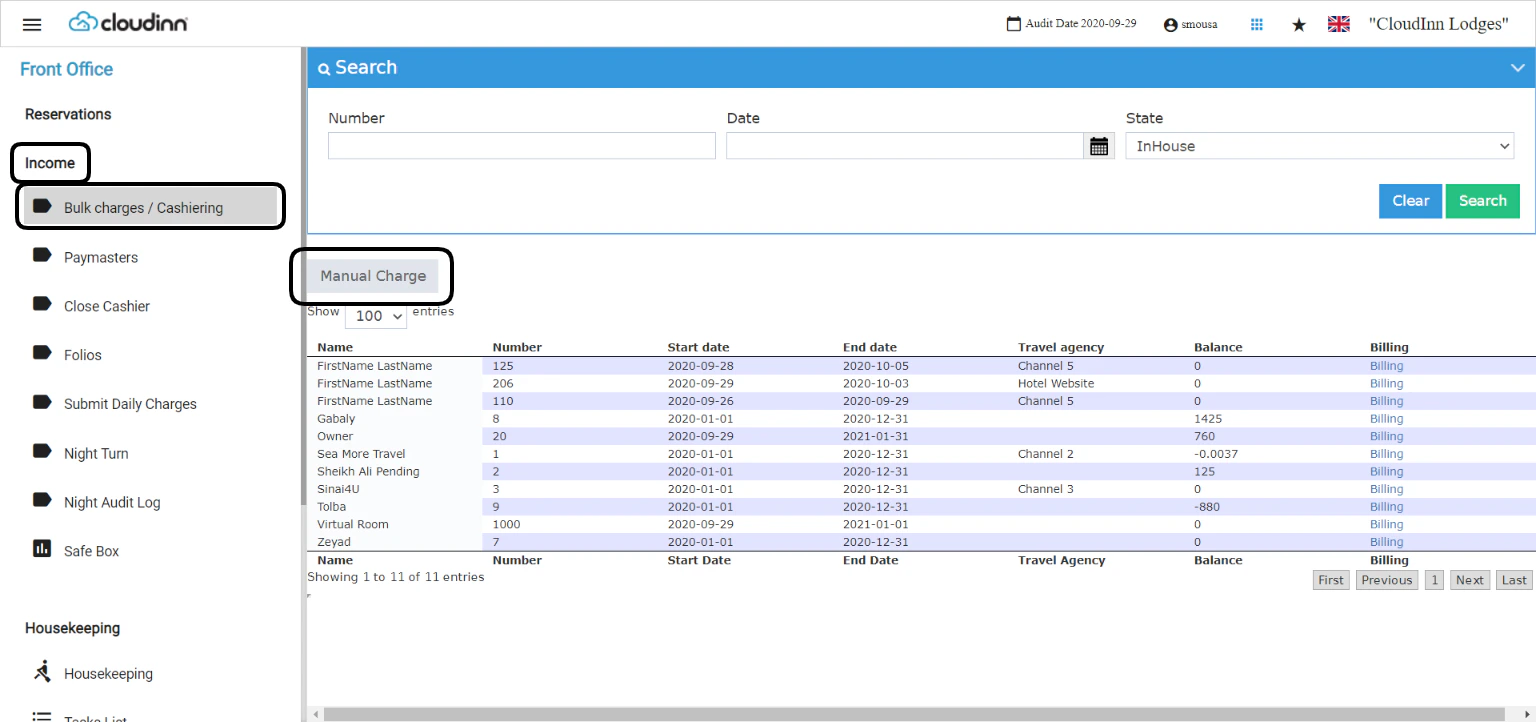
In the scenario wherein your busy operations prevented you from adding the manual charges to your reservations on each reservation, you can utilize the Bulk Charging option from the Cashiering Screen. Front Office → Income → Bulk Charges / Cashiering To apply multiple manual charges to multiple reservations or paymasters click on Manual Charge.
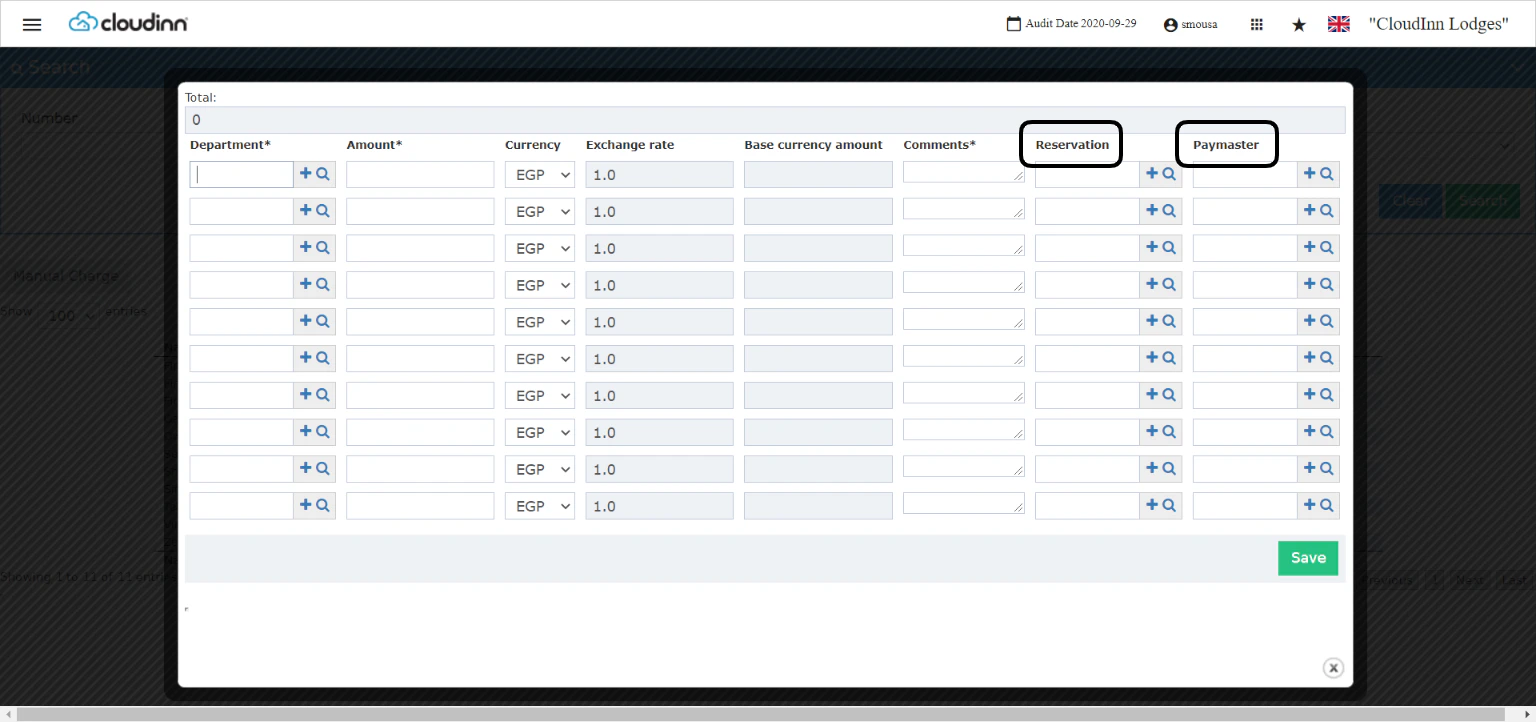
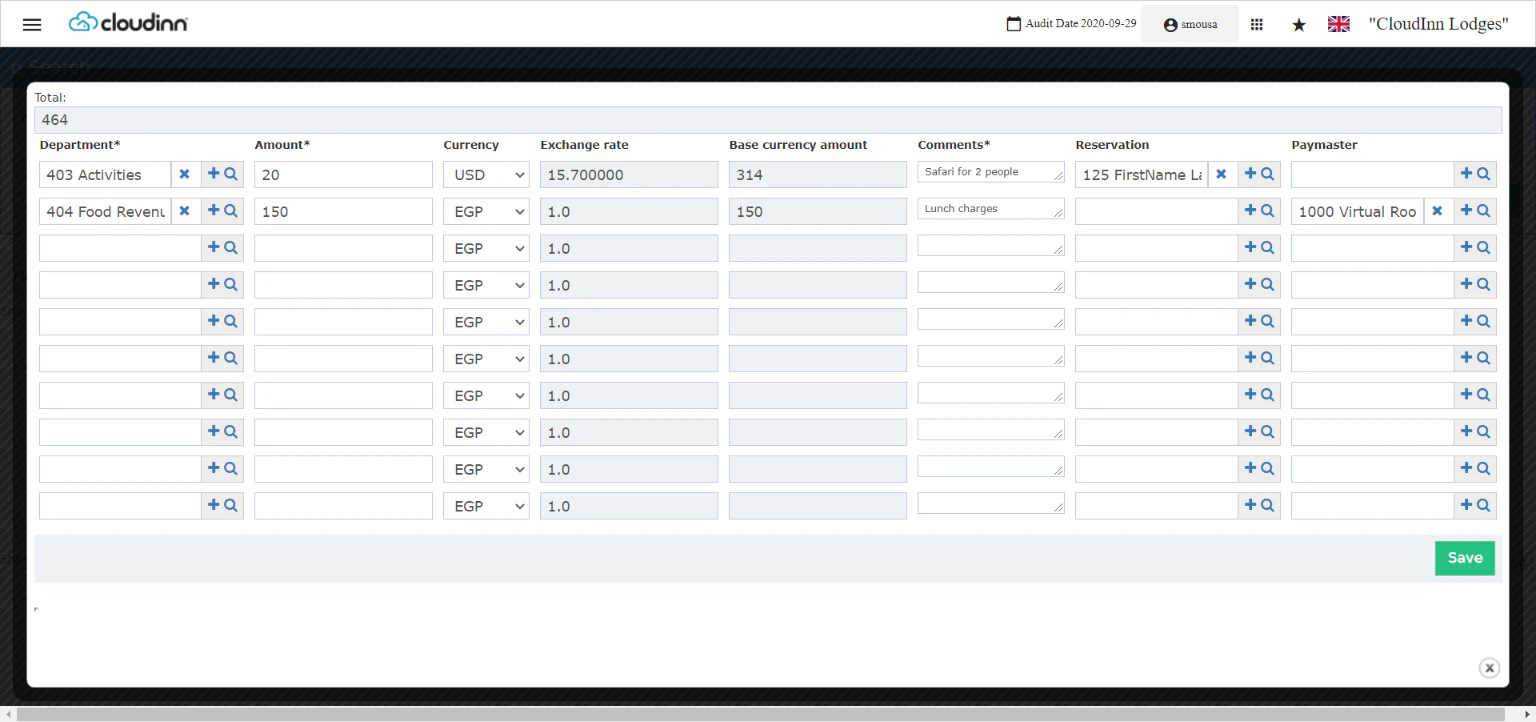
  1. Select the Revenue Department you need to apply the charges on, use the automcomplete option or use the magnifying glass to search for the revenue department you desire.
  2. Insert the amount and the currency of the charge.
  3. Your Comments on the manual charge is mandatory, you can insert inputs like reference numbers etc.
  4. Select either a room number Reservation Or A PayMaster so the charges go to them directly.
  5. Click Save for charges to go to their designated place.
In order to check that the charges reflected properly, you should follow the below steps: Front office → Individual Reservations → Search with room number → Billing Front Office → Income → Paymasters → Select Paymaster → Billing