Documentation Index

Fetch the complete documentation index at: https://help.kwentra.com/llms.txt

Use this file to discover all available pages before exploring further.

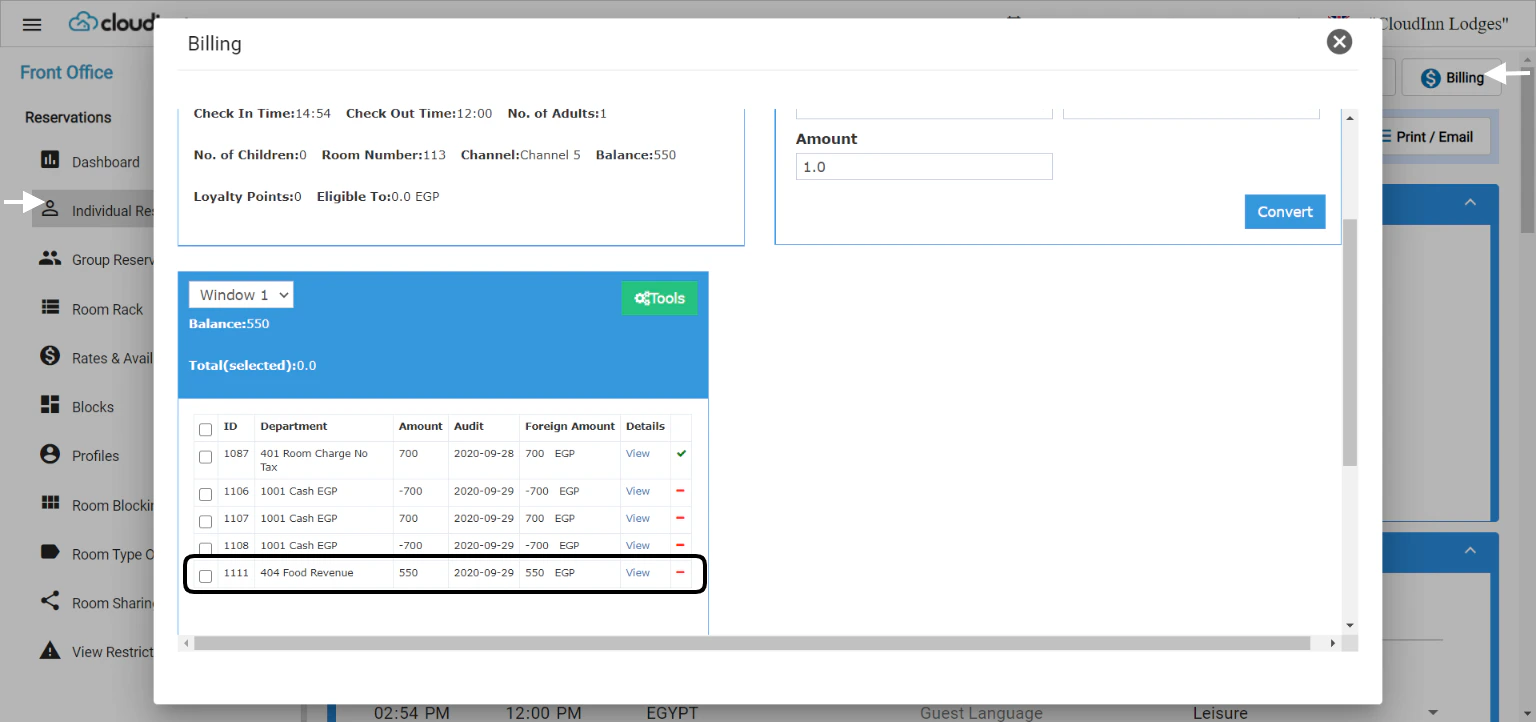
In the scenario where you would like to transfer the Owner/GM or even your staff room charges to a PayMaster for review or to charge them at the end of the month, you would need to transfer the billing charges to your PayMaster. You can also utilize this feature to transfer charges from 1 room number to the other by following the same steps. Front Office → Individual Reservations → Search for Reservation → Billing Once you are in front of the intended charge you would like to transfer to your PayMaster just follow the below steps:
  1. Mark on the billing posting using the check box.
  2. Click on Tools.
  3. Click on Account Transfer.
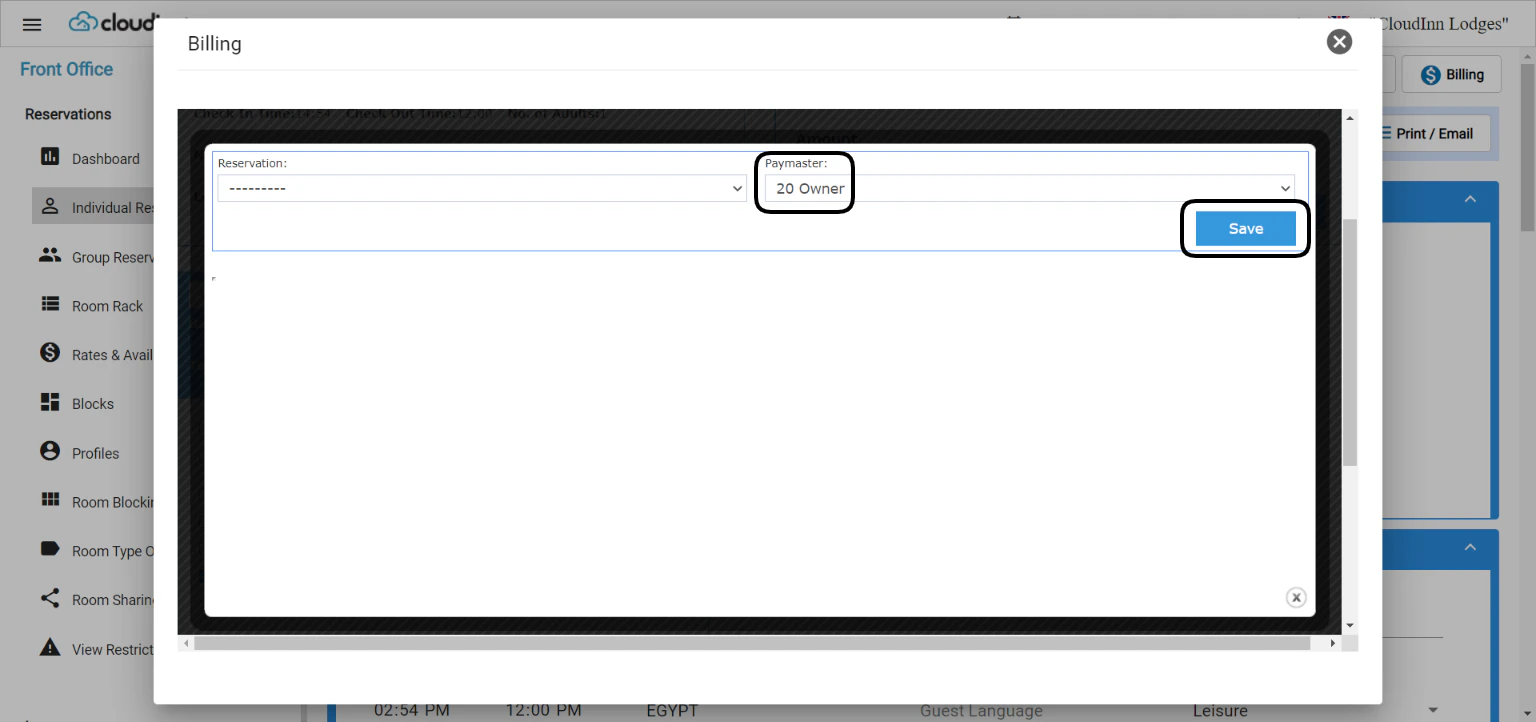
  4. Select the PayMaster or the room number you desire.
  5. Click Save.
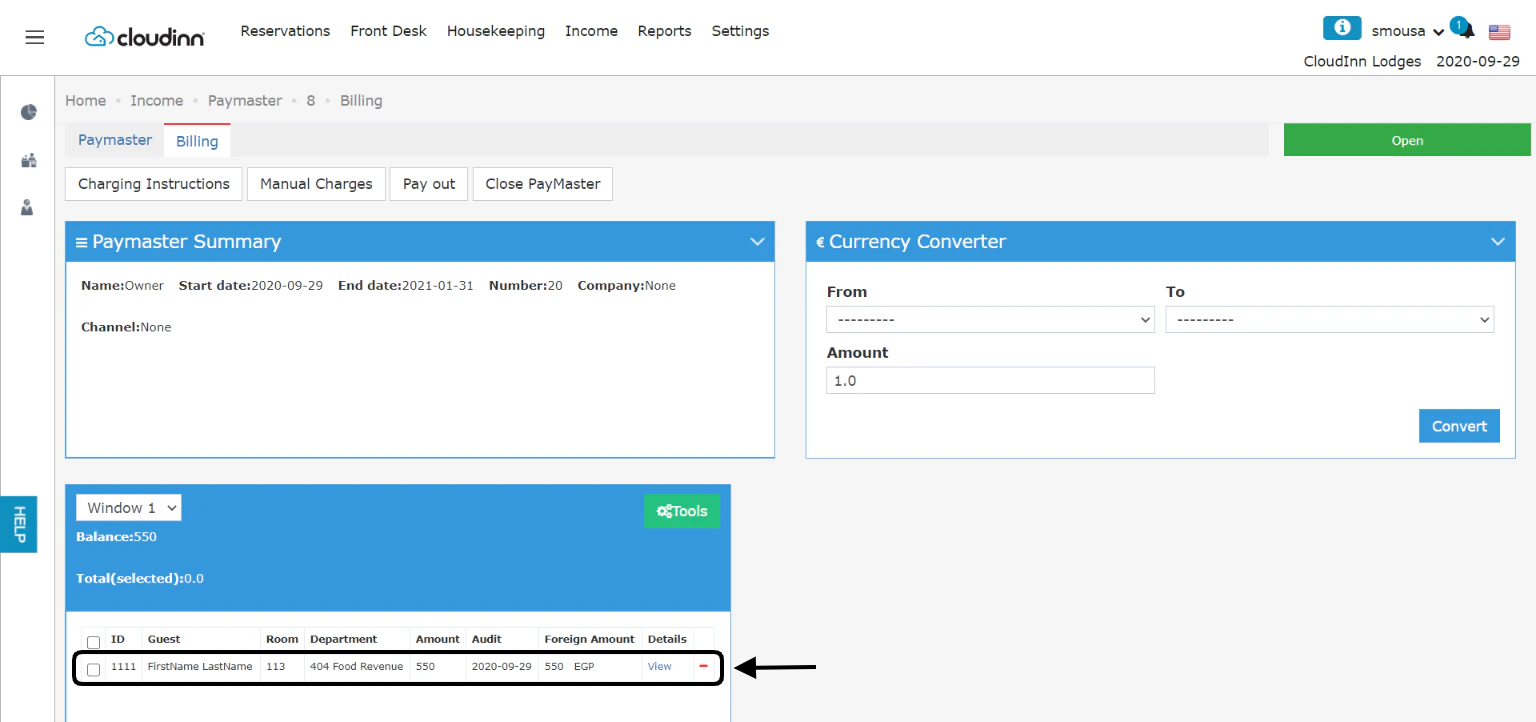
Account Transfer gives you the option to transfer charges to another room reservation or any of your PayMasters you have open. Once you save the action, the billing charge goes directly to the PayMaster. Your PayMaster Accounts have a Billing screen just like normal room reservations with the same tools & options. Front Office → Income → PayMasters → Select PayMaster → Billing All the transferred charges will appear here with each name to easily track them accordingly. Update: 8th of August, 2021 Previously you were only allowed to transfer charges to checked in reservations, now you can transfer charges from 1 reservation to an expected or checked-in reservation. Update: 26th of April, 2022 In order to create a paymaster then transfer the charges to it required a lot of steps, with this new feature you can create AND transfer the charges in one step. Front Office → Individual Reservations → Search for Checked In Reservation → Billing
  1. Click on Tools.
  2. Select Move to paymaster from the list.
  3. When prompt, select whether to transfer to an existing paymaster or create a new one.
When using the new feature of creating a paymaster from the reservation the below will be affected:
  1. All billing postings will get transferred to the new paymaster.
  2. The paymaster dates will be the same as the reservation.
  3. The paymaster will be created with the guest’s name.
  4. The paymaster’s number will include the room number automatically with the addition of a specific serial for the new paymaster.
  5. The paymaster’s channel will be the same as the reservation.
In that way you have created a paymaster from inside the reservation minimizing the effort of multiple steps.