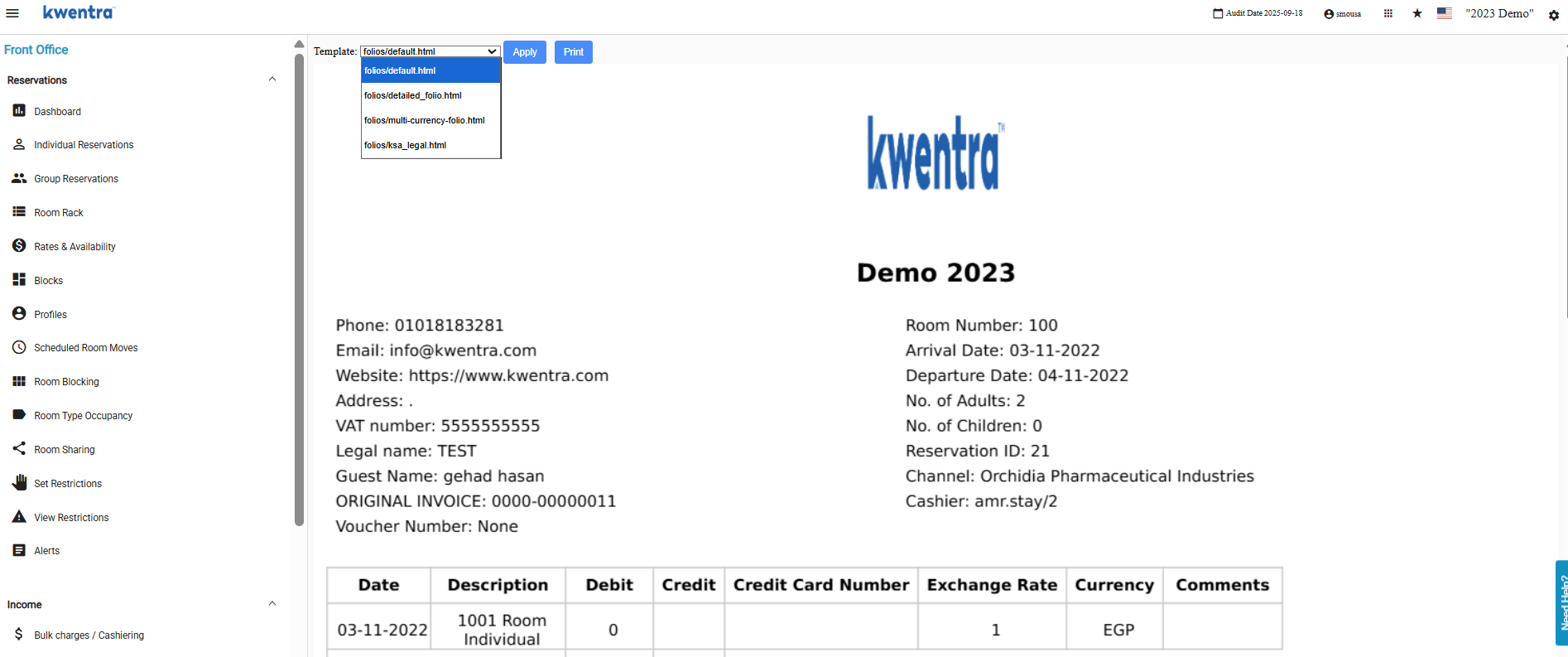
- Switch between different folio views (e.g. detailed vs. summarised) directly from the folio screen.
- Selected template is saved — the folio opens with the same template next time.
- Works for printing and PDF download — the currently selected template is used.
- Fully compatible with ZATCA and ETA submitted folios — template display does not affect financial data.
- Applies to all folio types: individual reservations, Paymasters, and AR folios.
- Front desk opens a folio and switches from the detailed template to a summarised view for a corporate client without touching the financial data.
- Accountant downloads a folio PDF in a different template format for an external audit — the saved template persists for the next open.
- Property using ZATCA changes the display template on a submitted folio — submission integrity is not affected.
Selecting a Template
- Open a folio from any of the above screens.
- A template selector dropdown appears at the top of the folio view — it defaults to the template currently saved on the folio.
- Select a different template from the dropdown. The folio preview re-renders immediately with the selected template.
- Click Generate to save the new template to the folio. The folio will open with this template on all future opens.
Printing and Downloading
When the user triggers Print or Download PDF, the currently selected template is used for rendering. If no template change was made, the folio’s saved template is used as the default.