Documentation Index

Fetch the complete documentation index at: https://help.kwentra.com/llms.txt

Use this file to discover all available pages before exploring further.

PayMasters are virtual rooms on your Front Office that can be used to transfer certain billing postings to it in order to handle their financials differently. PayMasters are used commonly in the below scenarios:
  • Transfer Owners’/GM and staff room charges.
  • Transfer Owners’/GM and staff meal charges from POS.
  • Any oending charges that will be paid later.
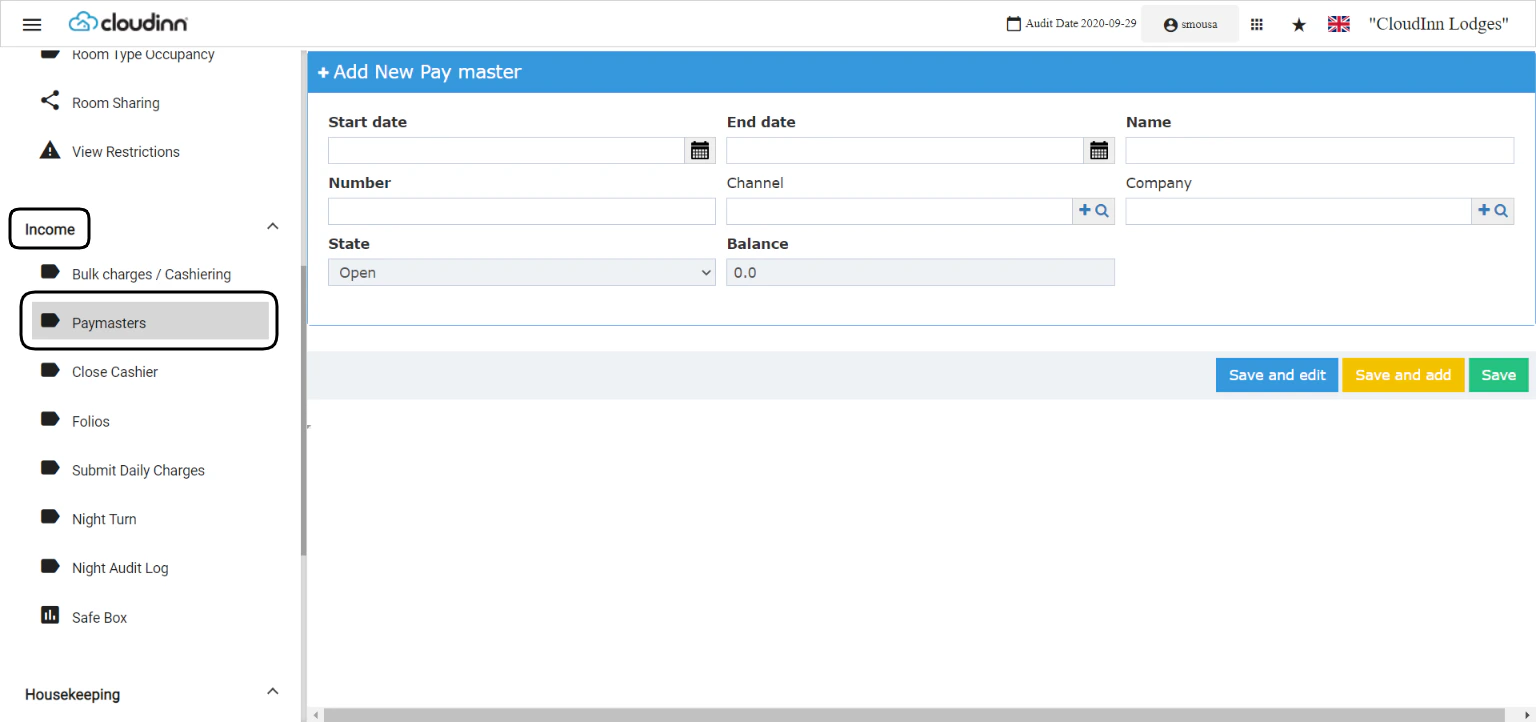
Front Office → Income → PayMasters → Add New You can choose to add a separate PayMaster for each scenario depending on your operational needs. You can have 1 PayMaster for the Owner/GM and another one for the rest of your staff, or choose to have a PayMaster for each staff member.
  1. Enter the start & end date for the PayMaster.
  2. Specify a name & a number for the PayMaster Account.
  3. You can select a channel/company for the PayMaster in order to automate the billing transfer to your PayMasters.
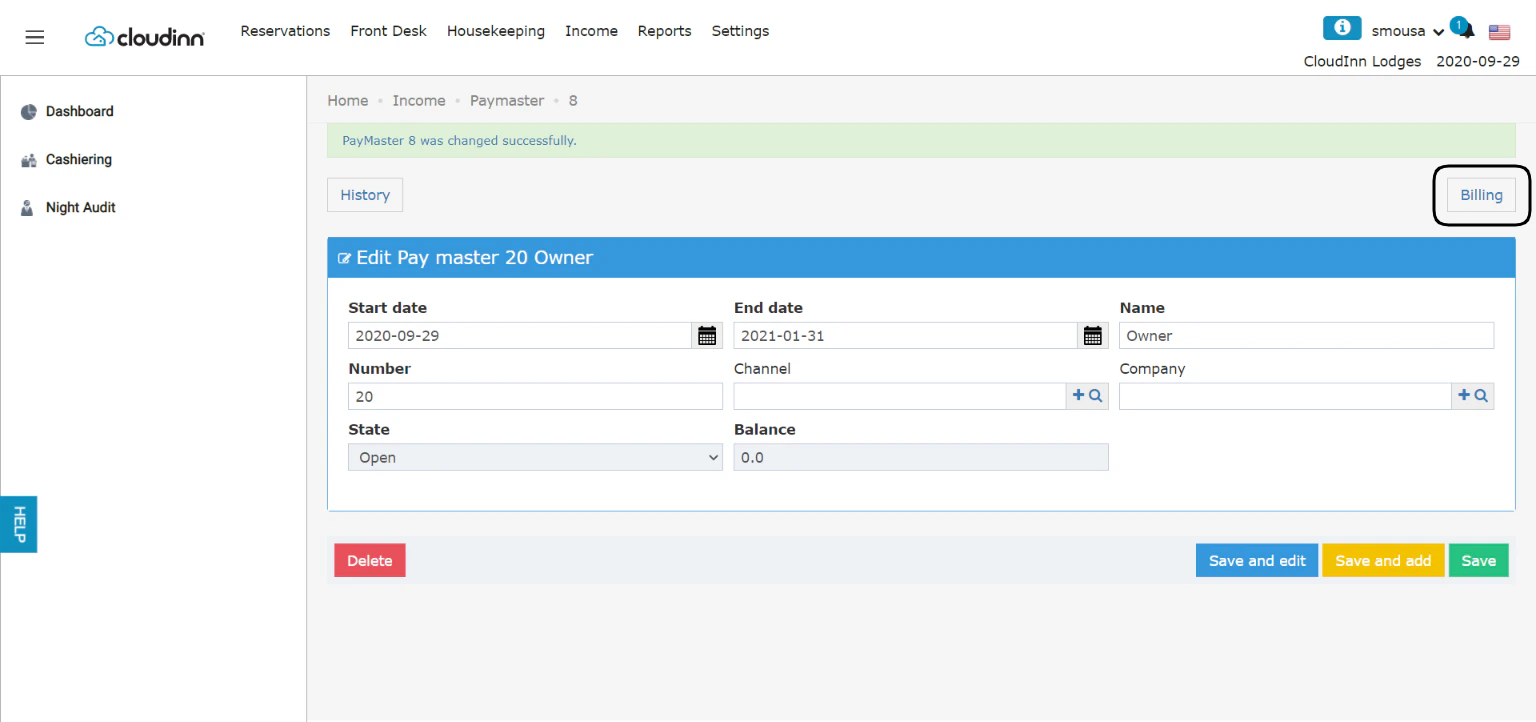
  4. Click Save and edit.
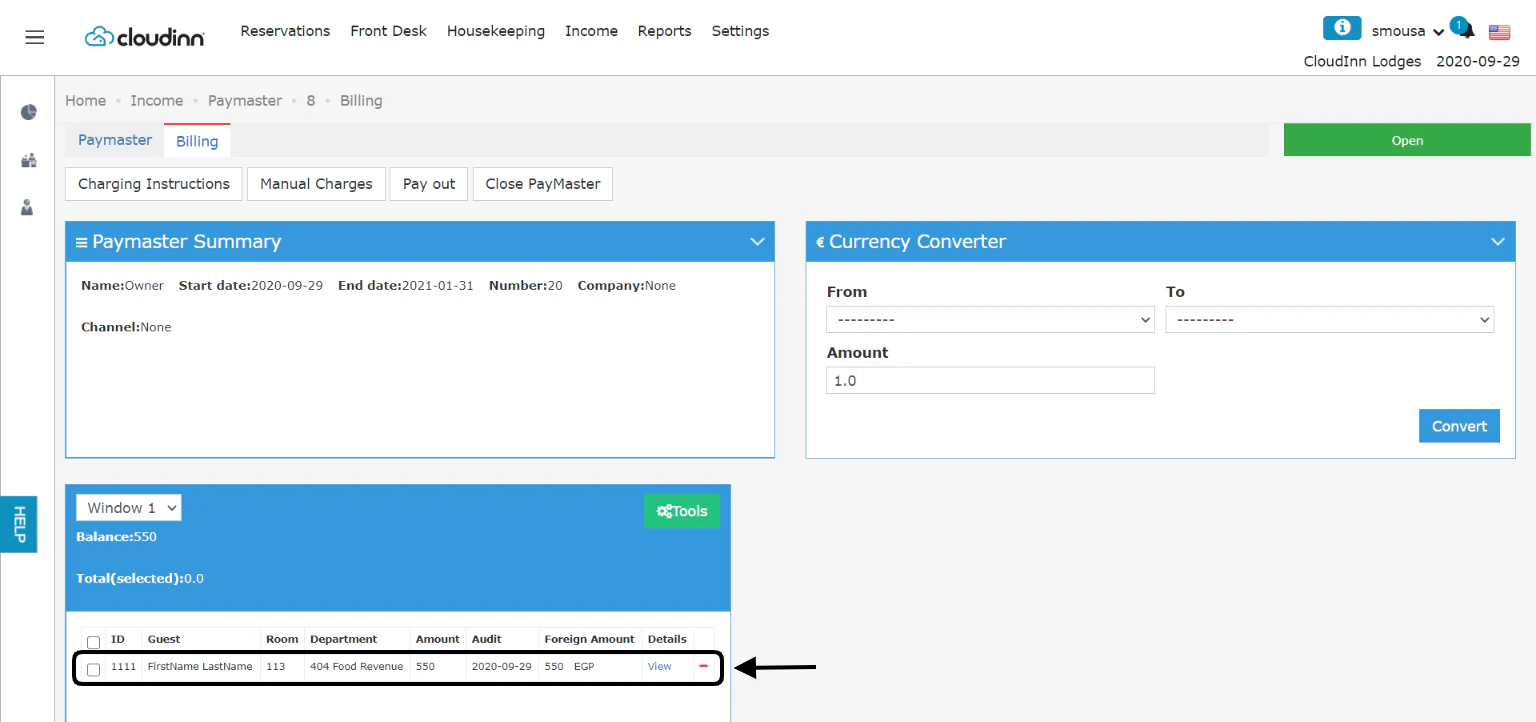
Your PayMaster Accounts have a Billing screen just like normal room reservations with the same tools & options. All the transferred charges will appear here with each name to easily track them accordingly.