Business Value
- Full visibility into all currency rates and their changes over time.
- Supports financial audits and compliance with a detailed audit trail (date, rate, user).
- Ensures accurate conversions for all historical transactions.
- Empowers Front Office and Audit teams to monitor and validate currency application.
Use Cases
- A Night Auditor needs to confirm which user changed the EUR exchange rate last week, and what value was applied.
- A Front Office Manager needs to verify all historical rates for inactive currencies used in legacy transactions.
- A finance team wants to review all exchange rate changes for a specific date to resolve reconciliation issues.
Technical Know-How
Where to Find the Exchange Rate Report:
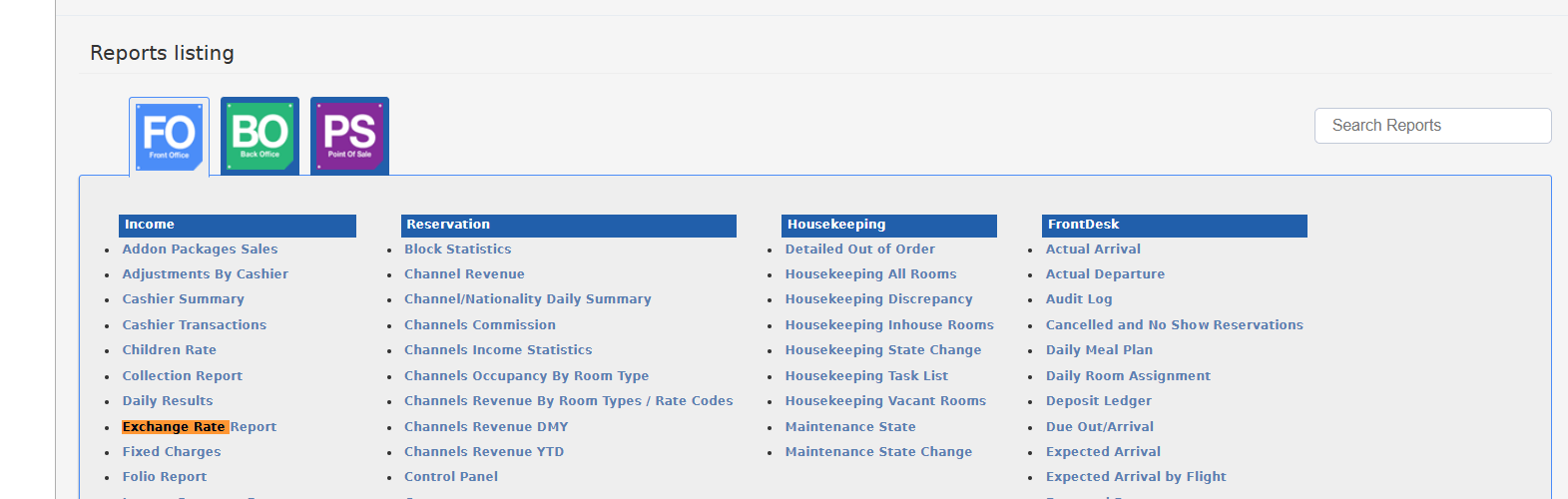
- Go to Reports from the main menu.
- Select FO (Front Office) at the top of the reports screen.
- Under the Income section, click on Exchange Rate Report.
- Select the Date
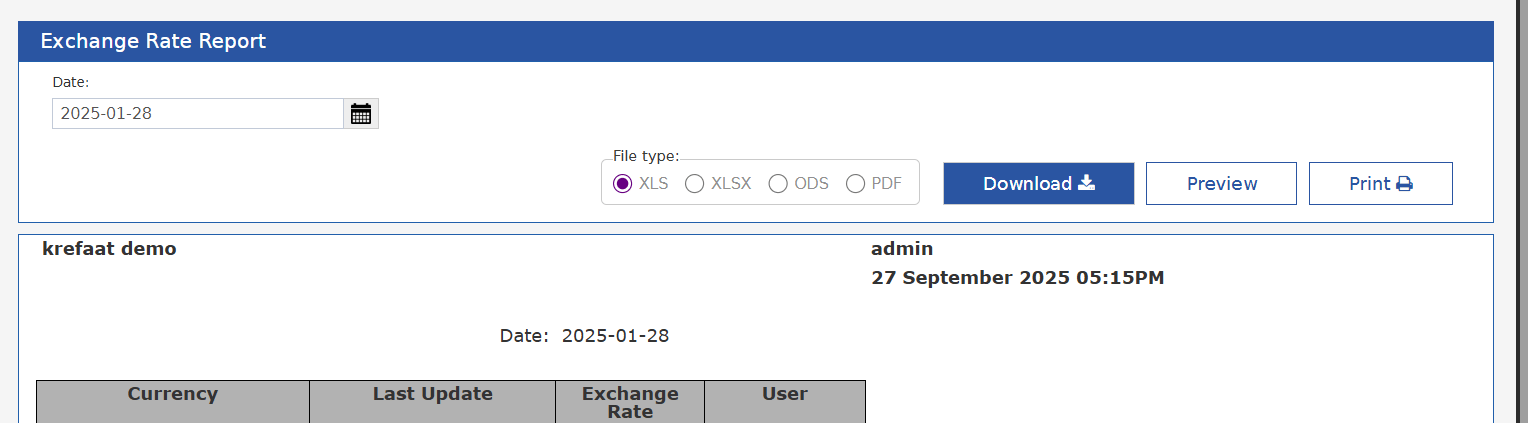
- On the Exchange Rate Report screen, use the calendar picker to choose the required Date for the rates you want to view.
- Choose File Type
- Select the desired file type for export:
- XLS, XLSX, ODS, or PDF.
- Download, Preview, or Print
- Click Download to export the report in your chosen format.
- Or, click Preview to view it on screen before exporting.
- Or, click Print to send directly to a printer.
When you run the Exchange Rate Report, the following columns will appear: