Business Value
- Catch missing folios before they become month-end accounting gaps.
- Cover in-house and checked-out reservations plus open and closed Paymasters.
- Surface windows where charges have posted but no folio exists.
- Jump straight to any reservation or Paymaster via its clickable link.
Use Cases
- Night auditor runs the report after night turn to confirm every billing window has a folio.
- FO manager clicks the reservation link from the report and issues the missing folio immediately.
- Accountant reconciles posted charges against generated folios at month-end.
How It Works
Running the Report
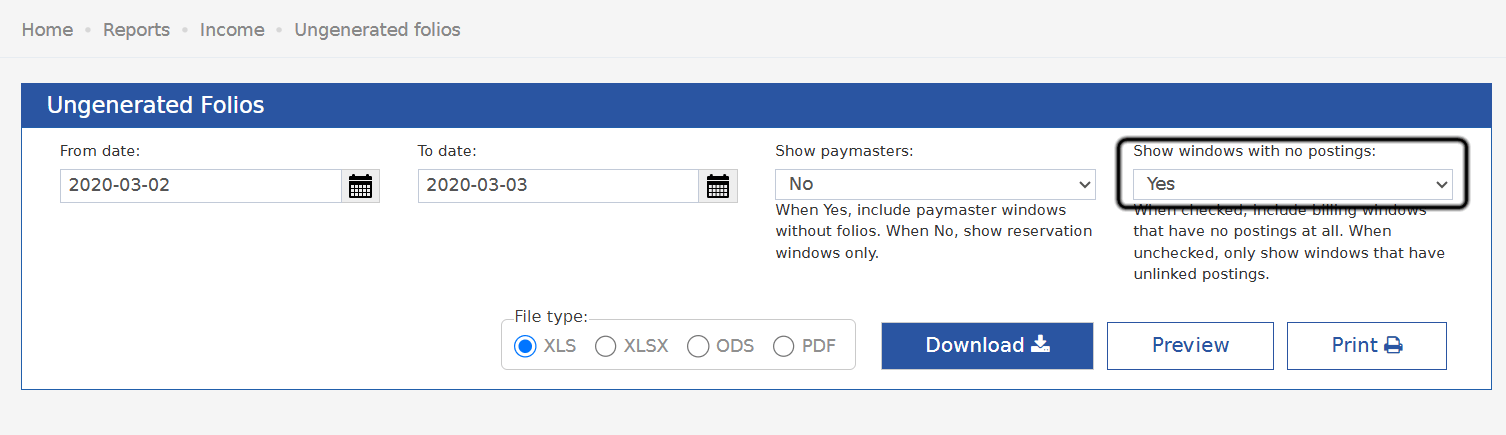
Set the following parameters before running:- From Date — start of the date range.
- To Date — end of the date range.
- Show Paymasters — dropdown. Yes includes Paymaster windows without folios; No shows reservation windows only.
- File Type — choose XLS, XLSX, ODS, or PDF.
- Click Download to export the file, Preview to view it on screen, or Print.
Report Columns
Update: June 16, 2026
The report now includes a Show Windows With No Postings parameter, so you can exclude empty windows and focus on windows where charges have actually been posted.- Show Windows With No Postings — dropdown, defaults to Yes.
- Yes: billing windows with no postings are included alongside windows that have postings (the report’s original behavior).
- No: windows with no postings are excluded — only windows that have postings appear.