Add or Remove Restaurant Tables - Restaurant Layout
Add or remove restaurant tables and shape the Restaurant Layout - doors, bathrooms, stairs and table properties - to match your real floor.
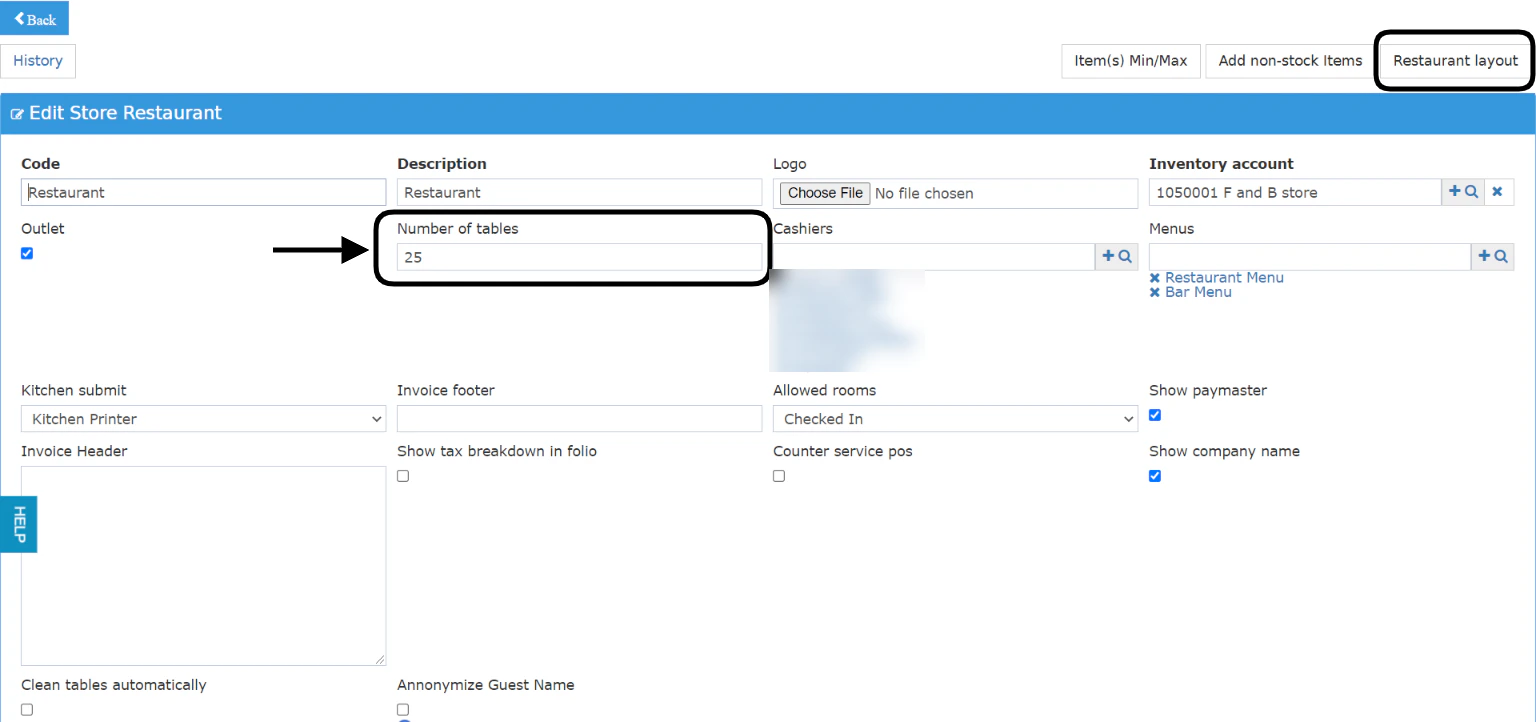
When you need to add or remove tables from your restaurant and you want the restaurant layout to match the real scene, you should follow the below steps:Point of Sale → Settings → Outlets → Select OutletWhen removing tablesmake sure that they don’t have any open invoices so you don’t face any errors
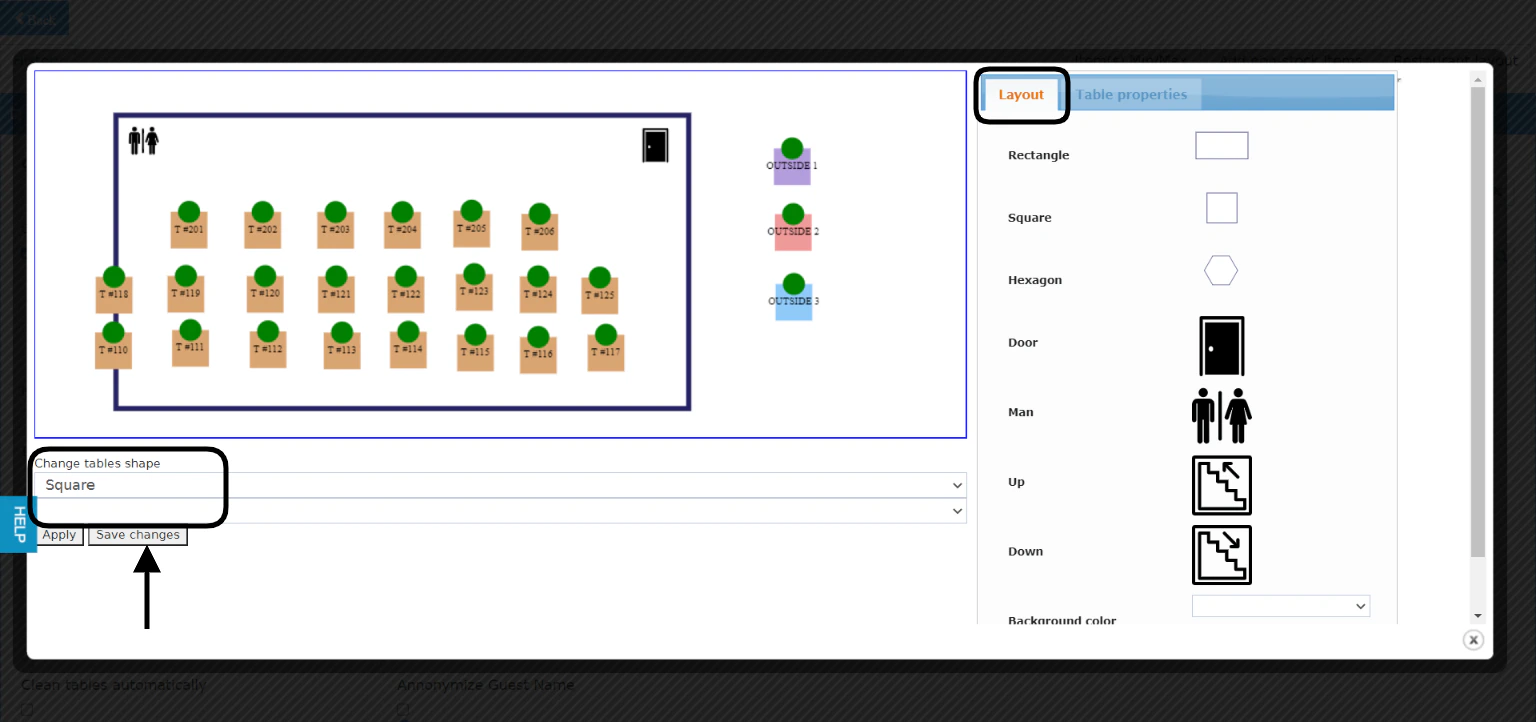
Once you are in the outlet settings you get to manage the number of tables available for your restaurant.You can also manage how the restaurant would look like for your waiters and cashiers to match the real scene.When you go to your Restaurant Layout you get to choose the below and change them:From Layout Tab:
Add your restaurant Shape
Add doors
Add bathrooms
Add stairs
Change the background’s color
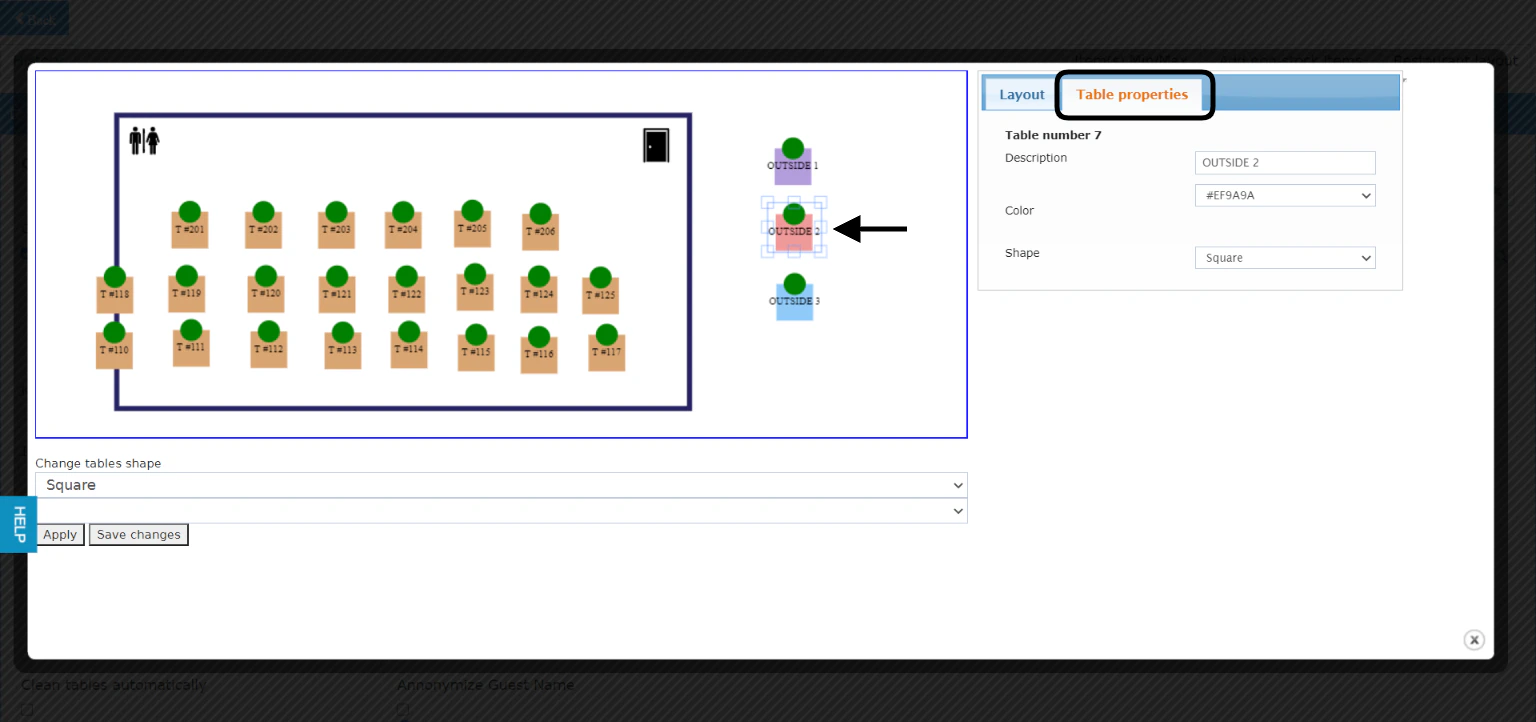
You can change all table properties at once using the bulk Change tables shape & color.Click Apply to see the changes you made, click Save changes when you are ready to finalize the layout.If you would like to change the properties of 1 table only, select the table and go to Table Properties.Don’t forget to Save changes for your layout to reflect for your waiters and cashiers to follow.