

Cashier PIN can't access outlet - no matching PIN code to selected store
The no-matching-PIN-code error means the user is not linked to the outlet - link them from the outlet settings to fix it.
When you get an error while trying to use your Cashier PIN on one of your outlets no matching PIN code to selected store, this only means that this user is not linked to the outlet.
After you make sure of the correct user group for the user, assign a pin and a cashiering number you need to link the user to the outlet you desire.
Point of Sale → Settings → Outlet → Select Outlet
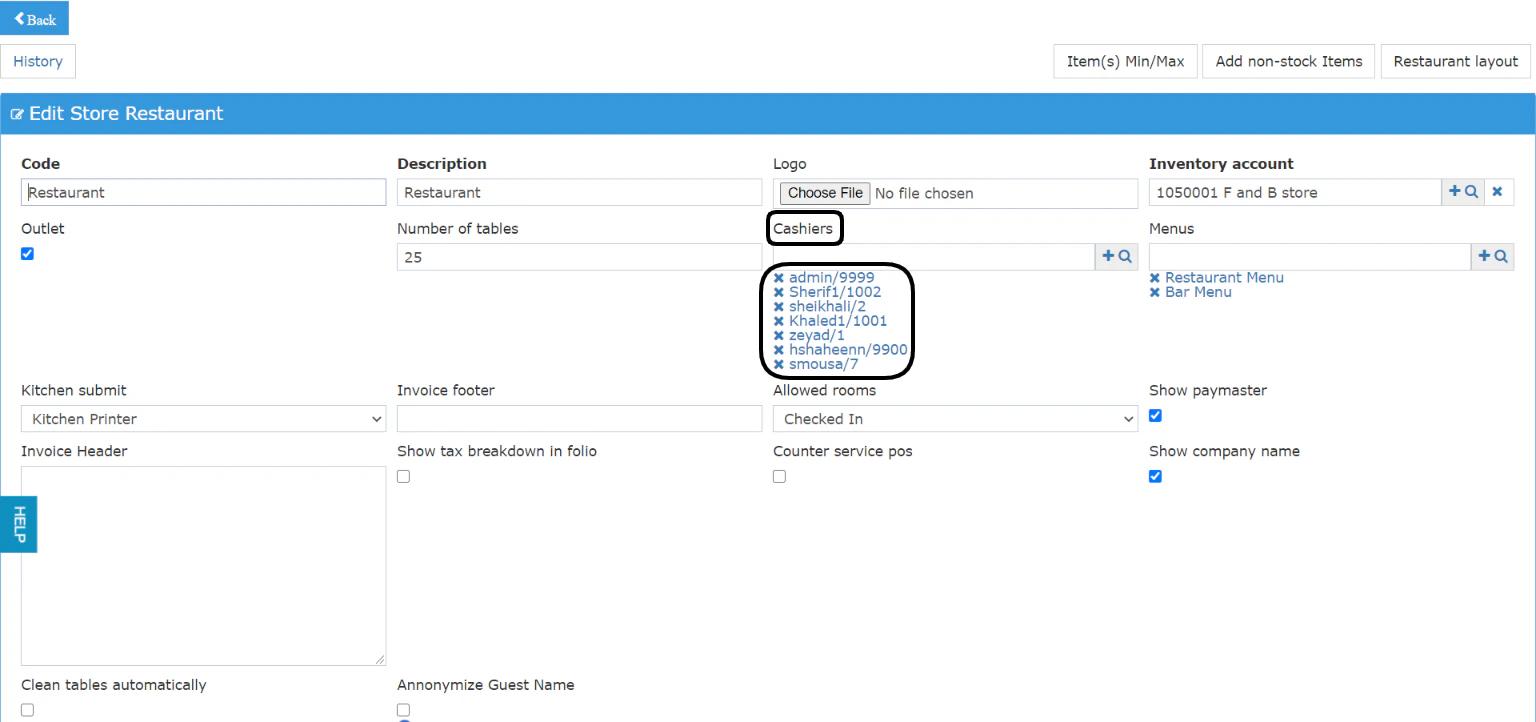
Once you reach the outlet settings screen, you will get to choose which cashiers are authorized with their PIN to access the restaurant/bar.
Use the auto-complete feature or the magnifying glass to select the POS cashiers who can work on this outlet.
Don’t forget to click Save from the bottom of the screen to reflect your changes.