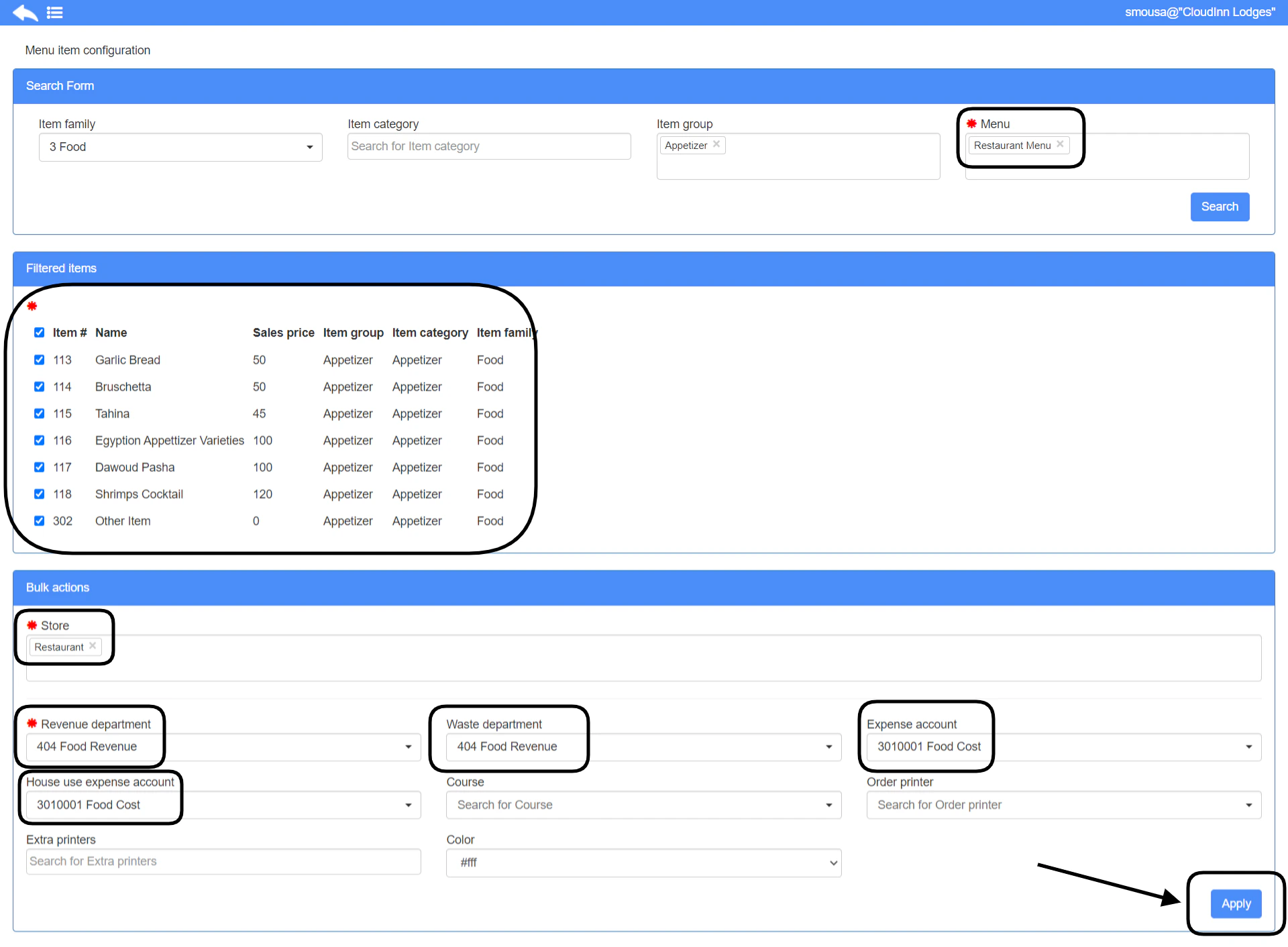
- All items you need are added to a POS Menu.
- Your menu is added to your outlet from outlet settings.
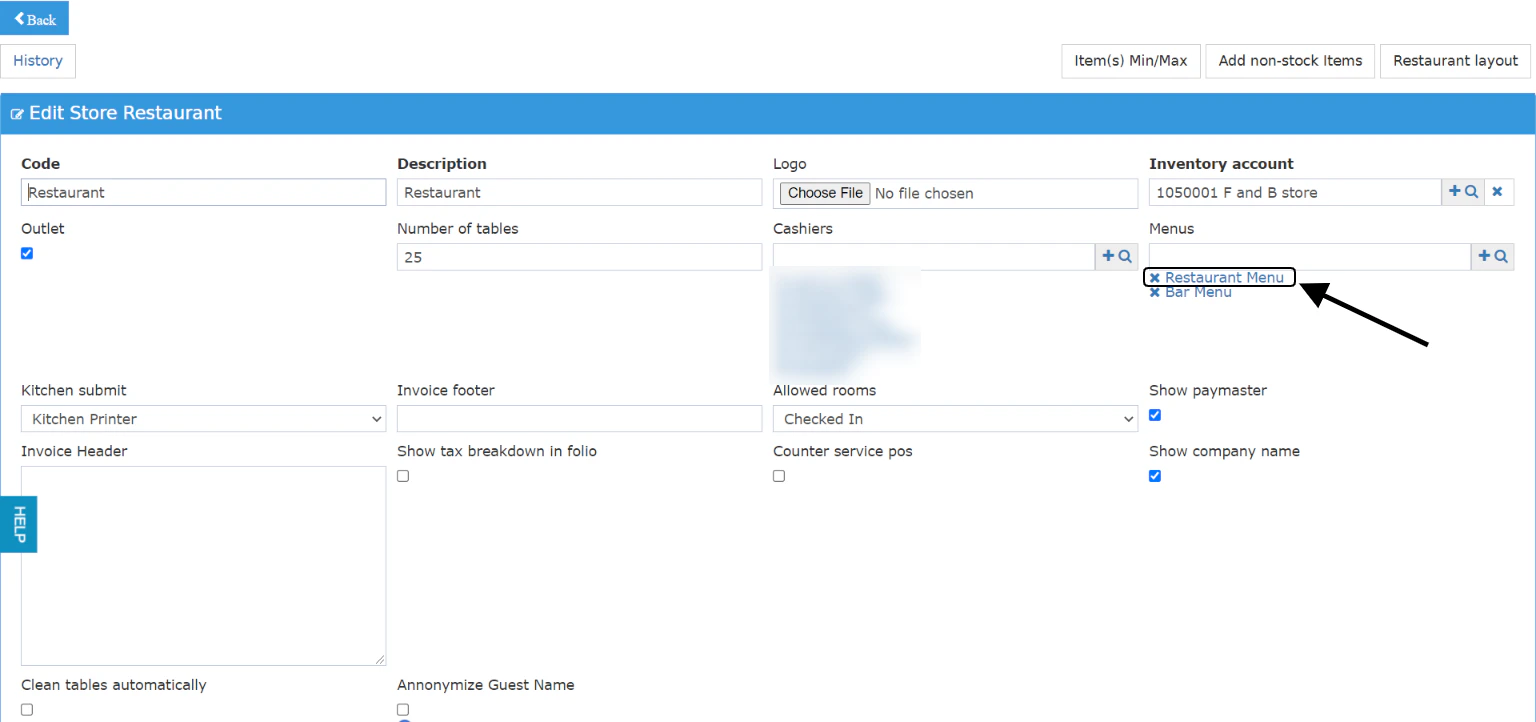
- Links the Menu to your outlet
- Links your items to the correct Revenue Departments “food or beverage”
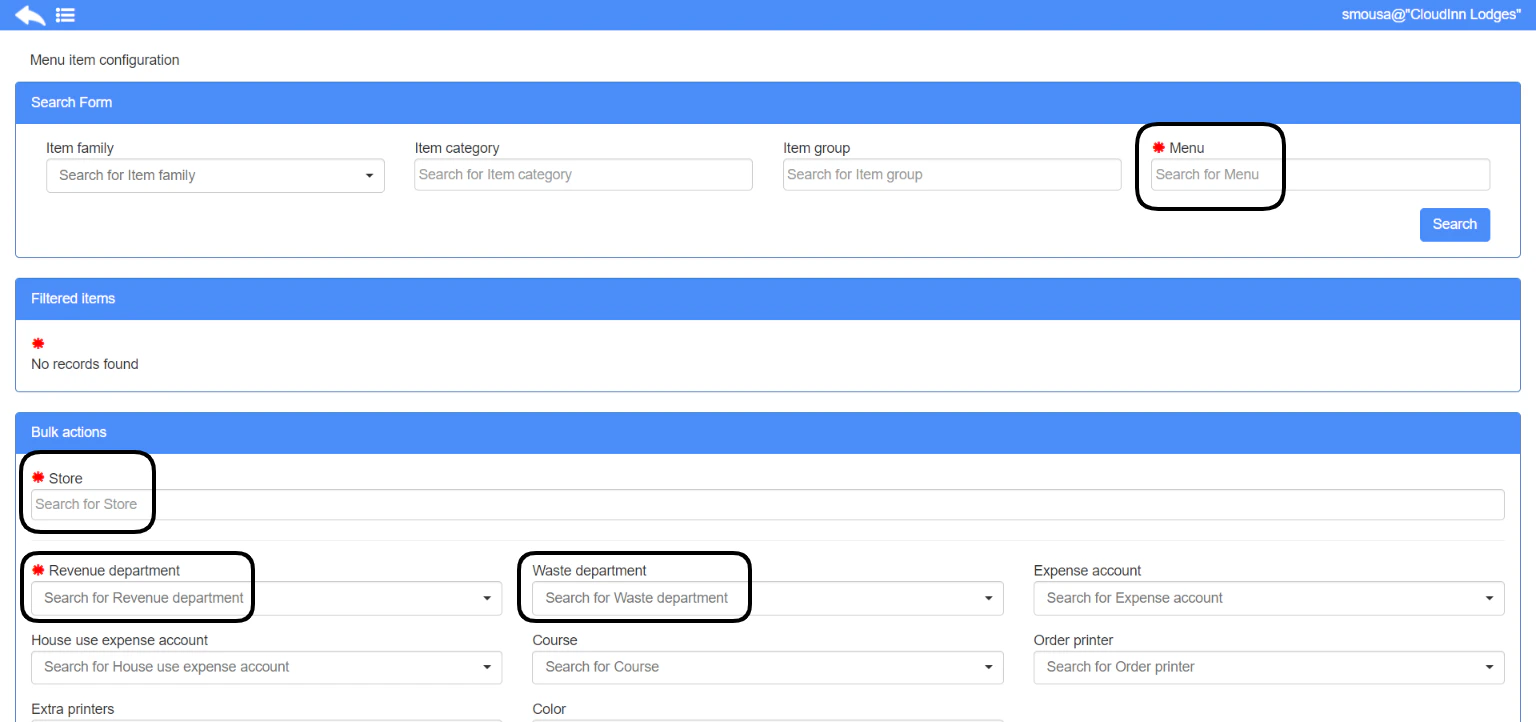
- Search for the menu.
- Find the item you want to configure in the filtered items.
- Select the store this item should reflect in.
- Link the item to a revenue department depending on its type.
- Optional: add a waste department so that it counts properly when wasted from Cashiering screen.
- Optional: add an expense account so that when the item is consumed it counts its cost on the correct expenses account.
- Optional: add a house-use expense account so that when an invoice needs to be settled for House Use purposes it goes to the correct account.