
Documentation Index

Fetch the complete documentation index at: https://help.kwentra.com/llms.txt

Use this file to discover all available pages before exploring further.

The standard color coding for POS Tables in any outlet is three stages as below:
  • Green: Table is ready to receive guests.
  • Yellow: Table awaits covers removal and cleaning.
  • Red: Table is occupied and has open invoices.
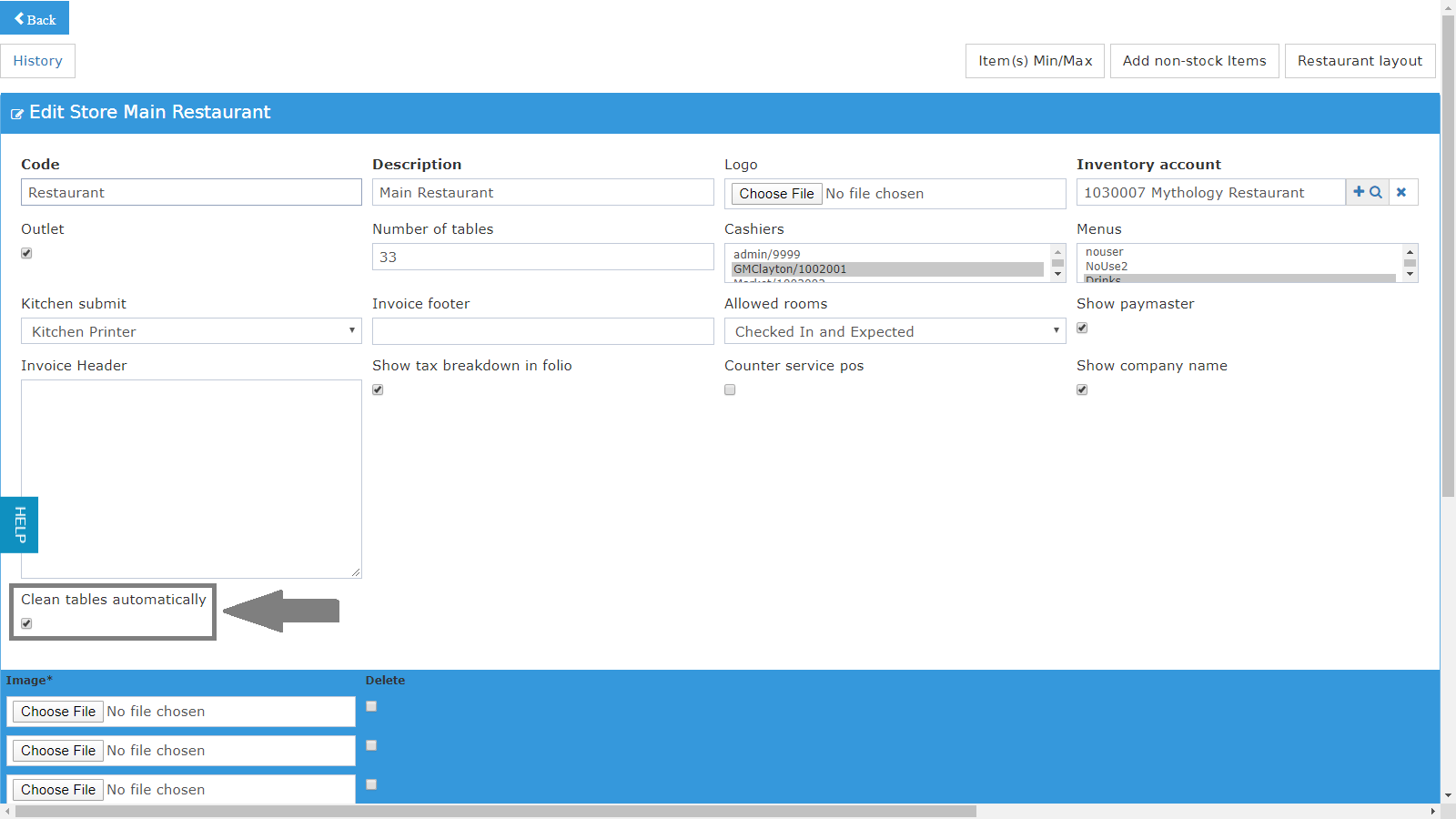
If your operations usually go on a faster pace you can mark the tables to get cleared automatically and you won’t have the Yellow Intermediate State. Simply, your tables will get cleared automatically on Restaurant Layout screen. Point of Sale → Settings → Outlets → Select Outlet