

Front Office Reports allows you to see an overview of specific inputs and criteria available on reservations and consolidates them in one place.
With this report you can see all reservations that would arrive/depart from your hotel and might be needing Airport Transportation.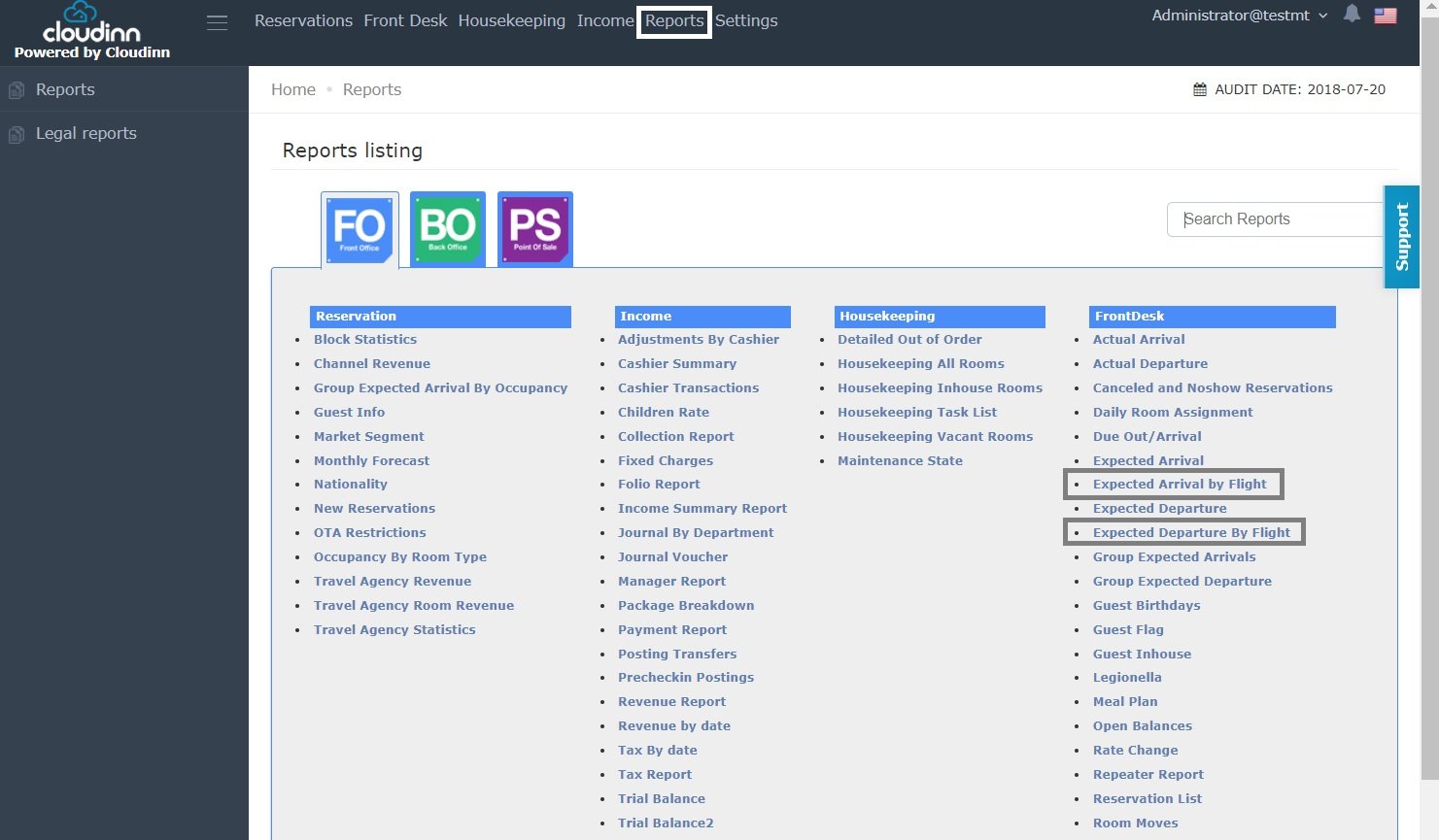
- Click on the report you would like to run.
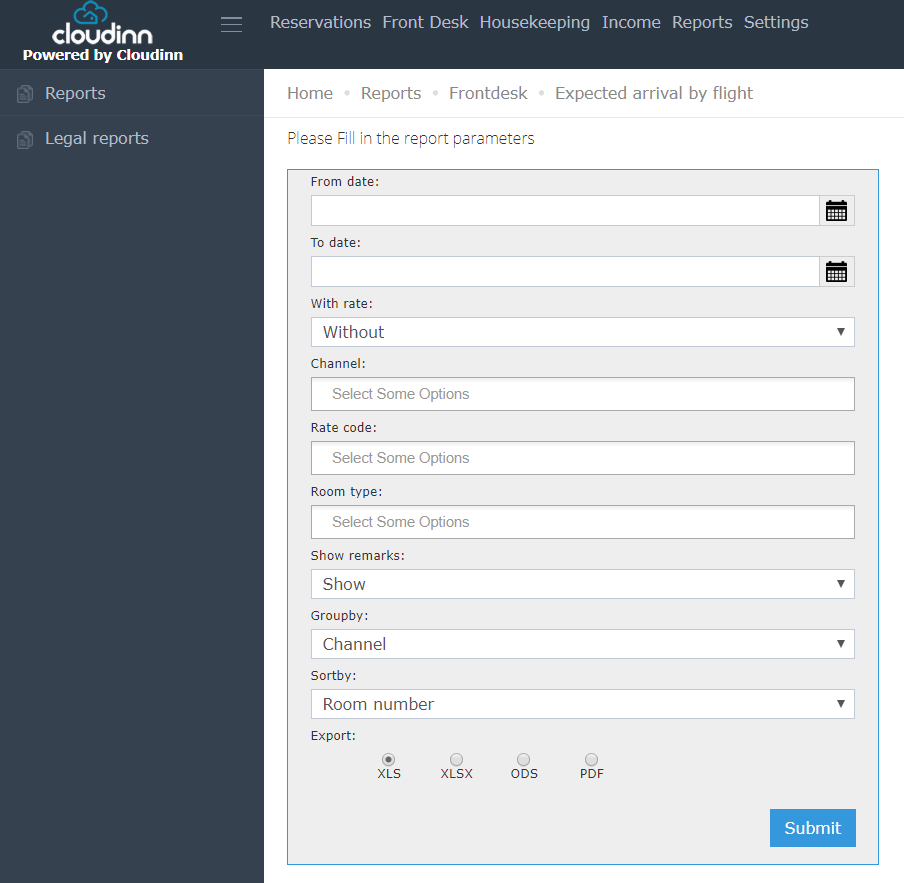
- Put in the date range you want to run this report for.
- Use the drop down menu With Rate to choose whether to showcase the rates in the report or no.
- Not Mandatory: Select a channel you would like to run the report for or you can leave it blank.
- Not Mandatory: Select a rate code you would like to run the report for or you can leave it blank.
- Not Mandatory: Select a room type you would like to run the report for or you can leave it blank.
- Select whether to show reservation remarks or no.
- You can Group by several options ( Channel / Group / Rate Code ).
- You can Sort by several options ( Room Number / Reservation Number / Guest Name / Flight Number / Flight Time / Room Type )
Update: July 30, 2026
Room Type Filter Hides Room Types With No Rooms
The Room type filter now lists only room types that have at least one room mapped to them.What’s New?
Room types with no rooms mapped to them no longer appear in the Room type filter on the Expected Arrival By Flight and Expected Departure By Flight reports. Retired room types stay in the system because historical reservations still reference them, but they are hidden from the filter instead of sitting there as options that return nothing.How It Works
- Run either report from Reports → FO → FrontDesk → Expected Arrival By Flight or Expected Departure By Flight.
- Open the Room type filter (step 6 above) — only room types with at least one room mapped to them are listed.
- Map a room to a room type and it appears in the filter again; unmap every room and it disappears.