Report Business Value:
The balance sheet shows the hotel’s assets, liabilities and equity at a point in time.- Assets are on one tab. Liabilities are on another tab.
- For a true picture, both sides must be equal: Assets = Liabilities + Equity.
- It is a snapshot of the hotel’s financial position. Hotels usually run it every quarter, half year or year.
- All your journal vouchers are reviewed and posted.
- All your transfers and usages are reviewed and submitted.
- All your receiving orders are reviewed and submitted.
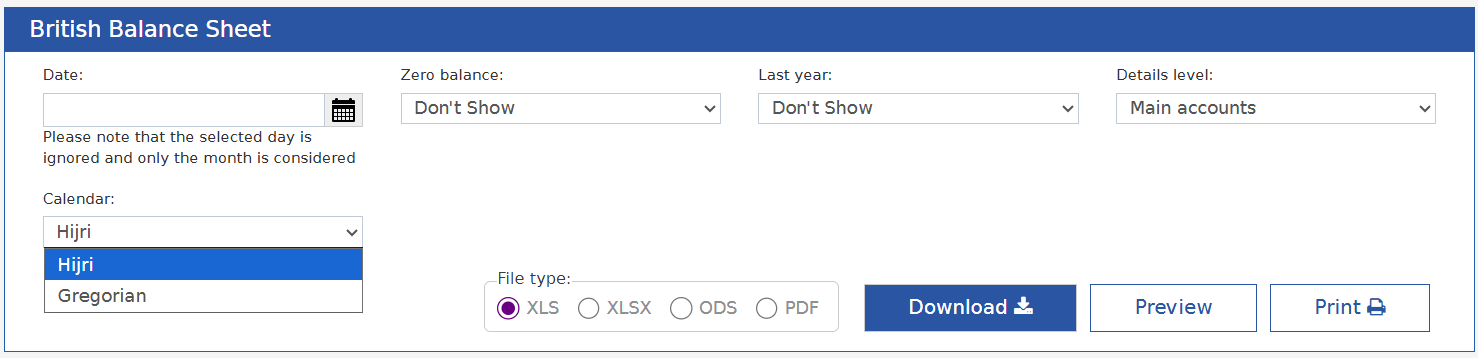
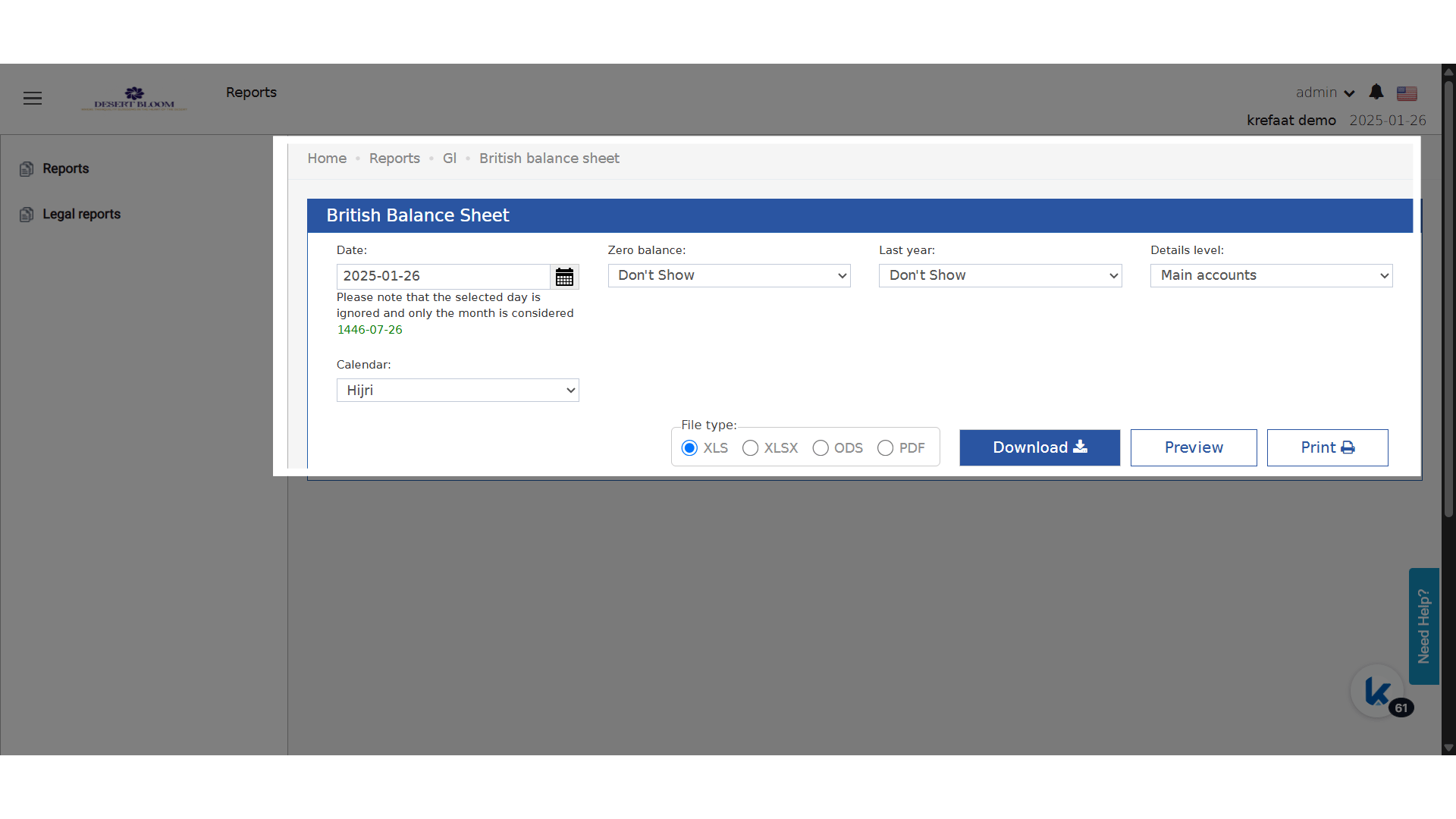
- Pick the month for the balance sheet.
- Optional: choose whether to show accounts with a zero balance.
- Optional: choose to show last year’s numbers to compare.
- Choose the Export format: Excel “XLS / XLSX / ODS” or PDF.
- First Column: every account in your chart of accounts with the type Assets.
- Current: the balance of each account for the month you run the report for.
- YTD: the balance of each account from the start of the year to that month.
- First Column: every account in your chart of accounts with the type Liabilities & Equity.
- Current: the balance of each account for the month you run the report for.
- YTD: the balance of each account from the start of the year to that month.
British Accounting System
For properties on the British accounting system, the balance sheet is built on main account and T-Code combinations.- It is easier to audit, and grouped by account.
- It follows your calendar, and works with Hijri.
- It helps you meet local rules.
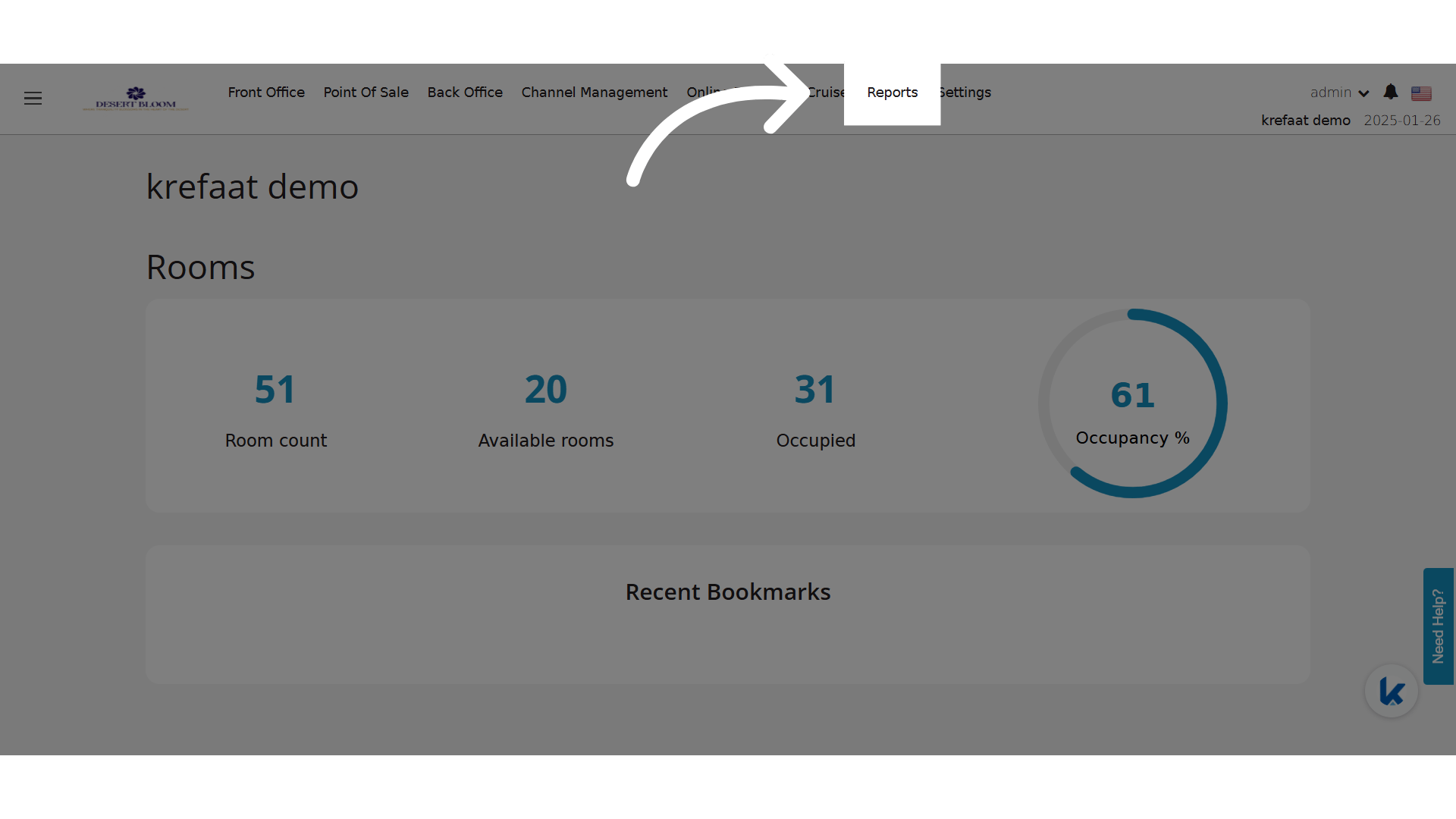
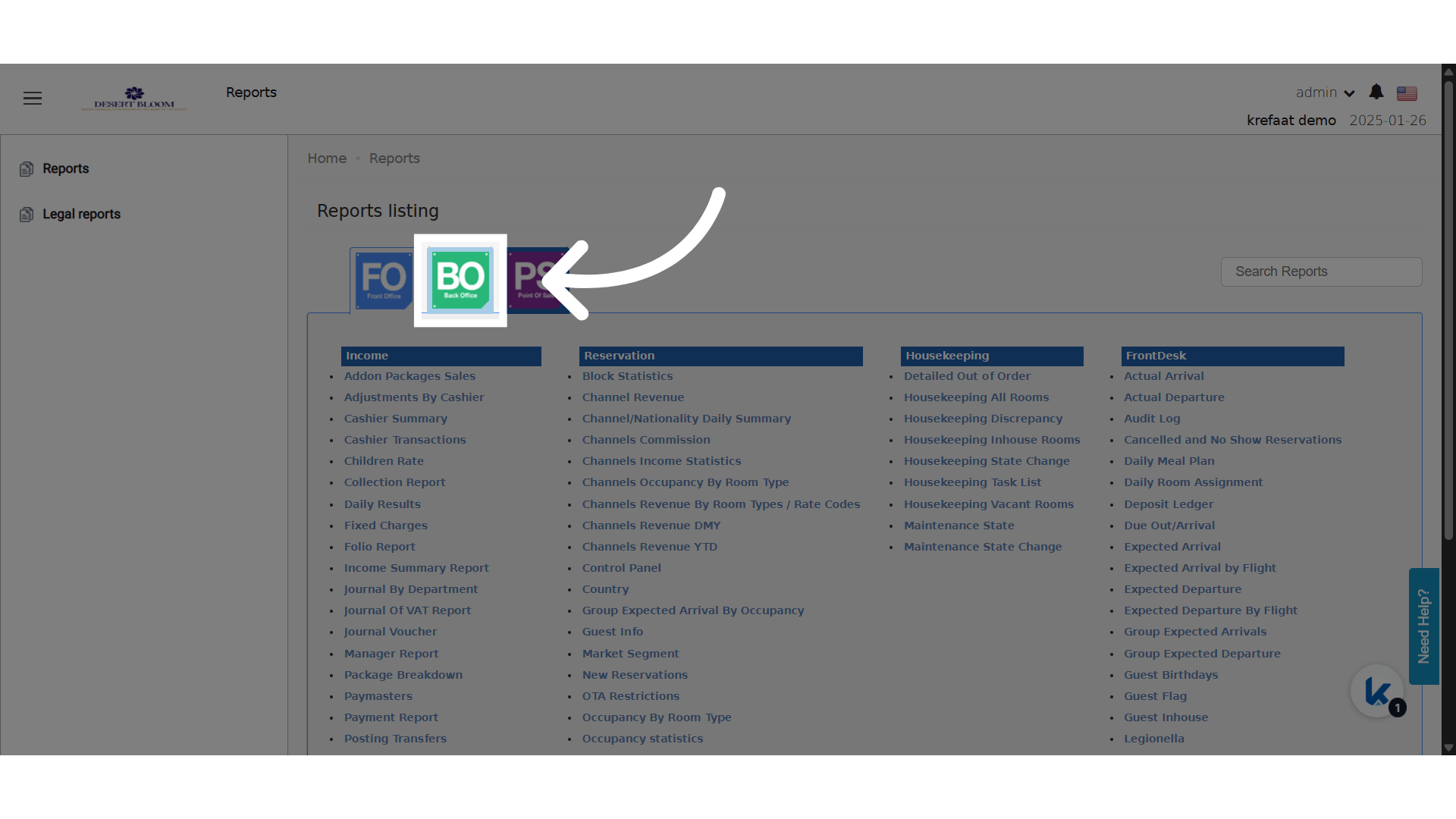
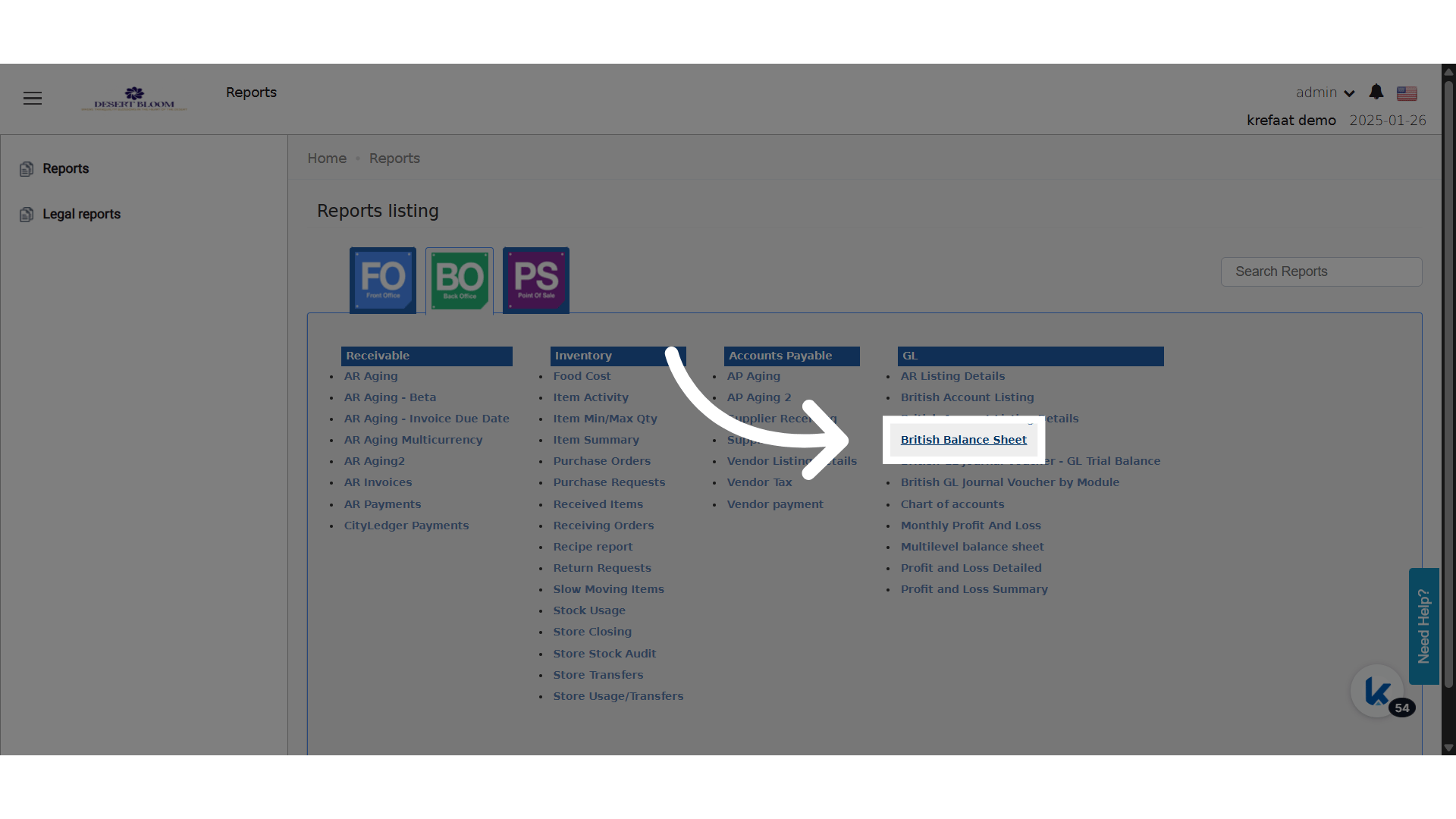
- Back Office → Reports → Balance Sheet
- Back Office → Reports → British Balance Sheet
Update: 21st of August, 2025
View your balance sheet on the Gregorian or the Hijri calendar. Dates and periods follow the calendar you pick.How It Works
- A new Calendar parameter shows when Hijri support is on for your system.
-
Calendar:
- A list with: • Gregorian (ميلادي) • Hijri (هجري)
-
Date Parameter:
- The month picker follows the selected calendar. You pick the month in that calendar.
-
Calculations:
- All period figures use the calendar you pick. “Current” = closing balance of the selected month minus the previous month.
- With “Hijri”, all cut-off dates, months and periods follow the Hijri calendar.
Example
- You pick August 1447 in the Hijri calendar. The report compares this month with the previous Hijri month for all main accounts.
- The “Current” column is worked out as: Closing Balance (Hijri August 1447) - Closing Balance (Hijri July 1447)