Business Value
- Review all receiving orders in any date range.
- Filter by vendor to see all receipts from one supplier.
- Check if each receiving order is posted to the store or still pending.
- Group the output by vendor or by item group.
- Match each receipt to its vendor invoice with the Invoice Number column.
- Trace payments back to their receipts during AP reconciliation.
Use Cases
- A store manager runs the report for this month to review all items received.
- An AP accountant filters by vendor and matches receipts to vendor invoices.
- A finance manager groups by item group to find the categories with the highest received value.
How It Works
Running the Report
From Date / To Date: receiving orders created in this period. Vendor: optional. Shows orders from one vendor only. Item Group: optional. Shows orders for one item group only. State: Submitted (posted to the store) or Pending. See the June 14, 2026 update below. Store: optional. Shows one store only. Group By: Vendor or Item Group. Summary: set to No to see every line of every receiving order. Actions: Download, Preview and Print.Report Layout
- Group by Vendor: orders for each vendor, split by store, then by item group.
- Group by Item Group: orders for each item group, split by store, then by vendor.
- Each item group and each store ends with a subtotal.
- A Grand Total covers all vendors and stores.
Report Columns
Set Summary to No to see all line data.Update: June 14, 2026
Status Parameter & Status Column
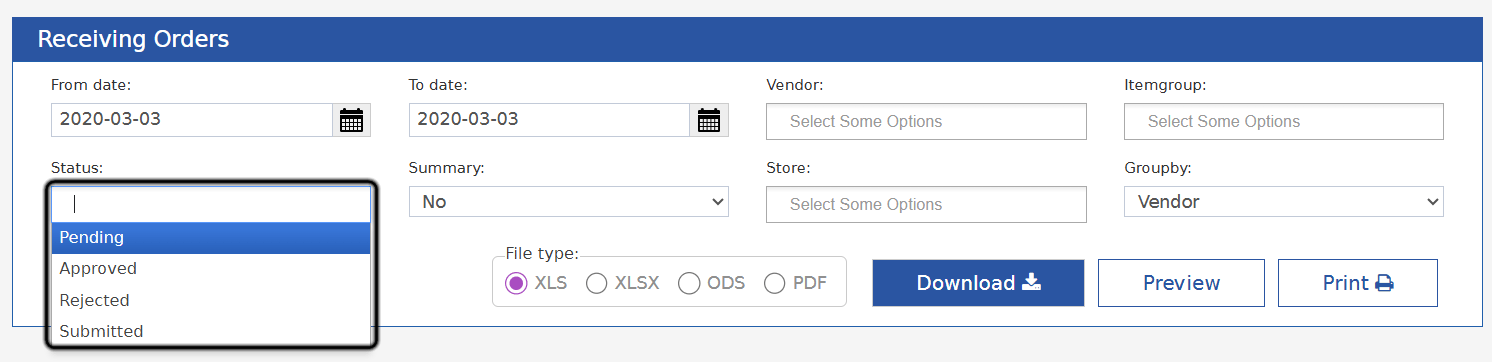
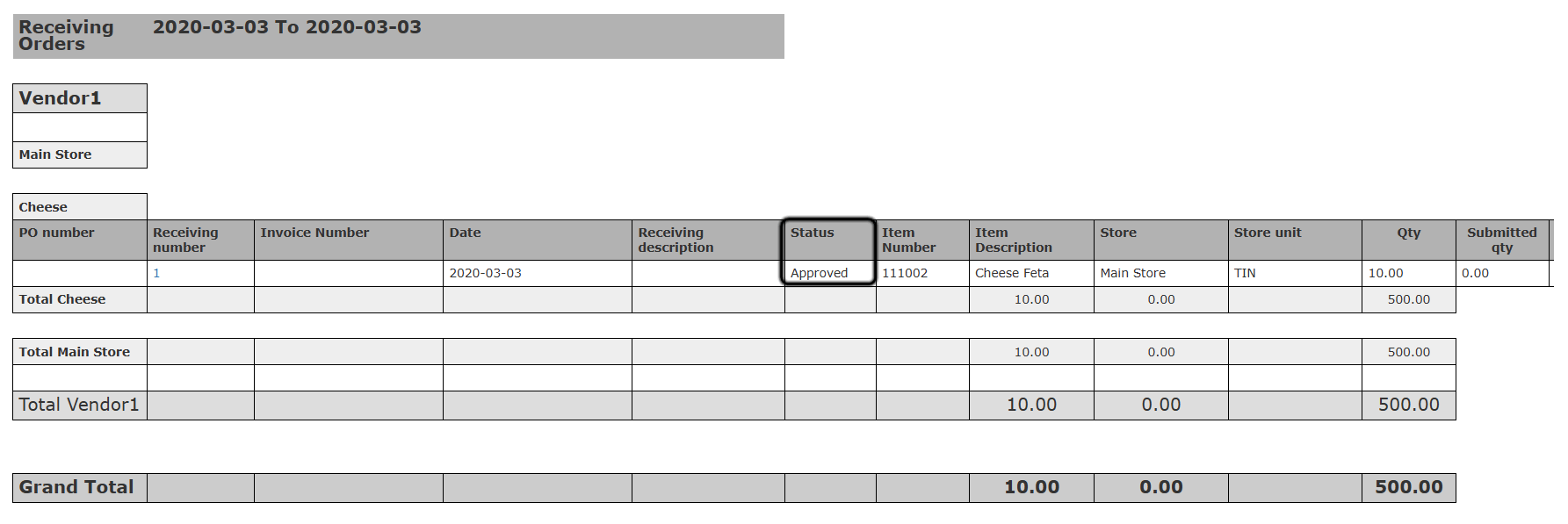
Filter the report by one or more order statuses. The output also shows each order’s status.What’s New?
- A multi-select Status filter replaces the old State filter (Pending / Submitting only).
- A new Status column is added to the output.
How It Works
- State is now called Status. You can type to search and pick more than one value.
- It is empty by default. Empty returns receiving orders of all statuses.
- Statuses: Pending, Approved, Rejected and Submitted. Pick any mix.
- The new Status column comes after Receiving Description. It shows each order’s current status.