Business Value
- Trace every purchase order (PO) back to its purchase request (PR).
- Track what each vendor must deliver, delivery status and cost per order.
- See pending and received orders for accruals and stock checks.
Use Cases
- A purchasing officer reviews pending orders and follows up late suppliers.
- A cost controller checks partially received or closed orders for stock and cost control.
- A purchasing manager reviews orders by vendor to see the total ordered from each supplier.
How It Works
Running the Report
- Date Range (From / To): POs created in this period.
- Status: pick one or more statuses:
- Pending: PO created but not received yet.
- Received: PO fully received and closed.
- Partially Received + Closed: part of the PO was received, then it was closed by hand.
- Closed: PO closed by hand with nothing received.
- Details:
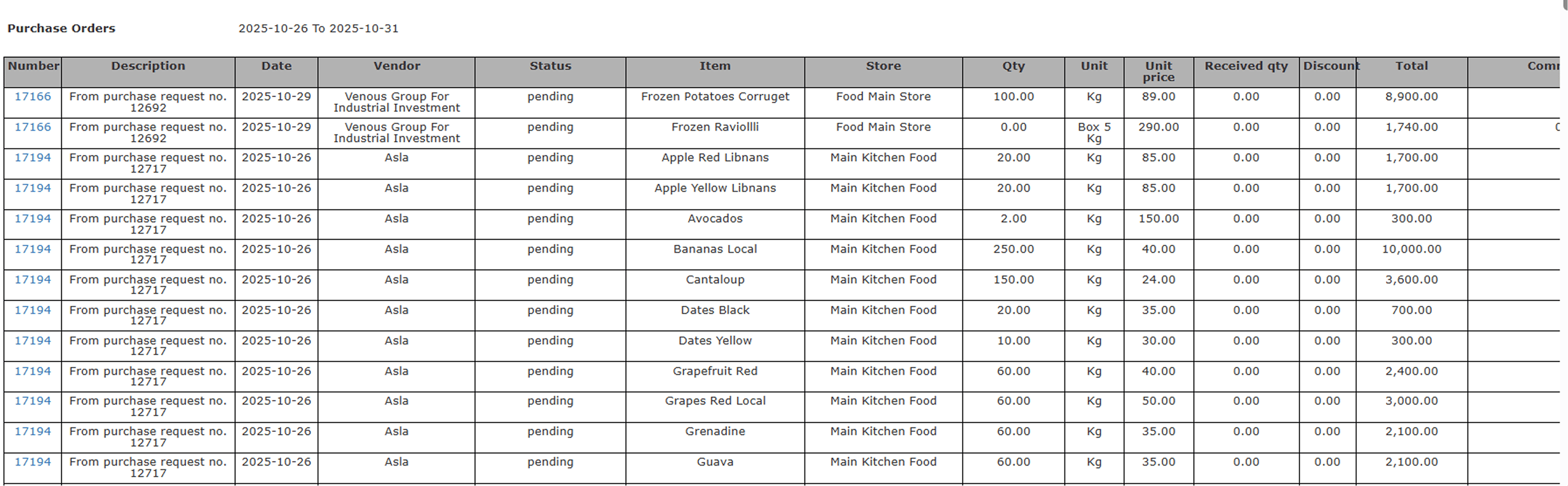
- Detailed: one line for each ordered item.
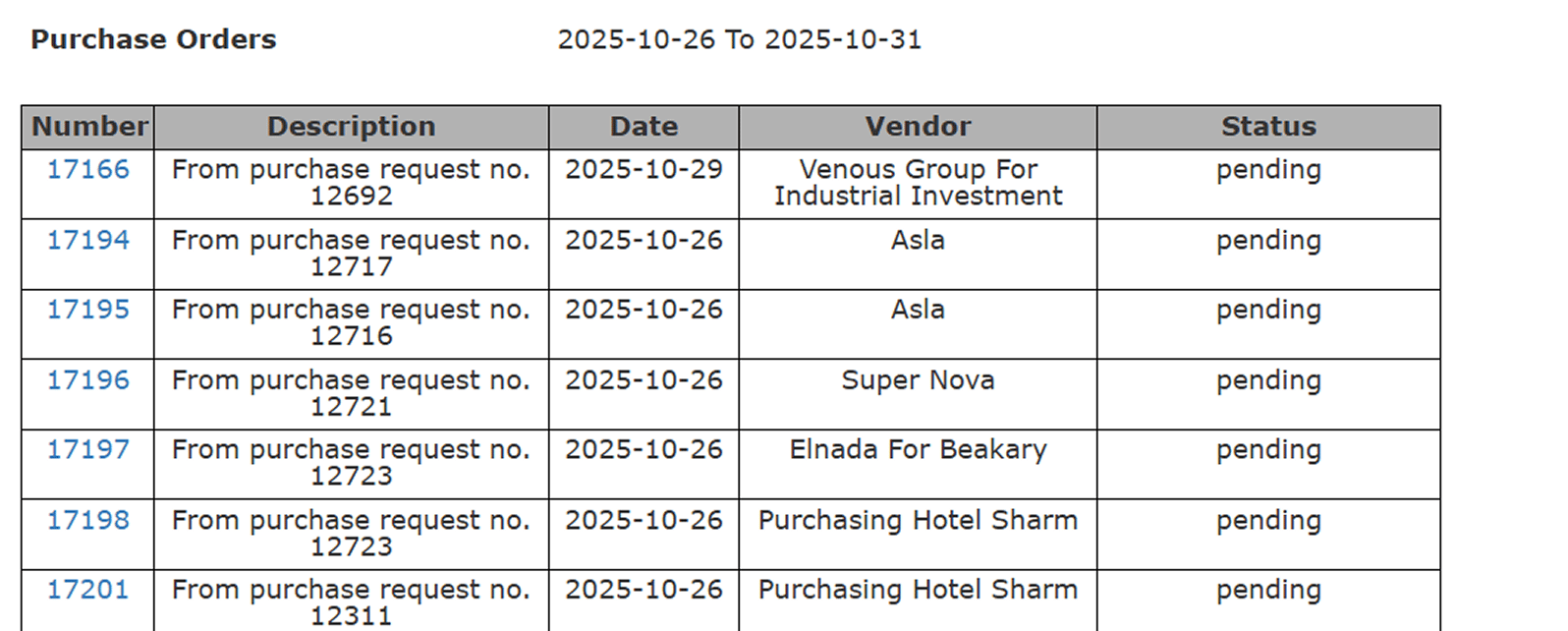
- Summarized: one line for each purchase order.
- File Type: XLS, XLSX, ODS or PDF.
Summarized View
One line for each purchase order:- Number: the PO number.
- Description: the source PR number or notes.
- Date: the date the PO was created.
- Vendor: the supplier name.
- Status: Pending, Received, Closed and so on.
Detailed View
Every purchase order split by item and store.