

Report Business Value
- See how each department and store uses stock.
- Find the biggest usage areas and unusual changes.
- Use the numbers to plan purchasing, budgets and stock.
- Choose a summary for reviews or full detail for audits.
Use Cases
- A cost controller reviews each department’s monthly usage, such as F&B, HK or Engineering.
- A store manager finds items with high or unexpected usage.
- An auditor checks store issues against expense accounts.
- A finance manager prepares cost reports for department heads.
How It Works
Running the Report
- From date / To date: the report period, such as 2025-10-01 to 2025-10-31.
- Group by: From Store, Expense Account, Item Group or Usage Department.
- Detail: Summary, Itemized or Detailed.
- State: Submitted or Pending.
- From Store, Expense Account, Usage Department: pick specific stores, accounts or departments.
- Item family, category, group: narrow down the items.
- Show zero values: show or hide items with zero usage.
- File type: XLS, XLSX, ODS or PDF. Then click Download, Preview or Print.
Report Columns
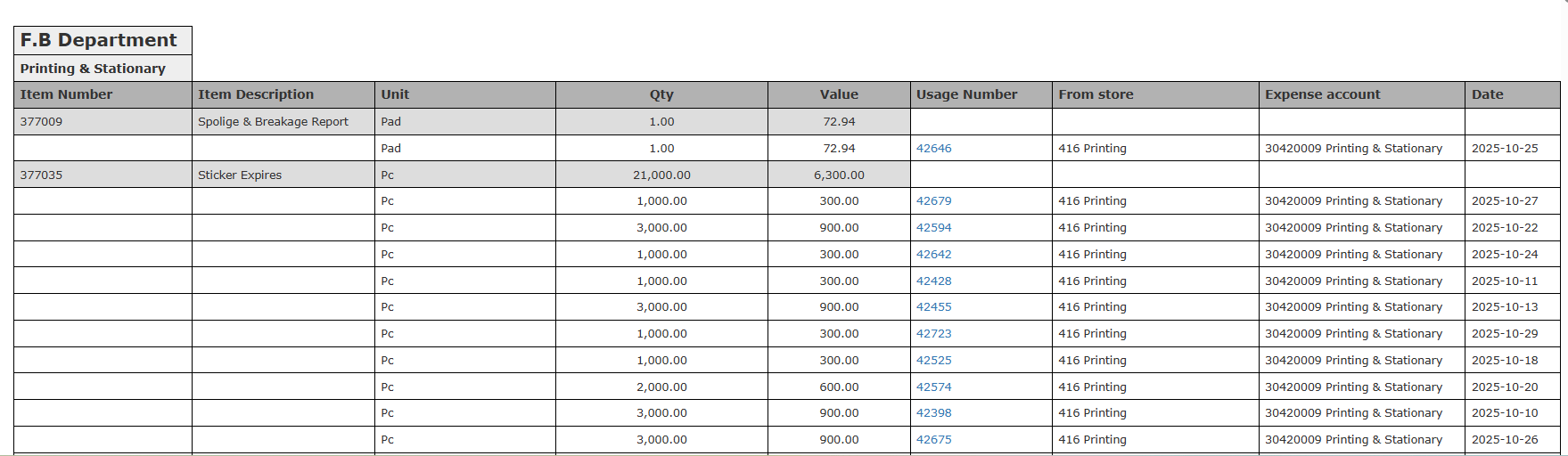
Summary shows the total quantity and value used per department or item group.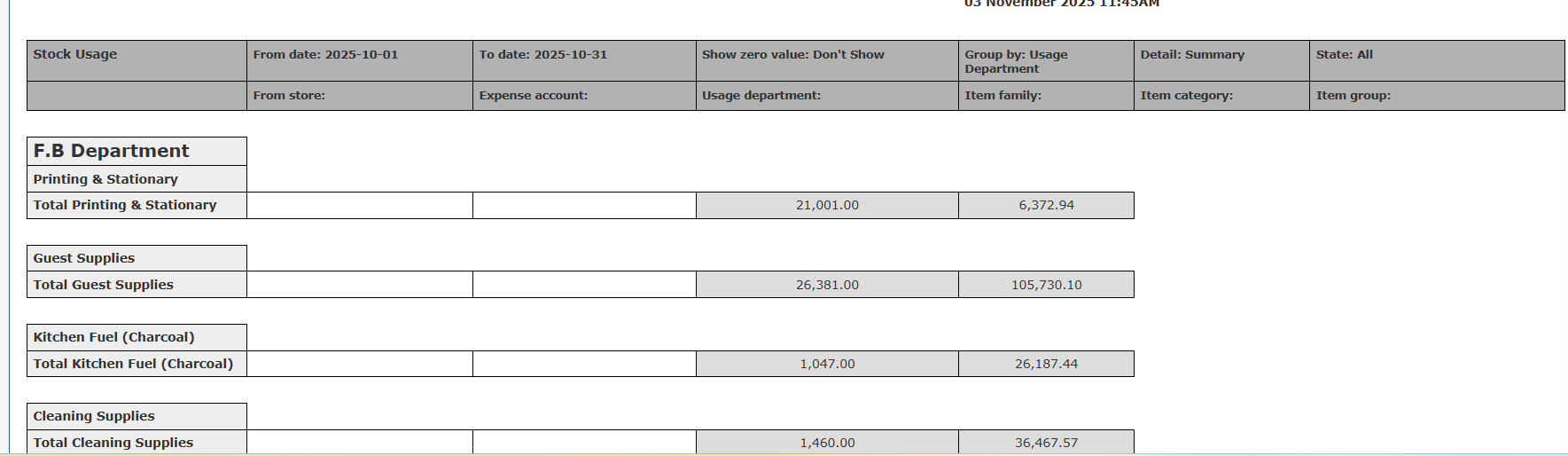
Update: 29th of October, 2025
Store Usage Report Enhancement: Group by Expense Account within Usage Department
The summary now shows usage totals by department and by expense account.Use Cases
- A cost controller compares Housekeeping’s Guest Supplies with its Cleaning Supplies.
- The finance team checks how each department’s costs split across accounts for budgets.
- Department heads review their own usage and its cost split by account.
How It Works
- Set Group by to Usage Department.
- For each usage department, the report now shows:
- A total for the department, with its name.
- A split by expense account inside the department, with a total for each account.
- The Usage Department header now uses a larger font than the expense account headers.
- The Total label now reads Total Usage Department, such as Total Housekeeping Department.
