

Business Value
- Gives a full audit trail of how an item’s quantity changed over time.
- Helps storekeepers and cost controllers watch daily store work.
- Helps you compare physical counts with system quantities.
How to Run the Item Activity Report
Reports → BO → Inventory → Item Activity At the top of the screen, choose:- From date → first day of the report
- To date → last day of the report
- Store → single select (one store only)
- Item → single select (one item only)
Opening & Submitted Quantities (Summary Block)
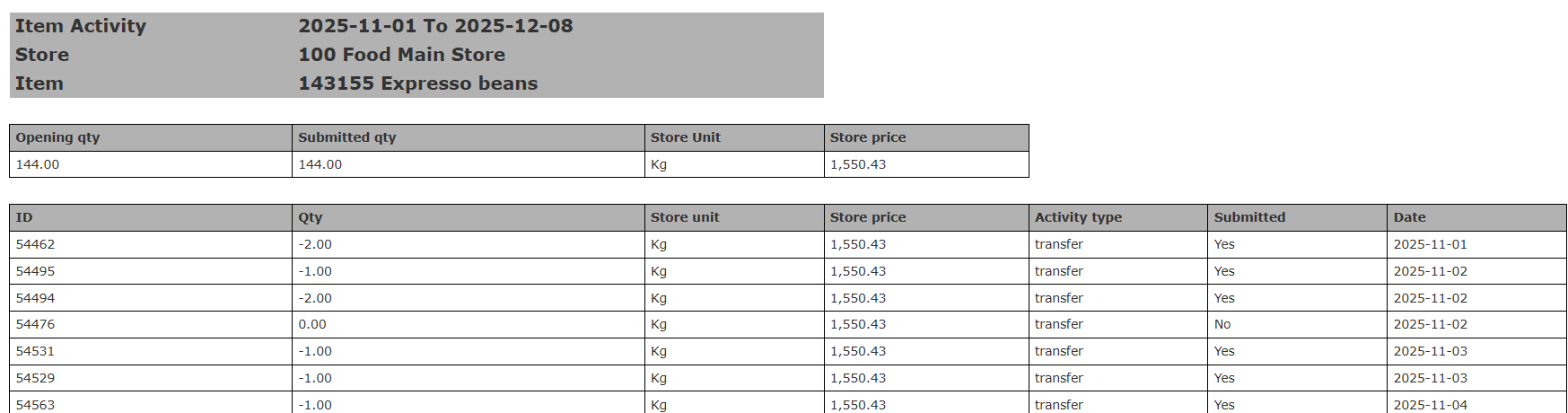
- Opening Qty: the quantity in the store at the start of the period.
- Submitted Qty: the total of all quantities submitted in the period.
- Store Unit: the unit the item is tracked in, for example Kg, Ltr or Pc.
- Store Price: the cost of one unit of the item in the selected store.
Detailed Activity Table
Each row is one activity on the item:- ID → transaction reference
- Qty → quantity moved, positive or negative
- Store Unit → unit of measurement
- Store Price
- Activity Type
- transfer
- usage
- receiving
- Submitted (Yes/No)
- Date it was created
Closing Quantities (End of Report)
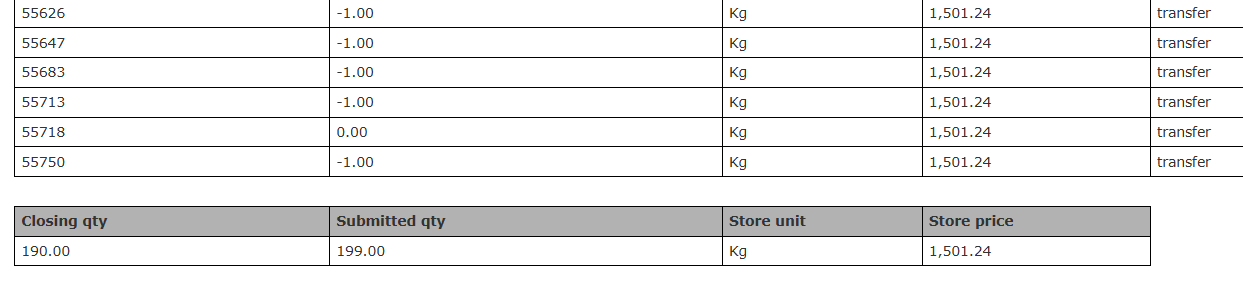
- Closing Qty: the quantity left after all activities in the period.
- Submitted Qty: the submitted total, added up again to check the closing.
- Store Unit: the unit the item is tracked in, for example Kg, Ltr or Pc.
- Store Price: the cost of one unit of the item in the selected store.
Update: December 2025
Value Column & Transaction Hyperlink
See the total value of item movements. Open each transaction from the report.What’s New?
The report now has Value columns. Transaction IDs are now links to the original document.How It Works
- Run the report as usual: Reports → BO → Inventory → Item Activity
- The report now shows:
- Opening Qty + Opening Value
- All movements with Qty, Price, Value
- Closing Qty + Closing Value
- Click any Transaction ID to open the full document.
- Review, check or correct transactions without leaving the report.
Update: June 4, 2026
Items Filter by Selected Store
The Items list now shows only the items linked to the selected store.What’s New?
When you pick a store, the Items list shows only items in that store. This stops empty report rows for items that are not in the store.How It Works
- Run the report from Reports → BO → Inventory → Item Activity.
- Pick a Store. The Items list shows only items linked to that store.
- If you change the Store after picking items:
- Items that are still in the new store stay selected.
- Items that are not are removed. A short message tells you.